


Business Central Implementation
Hands-on ERP expertise for finance, supply chain, and operations.
We plan, configure, migrate, and go live on Microsoft Dynamics 365 Business Central as a full D365 Business Central implementation services partner, not a ticket queue. One team from discovery through post-go-live support, across finance, supply chain, manufacturing, and service organizations.

Implementations Across Industries
spanning Finance to Intercompany
in data migrated before go-live


Review our official certifications and industry recognitions. Each logo represents the authentic partnerships, credentials, and professional accolades that validate our Business Central implementation services.






Business Central Implementation Services We Deliver
Five Ways We Scope a Business Central Engagement
Whether you're replacing a legacy ERP, moving off Dynamics NAV, or standing up finance and operations for the first time, our Business Central implementation services are scoped around your business, not a fixed package.

End-to-end delivery: discovery, solution design, configuration, data migration, integration, testing, training, and go-live support. This is our default engagement for SMB, mid-market, and multi-entity organizations that need one accountable partner.

Discovery, process mapping, and solution design across Finance, Sales, Purchasing, Inventory, Warehouse, Manufacturing, Jobs, and Planning configured around your actual workflows, not a generic template.

AL development, extensions, APIs, and integrations for the requirements that genuinely can't be met through configuration built on the extension model so customizations survive the next upgrade.

Cloud-first deployments on the current release cadence, plus on-premises and hybrid setups for organizations with regulatory or infrastructure constraints. We've implemented both, so the recommendation is based on your environment, not our comfort zone.

For companies replacing an aging or unsupported ERP, NAV, SAP Business One, an old Sage system, or a spreadsheet and QuickBooks setup we run a structured cutover that protects historical data and daily operations during the switch.
Business Central Implementation Functional Coverage
Modules we implement most often
Every module below has gone into production on at least one client engagement. Finance, Sales, and Inventory are our deepest benches; Manufacturing and Warehouse Management are where clients most often ask us to phase functionality rather than take it all on in phase one.
Finance & Accounting
Chart of accounts, dimensions, consolidations
Warehouse Management
Bin setup, put-away, picking strategies
Service Management
Contracts, dispatch, warranty tracking
Intercompany
Multi-entity transactions, eliminations
Multi-Currency
Currency management and reporting
Sales
Quote-to-cash, pricing, order processing
Manufacturing
BOMs, routings, capacity planning
Fixed Assets
Depreciation books, insurance tracking
Bank Reconciliation
Statement import, matching rules
Reporting
Power BI, financial reporting
Purchasing
Requisitions, vendor terms, approvals
Supply Chain Management
Demand planning, transfer orders
Human Resources
Employee records, absence registration
Budgeting
G/L budgets, variance reporting
Workflow
Approvals and automation
Inventory Management
Costing methods, item tracking, replenishment
Project / Jobs
WIP, resource costing, billing
Planning & Forecasting
Demand forecasts, planning worksheets
Cost Accounting
Cost centers, cost allocations
Our Business Central Implementation Methodology
This is the actual sequence we run on a Business Central implementation, not a marketing diagram. Each phase produces a specific artifact the next phase depends on, which is why the order matters and doesn't get compressed to hit a deadline.
Discovery & current-state assessment
Our Business Central consulting services assess your systems and workflows to define implementation priorities and reduce unnecessary customization.
Requirements & process analysis
We compare your current processes to standard Business Central functionality and define the target process prioritized by business impact, not by what's easiest to build.
Solution design
Chart of accounts, dimensions, posting groups, number series, and approval workflows get designed here the decisions that are expensive to unwind after go-live.
Configuration & customization
We configure everything standard Business Central can handle first, and scope AL development or AppSource extensions only for the genuine gaps.
Integration & data migration
We clean, migrate, and validate your business data. Our Dynamics 365 consulting services help connect Business Central with other Dynamics 365 applications.
Testing & user acceptance
Scripted testing against your real processes, followed by UAT with the people who'll use the system daily not just the project sponsors.
Training & go-live
Role-based training and a cutover plan with a defined rollback point, so go-live day has no open questions.
Post-go-live support
Hypercare in the first weeks, then a transition to steady-state support the same specialists who built it, not a new support desk.
Industries Where We've Implemented Business Central Extensively
Business Central behaves differently by industry the moment you get past the chart of accounts. These are the sectors where we've configured, customized, and supported it long enough to know where the standard functionality ends.

Distribution & wholesale
Multi-warehouse inventory, landed cost, drop shipment, and vendor rebate structures. Warehouse Management configuration is usually the biggest lever here, and one of the areas we most often recommend phasing rather than deploying in full on day one.

Manufacturing
BOMs, routings, capacity planning, and subcontracting. Manufacturing is consistently one of the modules that needs the most configuration work to match a plant's actual production flow, and it's where we spend the most discovery time before committing to a design.

Professional & project services
Jobs, resource costing, and WIP tracking, usually paired with time and billing workflows that need to reconcile against Finance without manual journal entries.

Retail & multi-location
High transaction volume, POS integration, and inventory visibility across locations architecture decisions here are made with monthly transaction counts in mind from day one, not retrofitted after go-live.

Multi-entity & multi-country groups
Intercompany transactions, consolidations, and currency handling across companies. This is where chart of accounts and dimension design during solution design either pays off or creates years of reconciliation overhead.
Trusted by Leading Companies Across Industries













Why Choose Aegis Softtech as your Business Central Implementation Partner?
Implementations don't fail because of bad software. They fail when knowledge walks out the door with one consultant. Here's how we make sure it doesn't.
 In-House Team
Certified, not contracted
Our Business Central consultants, functional and technical are in-house and Microsoft certified. No outsourced bench, no subcontractors you've never vetted.
 Continuity
Same team, start to finish
The consultants in your discovery workshop are the ones configuring the system and running UAT. No handoffs between a "sales engineer" and a delivery team you've never met.
 Documentation
Artifacts you keep
Process maps, configuration decisions, test scripts, and training materials are handed over as living documents, not locked in one consultant's head.
 Accountability
Scope changes, tracked
Requirement changes go through a change log tied to budget and timeline impact, so scope creep is a visible decision, not something discovered at go-live.
 Track Record
80+ implementations, multiple industries
80+ large and medium-sized Business Central implementations delivered across distribution, manufacturing, professional services, retail, and project-based businesses worldwide.
Our Dedicated Business Central Implementation Team
Certified functional consultants, AL developers, integration specialists, data migration experts, and project managers, all under one roof. Hand us the whole implementation, or bring us in to extend the skills your team already has.

Business Central Implementation Case Studies

LEGACY ERP · DYNAMICS NAV
Legacy NAV to Business Central SaaS Improves Warehouse Dispatch by 35%
We modernized a heavily customized NAV environment by refactoring legacy C/AL code into modular AL extensions, migrating the system to Business Central SaaS, and integrating mobile warehouse scanning. The client reduced inventory discrepancies by 68% and accelerated order-to-shipping workflows by 40%.
UK • 190 users • Consultant : Nikul Patel
MANUFACTURING · BUSINESS CENTRAL
Business Central Implementation Cuts Manual Processes by 40% for a US Manufacturer
We replaced fragmented systems and manual workflows with Business Central, configuring production scheduling, inventory management, and financial automation while integrating Power BI and Power Automate. The implementation reduced manual processes by 40%, lowered inventory holding costs by 25%, and increased production efficiency by 30%.
USA • 247 users • Consultant : Sandip S.


PHARMACEUTICAL MANUFACTURING · BUSINESS CENTRAL
Business Central Implementation Streamlines Operations for a German Pharma Company
We replaced the client's outdated ERP with Business Central, migrated legacy data, and configured production scheduling, inventory tracking, and financial automation. Power BI and Power Automate integrations improved operational visibility, while the new platform reduced administrative overhead by 30% and inventory costs by 20%.
Germany • 113 users • Consultant : Mahesh T.
What Our Clients Say
"Aegis brought structure to an implementation that initially felt quite complex. They took the time to understand how our finance and operations teams actually worked, rather than simply configuring the standard system. The transition was well managed, and our team was comfortable with Business Central from day one."
- Finance Director
Manufacturing Company
"The biggest difference was the way Aegis handled our legacy data and existing processes. They helped us decide what needed to move, what could be cleaned up, and where Business Central could replace our old workflows. Their team stayed involved through testing and go-live, which made the transition much smoother."
- Operations Manager
Distribution Company
"We needed Business Central to support multiple entities without creating more reconciliation work for our finance team. Aegis helped us get the structure, workflows, and reporting right during implementation and were responsive whenever our requirements changed. The result has given us much better visibility across the business."
- Group Finance Manager
Multi-Entity Business
Pricing Models for Business Central Implementation
| Business Central | Business Central | Business Central | |
| Starter Edge | Pro Plus | Elite Vision | |
| $18,500 | $27,500 | $41,500 | |
| 12 WEEKS | 16-18 WEEKS | 24-28 WEEKS | |
| Features | |||
| Sales | |||
| Purchase | |||
| Finance | |||
| Inventory | |||
| Administration | |||
| Fixed Assets | |||
| Project | |||
| Warehousing | |||
| Power BI | |||
| Manufacturing | |||
| Service |
*Timelines shown are estimates based on typical project scope and may vary depending on your specific requirements, data complexity, and customization needs.
Dynamics 365 Business Central License Pricing
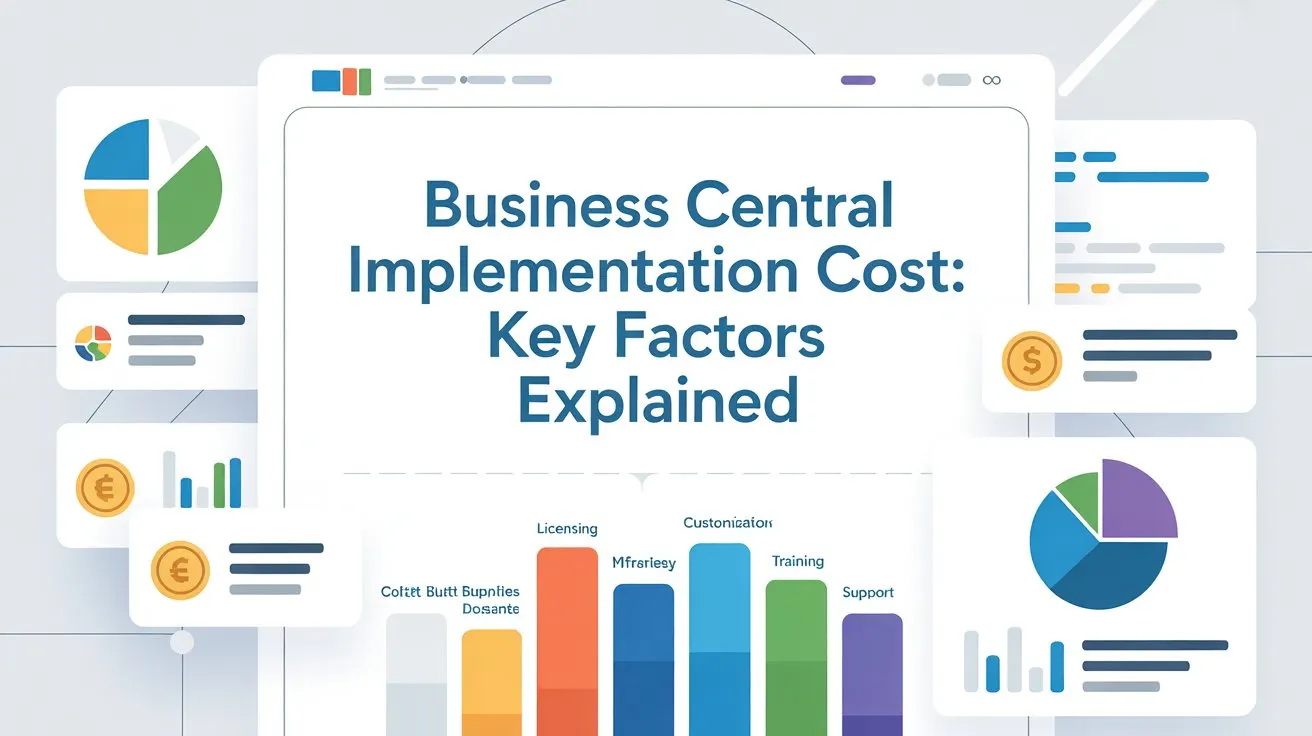
Business Central involves two separate costs: Microsoft's software license, billed directly by Microsoft, and the implementation itself, which we scope and quote based on your project.
Here's how the licensing breaks down, so you know what you're budgeting for before implementation costs are added.
Business Central Free Trial
Connect finance, sales, service, and operations in a single easy-to-use solution
Business Central Essentials
Comprehensive business management for finance, sales, and operations, with Microsoft Copilot included
Business Central Premium
Everything in Essentials, plus enhanced capabilities for service management and manufacturing
Business Central Team Members
Limited access to read data, approve workflows, and create or update select information
Tell us where you're starting from: a legacy ERP, spreadsheets, or an existing Business Central instance that needs work. We'll walk through what an implementation would actually involve before you commit to anything.



FAQs about Dynamics 365 Business Central Implementation
A single-entity SMB implementation typically takes 8–14 weeks. Multi-company or multi-country deployments involving manufacturing or warehouse management usually take 4–9 months, depending on data migration complexity, integrations, customizations, local compliance requirements, and your team’s readiness for testing and training.
Microsoft provides the platform, while an implementation specialist helps configure Business Central around your processes, migrate your data, manage integrations, and guide users through go-live. A specialist can also provide hands-on support throughout the implementation.
Business Central Cloud is hosted and maintained by Microsoft, with regular updates and less infrastructure management. On-premises gives you greater control over the infrastructure and environment, which can suit specific regulatory, integration, or IT requirements.
Yes. We can migrate from Dynamics NAV, SAP Business One, Sage, QuickBooks, Excel, and other legacy ERP systems. We map, clean, migrate, and reconcile the required data before go-live to maintain data accuracy.
We start with standard Business Central functionality and configuration options. If the requirement cannot be met through configuration or a suitable AppSource extension, we evaluate custom development based on business value, upgrade impact, and long-term maintenance.
Yes. We support existing Business Central environments with configuration improvements, customization, integrations, data issues, performance, upgrades, and ongoing support. We can work with your existing setup rather than requiring a new implementation.
A Business Central specialist brings practical experience with ERP configuration, industry workflows, and implementation decisions. We know when to use standard functionality and when customization is justified. Data migration is also validated and reconciled, helping reduce issues after go-live.