

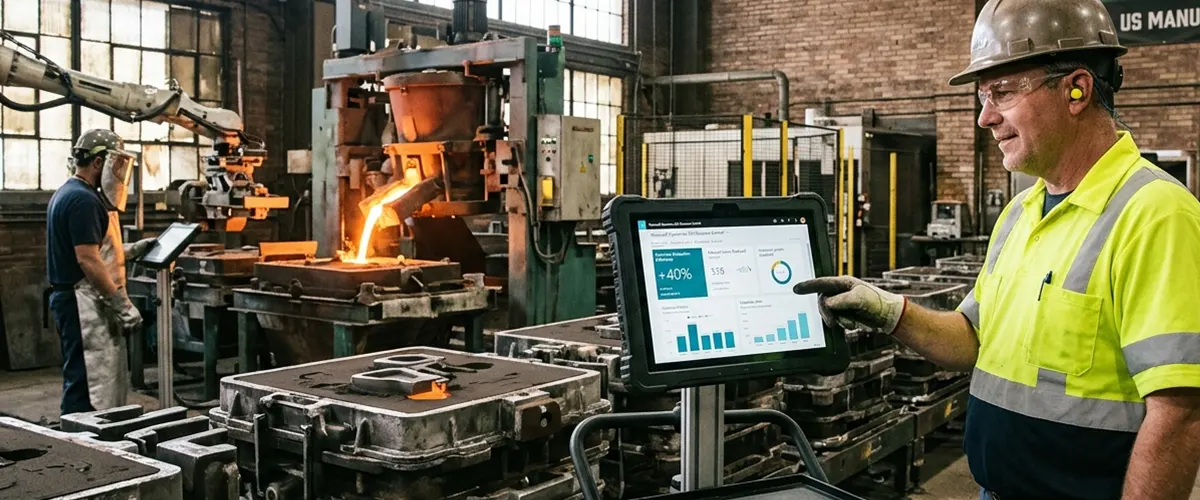
How a US Sand Casting Manufacturer Cut Manual Work by 40% with Business Central
25% lower inventory costs. 30% better production efficiency. One connected system instead of a dozen disconnected ones.
At a Glance
| Industry | Sand Casting Manufacturing |
|---|---|
| Location | United States |
| Services | Business Central Implementation, Manufacturing Process Configuration, Inventory Management, Financial Automation, Power BI Integration, Power Automate Workflows |
| The Problem | Production, inventory, and finance data lived in separate systems, so teams spent much of their time re-entering and reconciling the same information by hand. |
| The Fix | A full Business Central implementation, with production scheduling, inventory management, automated finance workflows, and Power BI/Power Automate layered on top. |
| The Payoff | 40% fewer manual processes, 25% lower inventory holding costs, and a 30% jump in production efficiency. |
About the Client
The client is a US-based sand casting manufacturer that produces engineered metal components through a multi-stage manufacturing and finishing process. Running that kind of operation well means keeping raw materials, production capacity, work orders, inventory, customer demand, and financial reporting all in sync.
The Challenge
Like a lot of manufacturers, this company's tech stack had grown organically over the years — a mix of applications, spreadsheets, and manual workarounds that each did their own job but never quite added up to a complete picture.
Production data was scattered
There was no single place to check schedules, material requirements, work orders, or inventory availability — planners were piecing it together from multiple sources every time.
Scheduling was a manual balancing act
Before making a call on production priorities, planners had to cross-reference demand, materials on hand, and manufacturing capacity by hand. When requirements shifted, it took time to catch up.
Inventory ran heavier than it needed to
Without clear visibility into what was actually needed and what was on the shelf, the safer bet was to hold more stock — which meant more working capital tied up in raw materials.
Finance was doing double the work
Operational transactions didn't flow into the books automatically, so the finance team was stuck manually entering and reconciling data just to keep the financial records current.
Leadership couldn't get a quick read on the business
Pulling together a clear view of production, inventory, and financial performance meant manually compiling reports from several disconnected sources — not exactly a recipe for fast decisions.
The Solution
Our Microsoft Dynamics team brought in Dynamics 365 Business Central as the client's central hub for production, inventory, and finance — and paired it with Power BI and Power Automate to round out reporting and automation.
Business Central ERP Implementation
Our Business Central developers configured Business Central around the client's manufacturing and financial requirements, creating a common data environment for core business operations.
The implementation centralized:
- Production orders and manufacturing data
- Bills of materials and routing information
- Raw material and finished goods inventory
- Purchasing and sales transactions
- General ledger and financial records
- Operational and management reporting data
Moving these processes into Business Central reduced reliance on disconnected applications and gave departments access to consistent business information.
Production Scheduling and Manufacturing Configuration
Business Central manufacturing functionality was configured around the client's sand casting production processes. Production structures, routings, work centers, and capacity information were organized within the ERP so planners could coordinate manufacturing requirements against available resources.
The new workflow provided greater visibility into:
- Production orders
- Material requirements
- Bills of materials
- Work center capacity
- Routing sequences
- Production status
- Expected output
This allowed production teams to plan work using centralized operational data rather than manually reconciling information from multiple systems.
Inventory Management Optimization
Inventory processes were connected directly with purchasing, production, and sales activity. Business Central provided a unified view of material availability and inventory movements, allowing teams to better align stock levels with actual manufacturing requirements.
The implementation improved visibility across raw materials, work-in-progress, and finished goods while supporting more informed replenishment decisions. By improving inventory planning and reducing unnecessary stock levels, the manufacturer lowered inventory holding costs by 25%.
Financial Process Automation
Financial workflows were configured within Business Central to reduce repetitive data entry and manual reconciliation. Operational transactions generated through purchasing, inventory, production, and sales could flow into the financial system through standardized ERP processes.
This gave the finance team a more consistent transaction trail while reducing the administrative work required to consolidate operational and accounting information.
Power Automate Workflow Integration
Microsoft Power Automate was integrated with Business Central to automate repetitive business activities and approval processes. Automated workflows helped reduce manual intervention in routine processes, allowing employees to spend less time moving information between systems or following up on repetitive administrative tasks.
Combined with Business Central's native workflows, this contributed to a 40% reduction in manual processes across the implemented operations.
Power BI Reporting and Analytics
Microsoft Power BI was integrated with Business Central to transform ERP information into accessible operational dashboards. Production, inventory, and financial data could be analyzed through centralized reports rather than manually compiled spreadsheets.
Dashboards provided decision-makers with improved visibility into areas such as:
- Production performance
- Manufacturing output
- Inventory levels and trends
- Material availability
- Operational efficiency
- Financial performance
Technical Layout of the Implementation
| Implementation Area | Technical & Functional Execution | Platform | Business Impact |
|---|---|---|---|
| ERP Foundation | Centralized manufacturing, inventory, purchasing, sales, and finance processes | Dynamics 365 Business Central | Replaced fragmented systems with a unified source of operational data. |
| Manufacturing | Configured production orders, BOMs, routings, work centers, and scheduling processes | Business Central Manufacturing | Improved coordination of materials, capacity, and production activities. |
| Inventory | Connected inventory movements with purchasing, manufacturing, and sales workflows | Business Central Inventory Management | Improved stock visibility and supported lower inventory carrying requirements. |
| Financial Automation | Standardized operational posting and financial workflows | Business Central Financial Management | Reduced repetitive data entry and reconciliation between operational and accounting processes. |
| Workflow Automation | Automated selected approvals and repetitive process steps | Microsoft Power Automate | Reduced manual workload and improved process consistency. |
| Analytics | Connected ERP information to management dashboards and KPI reporting | Microsoft Power BI | Improved visibility into production, inventory, and financial performance. |
The Results
By bringing production, inventory, finance, automation, and analytics into one connected environment, the manufacturer saw measurable gains across the board:
- 40% fewer manual processes
Centralizing operations in Business Central and automating routine work with Power Automate freed employees from repetitive data entry and reconciliation — time they could put back into production and higher-value work. - 25% lower inventory holding costs
With real visibility into stock and manufacturing needs, the company could keep inventory much closer to actual demand. - 30% higher production efficiency
Centralized scheduling and material visibility gave production teams a clear read on what they had to work with, which translated directly into smoother, more efficient operations. - One version of the truth
Operational and financial data now live in the same system, so teams aren't reconciling numbers across disconnected tools anymore. - Faster, clearer reporting for leadership
Power BI dashboards replaced manually built reports, giving management real-time visibility into the metrics that matter.
Technology Stack
- Microsoft Dynamics 365 Business Central
- Business Central Manufacturing
- Business Central Inventory Management
- Business Central Financial Management
Ready to Move Past Fragmented Manufacturing Systems?
If disconnected applications and spreadsheet-driven processes are making production planning, inventory control, and financial management harder as your business grows, it might be time for a change.
Aegis Softtech provides Business Central consulting and helps manufacturers implement Microsoft Dynamics 365 Business Central to bring production, inventory, finance, automation, and analytics together in one platform.
Talk to a Microsoft Dynamics 365 Business Central Expert
*Client identity is confidential. Project details are presented without identifying information.*