

From Legacy NAV to Business Central SaaS: How One UK Manufacturer Sped Up Warehouse Dispatch by 35%
68% fewer inventory discrepancies · 40% faster order-to-shipping · Fully cloud-based warehouse operations
At a Glance
| Industry | Mid-market manufacturing & assembly |
|---|---|
| Location | United Kingdom |
| Services | Dynamics NAV modernization, C/AL to AL code refactoring, Business Central SaaS migration, mobile warehouse integration |
| The Challenge | Years of customization had turned this client's Dynamics NAV system into something that was genuinely hard to work with — slow transactions, inventory that didn't match reality, and almost no real-time visibility into picking, packing, and dispatch. |
| What We Did | We rebuilt the legacy C/AL customizations as modular AL extensions, moved the core ERP over to Business Central SaaS, and layered in mobile barcode scanning across the warehouse. |
| The Payoff | 35% faster dispatch, 68% fewer inventory discrepancies, and a 40% cut in order-to-shipping time. |
Who the Client Is
This is a mid-market UK manufacturer and assembly business that handles a large volume of components, finished goods, production materials, and customer orders. Their warehouse has to serve two masters at once — feeding the production line and fulfilling outbound customer orders — so as order volumes grew, they needed the underlying systems to keep up in terms of speed, accuracy, and visibility.
The Problem
Through Business Central consulting, we assessed the client's heavily customized Dynamics NAV setup and identified the key areas that needed modernization to support the move to a more maintainable cloud ERP environment. Warehouse staff were still relying on manual processes and older NAV workflows to handle inventory movements, picking, packing, and shipment confirmations — and that was creating real friction:
Tangled C/AL customizations
So much business-specific logic had been built directly into NAV over the years that upgrades were a headache, and the business had become overly dependent on legacy code nobody wanted to touch.
Inventory that didn't add up
Manual updates and delayed data entry meant physical stock counts routinely drifted from what NAV said should be there.
Slow order-to-shipping
Getting an order from "confirmed" to "shipped" meant multiple manual steps in the ERP, which just ate up time.
No real mobility on the floor
There was no proper mobile scanning workflow, so operators couldn't easily verify items, quantities, bins, or shipments from where they were actually standing.
Rising maintenance overhead
Keeping the customized NAV environment alive was getting more expensive in terms of technical effort, and it was locking the client out of Microsoft's newer cloud features.
The goal wasn't just to modernize for modernization's sake — it was to do it without losing the business rules that made their manufacturing, assembly, inventory, and fulfilment processes actually work.
What We Built
1. Turning legacy C/AL into modular AL extensions
Before touching anything, we assessed the existing NAV customizations to figure out what needed to stay, what needed a redesign, and what could just be replaced with out-of-the-box Business Central functionality.
- We mapped the custom objects and business logic against sales orders, inventory, warehouse movements, and manufacturing processes to understand the dependencies.
- Our Business Central developers rewrote the necessary customizations as modular AL extensions instead of having them baked directly into the core application.
- Wherever standard Business Central features could do the job, we stripped out the redundant legacy modifications.
- The end result was an extension-based architecture that keeps custom logic separate from the core — which makes future Business Central updates far less painful.
2. Migrating to Business Central SaaS
As part of the Business Central implementation, we moved the whole ERP environment to Microsoft Dynamics 365 Business Central SaaS, carrying over master records, transactional data, inventory data, open sales documents, and all the operational configuration the warehouse and manufacturing teams depended on. Before cutover, we ran validation routines to reconcile records between the old NAV environment and the new Business Central instance, so nothing got lost in translation.
3. Bringing mobile barcode scanning to the warehouse floor
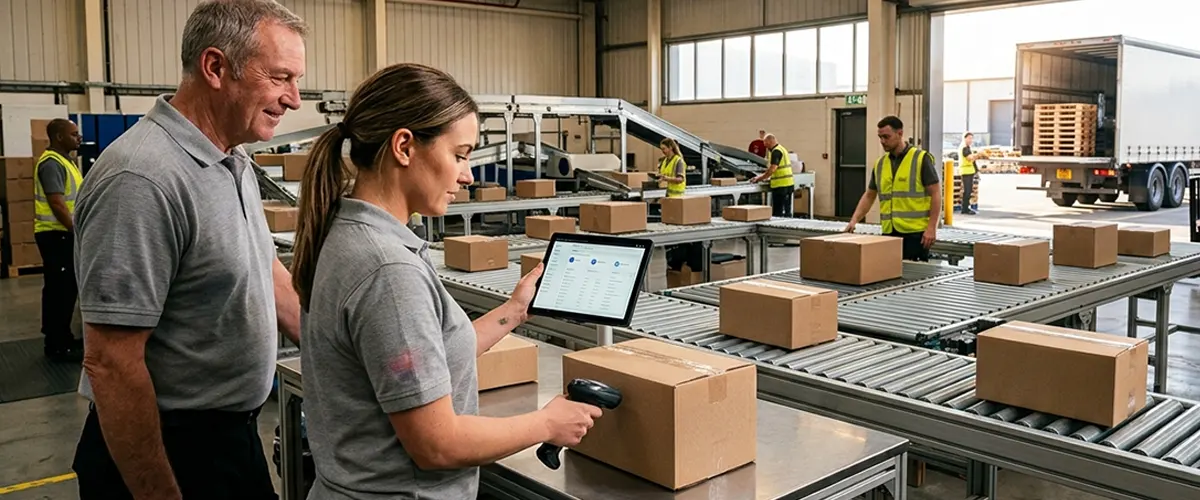
To get rid of manual warehouse updates, we introduced mobile scanning into the core fulfilment workflow. Now, as inventory moves through the facility, employees can scan and validate:
- Item numbers and variants
- Bin and storage locations
- Pick quantities
- Inventory movements
- Sales order fulfilment
- Packing and shipment confirmation
Everything scanned flows straight into Business Central, so warehouse activity shows up in the ERP without anyone having to walk back to a desktop terminal to key it in.
4. Redesigning the pick-pack-dispatch workflow
Finally, we rebuilt the path from confirmed sales order to final shipment. Order releases, picking, quantity checks, packing, and shipment posting were all aligned into one consistent digital workflow — cutting out unnecessary manual entry and giving both warehouse staff and customer service better visibility into where each order actually stood.
Technical Layout of the Modernization Pipeline
| Phase | What We Did | Core Tech | Impact |
|---|---|---|---|
| Legacy Assessment | Analyzed C/AL objects and customization dependencies | Dynamics NAV legacy environment | Flagged critical business logic upfront, reducing the risk of losing anything essential |
| Code Modernization | Rewrote C/AL logic as modular AL extensions | AL extension framework | Delivered maintainable customizations, cleanly separated from Business Central core |
| Data Migration | Migrated and validated master, inventory, transactional, and open-document data | Business Central SaaS | Established a clean cloud ERP environment while preserving operational history |
| Warehouse Mobility | Connected mobile barcode scanning to warehouse transactions | Mobile scanning + Business Central | Let staff capture inventory activity right at the point of work |
| Fulfilment Automation | Synced pick, pack, shipment, and inventory updates through ERP workflows | Business Central Warehouse Management | Reduced manual processing and sped up the path from order to dispatch |
The Results
The move from legacy Dynamics NAV to Business Central SaaS improved both ERP maintainability and day-to-day warehouse performance.
- 35% faster warehouse dispatch
Fewer manual steps in picking, packing, and shipment processing meant orders simply moved faster. - 68% fewer inventory discrepancies
With barcode validation happening at the point of activity, stock movements were recorded far more accurately, and the gap between "what NAV says" and "what's actually on the shelf" shrank dramatically. - 40% faster order-to-shipping
Tying sales orders, warehouse picking, inventory checks, and shipment posting into one workflow cut a lot of dead time out of the process. - A more maintainable ERP
Converting legacy C/AL logic into modular AL extensions means future updates won't require unpicking years of embedded customization. - A genuinely cloud-based operation
Business Central SaaS gave the client a modern foundation for manufacturing, inventory, sales, and warehouse operations, without the baggage of the old NAV deployment.
Technology Stack
- Microsoft Dynamics 365 Business Central SaaS
- Microsoft Dynamics NAV
- AL Extension Framework
- Legacy C/AL
- Business Central Warehouse Management
- Mobile Barcode Scanning
- REST APIs / Web Services
- Microsoft Azure Cloud Services
Thinking about modernizing your own legacy Dynamics NAV environment?
A heavily customized NAV setup shouldn't be the thing standing between you and the cloud. Aegis Softtech helps organizations assess their legacy NAV customizations, refactor C/AL into maintainable AL extensions, migrate to Business Central SaaS, and modernize warehouse operations.
Talk to a Dynamics 365 Business Central Migration Specialist
*Client identity is confidential. Project details are presented without identifying information.*