

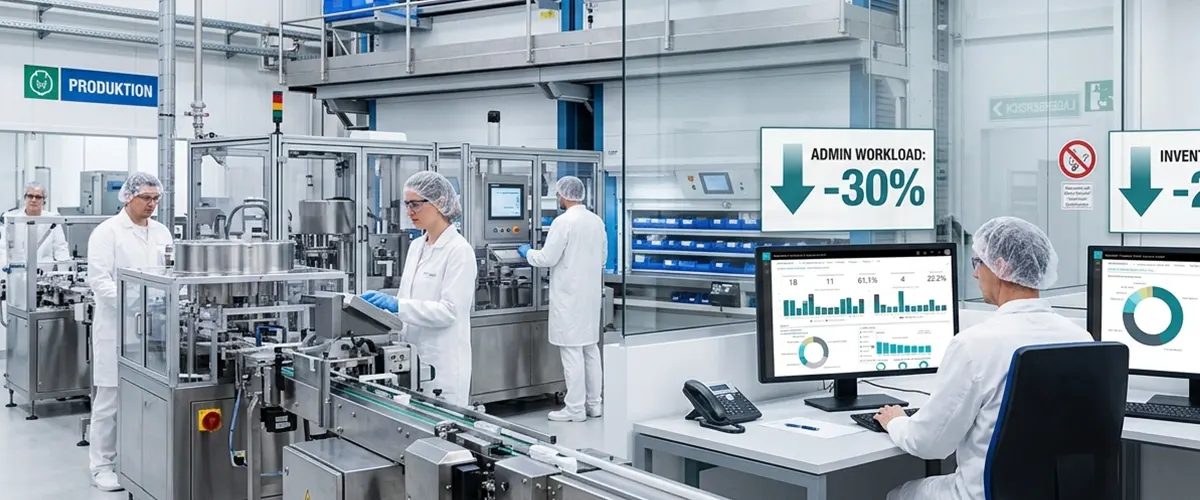
How a German Pharma Manufacturer Cut Admin Work by 30% and Inventory Costs by 20% with Business Central
30% less administrative overhead • 20% lower inventory costs • One ERP across every country of operation
At a Glance
| Industry | Pharmaceutical Manufacturing |
|---|---|
| Location | Germany |
| Operations | Multi-country |
| Services | Business Central implementation, legacy ERP migration, data migration, production scheduling, inventory management, financial automation, Power BI integration, Power Automate workflows |
| The Challenge | An aging ERP and a patchwork of manual processes were slowing this pharmaceutical manufacturer down — more admin work, poor inventory visibility, and constant friction coordinating production and finance across borders. |
| The Solution | We retired the legacy system, moved the company onto Microsoft Dynamics 365 Business Central, migrated years of operational data, rebuilt manufacturing, inventory, and finance workflows around it, and layered in Power BI and Power Automate. |
| The Result | 30% less administrative overhead, 20% lower inventory costs, and a single, connected view of operations across every country the company does business in. |
About the Client
Our client is a pharmaceutical manufacturer headquartered in Germany, with operations running across several countries. That kind of footprint means production schedules, raw materials, finished goods, inventory, purchasing, and financial reporting all have to move in sync — across borders, across teams, across time zones.
The trouble was, their systems weren't built for that anymore. As the business grew, the ERP they'd relied on for years started showing its age. Processes that should have talked to each other didn't. Getting a straight answer about what was happening on the floor, in the warehouse, or on the books took longer than it should have.
What they needed was a platform that could actually keep up: something central, something scalable, something built for a company operating in more than one country at once.
The Problem
By the time we got involved, the legacy ERP had gone from "aging but manageable" to an active drag on the business. Manufacturing, inventory, and finance teams were leaning on a system that couldn't do what they needed, filling the gaps with spreadsheets and manual workarounds. That's a familiar story, and it comes with familiar costs.
The ERP itself was the bottleneck
It couldn't flex to match how the business had evolved, and every new workflow or report the team wanted felt like a fight. Just keeping the lights on took more and more effort.
Production planning was scattered
There was no single place where planners could see manufacturing requirements, material availability, and schedules together. Instead, they were stitching that picture together by hand, every time.
Inventory was a blind spot
Purchasing, manufacturing, and distribution weren't sharing information the way they needed to, which made it hard to keep stock levels where they should be — and easy for carrying costs to creep up.
Too much of the day went to admin
Data entry, approvals, reconciliation — a lot of hours went into moving information between systems rather than doing the work that actually mattered.
Running in multiple countries multiplied all of it
Without standardized processes, getting one consistent view of how the business was performing — operationally or financially — across every location was genuinely hard.
And reporting lagged behind everything else
Pulling together a management report meant gathering data from several disconnected sources, which meant decisions were often made on information that was already out of date.
The Solution
Our Business Central consulting team brought in Microsoft Dynamics 365 Business Central as the new backbone of the business, connecting manufacturing, inventory, finance, and reporting in one place.
Migrating the Legacy System
We started where every ERP migration should: understanding what was actually in the old system and how the business really used it. Nothing went live until it had been validated and reconciled against the source system, so the client could trust that day one in Business Central looked exactly like day one should.
- Mapped and cleaned legacy data before migration
- Migrated customers and vendors, item and inventory records
- Brought over bills of materials and production master data
- Migrated financial records and opening balances
- Carried across relevant transaction history and open documents still in flight
- Validated and reconciled everything against the source system before go-live
Rebuilding Manufacturing Around Business Central
Our Business Central developers configured Business Central's manufacturing tools to match how this client actually runs production — all of it in one workflow instead of scattered across tools and spreadsheets. That gave the manufacturing team real visibility into a picture that used to take a lot of manual effort to piece together, now available at a glance.
- Configured production orders and bills of materials
- Set up routings and work centers
- Centralized production scheduling
- Enabled visibility into planned and released production orders
- Surfaced material requirements, routing steps, and work center loads
- Gave real-time view of production status
Connecting Inventory to Everything Else
We tied inventory into purchasing and production so stock levels finally reflected what was actually happening across the business, not just what one system thought was happening. That shift alone drove a good chunk of the 20% drop in inventory costs.
- Connected inventory data with purchasing and production
- Gave planners visibility into stock movement in real time
- Enabled replenishment decisions based on actual demand, not guesswork
- Reduced excess stock and lowered inventory carrying costs
Automating the Finance Side
We connected day-to-day operational activity directly into Business Central's financial workflows, cutting out a lot of the duplicate entry and manual reconciliation that used to eat up finance teams' time.
- Linked purchasing, inventory, and manufacturing activity to financial workflows
- Reduced duplicate data entry across systems
- Cut down on manual reconciliation
- Gave finance teams faster access to operationally accurate data
Standardizing Across Countries
With Business Central as a common foundation, we standardized core workflows while still leaving room for country-specific requirements. That made consolidated reporting for management something that happened easily, not something that took a week to assemble.
- Established standardized core workflows across all countries of operation
- Preserved flexibility for country-specific requirements
- Improved consistency in how manufacturing, inventory, and financial data was captured
- Simplified consolidated reporting across the business
Automating the Busywork with Power Automate
We used Microsoft Power Automate to take over a good number of repetitive, approval-heavy processes — the kind of tasks that used to mean someone chasing down a sign-off or re-entering the same data twice.
- Automated repetitive, approval-driven processes
- Reduced manual follow-ups on approvals and sign-offs
- Sped up how information moved between users and processes
- Contributed directly to the 30% cut in administrative overhead
Turning Data into Decisions with Power BI
We connected Power BI directly to Business Central so leadership could see dashboards built on live, centralized data instead of reports assembled by hand.
- Built dashboards on live, centralized Business Central data
- Delivered visibility into production activity and inventory levels
- Tracked material movement and purchasing trends
- Surfaced financial KPIs and cross-country performance in one place
Technical Layout of the Implementation
| Implementation Area | Technical & Functional Execution | Platform | Operational Impact |
|---|---|---|---|
| ERP Modernization | Replaced the outdated ERP with a centralized cloud-based business platform | Dynamics 365 Business Central | Established a scalable ERP foundation for multi-country operations. |
| Data Migration | Mapped, cleansed, migrated, reconciled, and validated critical legacy records | Business Central Migration Environment | Preserved business continuity while moving core operational data to the new ERP. |
| Manufacturing | Configured production orders, BOMs, routings, work centers, and scheduling | Business Central Manufacturing | Improved production planning and visibility into manufacturing requirements. |
| Inventory | Connected purchasing, stock movements, and production-related inventory transactions | Business Central Inventory Management | Improved stock visibility and supported lower inventory costs. |
| Finance | Centralized accounting and automated operational-to-financial workflows | Business Central Financial Management | Reduced repetitive processing and manual reconciliation. |
| Workflow Automation | Automated selected approvals, notifications, and repetitive business activities | Microsoft Power Automate | Reduced administrative workload and improved process consistency. |
| Analytics | Connected centralized ERP data with management dashboards and KPI reporting | Microsoft Power BI | Improved visibility across operational, financial, and multi-country performance. |
The Results
The Business Central implementation replaced the client's outdated ERP with a centralized platform supporting manufacturing, inventory, finance, automation, and analytics.
- More Efficient Financial Operations
Connecting operational transactions with financial workflows reduced duplicate processing and improved the consistency of accounting information. Finance teams gained easier access to centralized data without relying as heavily on manual reconciliation between disconnected systems. - Centralized Multi-Country Operations
Business Central provided a common ERP foundation across the client's international operations, improving process consistency and making it easier to consolidate operational and financial information. - Better Business Intelligence
Power BI transformed centralized Business Central data into accessible dashboards, giving management improved visibility into manufacturing, inventory, financial, and cross-country performance.
- More Efficient Financial Operations
Connecting operational transactions with financial workflows reduced duplicate processing and improved the consistency of accounting information. Finance teams gained easier access to centralized data without relying as heavily on manual reconciliation between disconnected systems. - Centralized Multi-Country Operations
Business Central provided a common ERP foundation across the client's international operations, improving process consistency and making it easier to consolidate operational and financial information. - Better Business Intelligence
Power BI transformed centralized Business Central data into accessible dashboards, giving management improved visibility into manufacturing, inventory, financial, and cross-country performance.
Technology Stack
- Microsoft Dynamics 365 Business Central
- Business Central Manufacturing
- Business Central Inventory Management
- Business Central Financial Management
- Microsoft Power BI
- Microsoft Power Automate
- Microsoft Power Platform
- Microsoft Azure
Ready to Modernize Your Pharmaceutical ERP?
As pharmaceutical manufacturers grow, legacy ERP systems tend to become the thing holding everyone back — harder to coordinate manufacturing, inventory, finance, and international operations, not easier.
Aegis Softtech helps pharma manufacturers move onto Microsoft Dynamics 365 Business Central, migrate legacy data without losing a beat, automate the workflows that used to eat up everyone's day, and build a foundation that actually scales across countries.
Talk to a Microsoft Dynamics 365 Business Central Expert
*Client identity is confidential. Project details are presented without identifying information.*