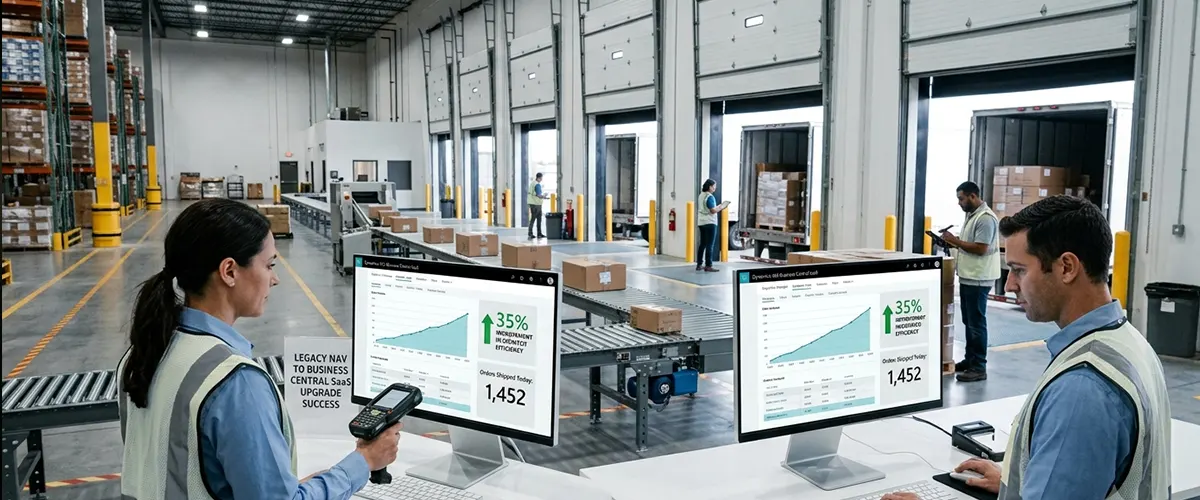
35% Improvement in Warehouse Dispatch Efficiency | Upgrading Legacy NAV to Business Central SaaS
Modular AL Extensions | Upgraded Infrastructure | Automated Platform Updates
At a Glance
| Industry | Mid-Market Industrial Manufacturing & Assembly |
|---|---|
| Services | Dynamics 365 Upgrade Services, Legacy C/AL Code Refactoring, AL Extension Re-architecture, Cloud ERP Deployment |
| Challenge | Outdated, heavily modified on-premise NAV system lacking mobile scanning capabilities, resulting in manual data entry errors and slow logistics. |
| Solution | Cleaned and converted tangled legacy C/AL code into clean, modular AL extensions and upgraded the infrastructure to Business Central SaaS. |
| Key Result | Boosted warehouse dispatch speed by 35%, cut inventory discrepancies by 68%, and established automated, future-proof platform updates. |
About the Client
The client is a premier mid-market manufacturer of specialized automotive assemblies and industrial components. They run two large manufacturing plants and ship hundreds of customized freight orders weekly to tier-one industrial clients nationwide.
The Challenge
The client was running its operations on an old, heavily customized on-premise Microsoft Dynamics NAV system. Over the last decade, various developers had written thousands of lines of custom C/AL logic directly into the core system tables. This had resulted in a rigid code prison, blocking the company from updating its software.
They approached Aegis Softtech to update a risk-free strategy that would untangle their custom code, move their logistics operations onto a cloud-based ERP, and protect their historical data:
- Manual Paper Workflows: Their legacy system could not integrate with modern handheld mobile scanning devices. The client’s warehouse teams had to print physical picking tickets, hand-type the data, and manually fill them.
- Severe Dispatch Blockages: Delays in data typing left their office staff unable to see actual stock levels in real-time. This caused shipping delays and order mix-ups.
- Frozen Platform Upgrades: Their custom code was embedded directly into the base software. Thus, installing standard Microsoft security patches or version updates threatened to break the entire ERP.
- High Operational Leakage: Lost inventory records, delayed order confirmations, and manually miscounted items eroded profit margins and damaged relations with major industrial clients.
The Solution
Our Microsoft Dynamics team executed a precise code modernization and cloud migration strategy.
Legacy Code Extraction & AL Extension Refactoring
Instead of copying over outdated code, we decoupled and modernized their entire system modification layer:
- C/AL to AL Code Rewriting: We analyzed thousands of legacy modifications. This helped us discard unused systems and rewrite essential business rules into modern, modular AL code extensions.
- Zero-Touch Core Architecture: We isolated the client's custom code from the standard application layers by utilizing the Business Central architecture. This ensures the system will accept automatic Microsoft updates in the future without breaking.
Mobile Cloud Warehousing Integration
We activated cloud-native capabilities to bring their fulfillment operations into the modern era:
- Real-Time Warehouse Scanning Hooks: We integrated cloud-ready webhooks with rugged Android mobile scanners. This enabled their workers to instantly verify bin locations.
- Automated Order Dispatch Routing: We configured automated staging rules within Business Central to automatically bundle and prioritize outbound freight shipments based on carrier schedules.
Technical Layout of the ERP Update Pipeline
| Update Phase | Technical & Engineering Execution | Core Platform Architecture Feature | Global Operational Impact |
|---|---|---|---|
| Code Auditing | Delta-discovery code analysis of C/AL | Object ID Remapping | Identifies and strips out unnecessary code to make the cloud migration light and fast. |
| Schema Isolation | Moving data properties to AL extensions | Microsoft Event-Driven Architecture | Keeps custom features running smoothly in a distinct layer while the core platform updates smoothly. |
| Cloud Upgrade | Automated cloud data migration testing | Dynamics SaaS Data Validation | Securely moves years of inventory ledger entries into the cloud with zero balance mismatches. |
The Results
The upgrade from an on-premise NAV setup to an agile Business Central SaaS cloud environment completely transformed their operations:
- 35% Boost in Warehouse Dispatch Efficiency: Eliminating paper pick sheets and manual text entry cut average order fulfillment cycles by 35%.
- 68% Reduction in Inventory Variance: Mobile barcode scanning caught mistakes right at the bin. This led to a 68% drop in warehouse fulfillment errors.
- Continuous Future-Proof Compliance: Clean AL extensions enabled the client to receive automatic Microsoft platform updates every month without system errors.
- 40% Faster Order-to-Shipping Lifecycle: Instant communication between sales desks and warehouse teams cut hours off order confirmation and processing workflows.
What Made the Difference?
Clean Slate Code Audit
We ran a deep code usage audit first, discovering that 45% of their old modifications were no longer used by the business. We eliminated this dead weight, saving weeks of development time and making the new system lighter and faster.
Dual-Schema Data Bridges
We built a temporary cloud bridge to protect their extensive inventory records. This cloud bridge mapped data between the old table structures and the new cloud tables. We cleaned up their old, messy records and formatted them perfectly for the cloud with zero data loss.
Progressive Warehouse Mock-Drills
We did not introduce a sudden workspace overhaul, but instead, set up real-world staging drills in a sandbox environment before launch. The client’s warehouse teams practiced using the mobile devices with live inventory data, uncovering workflow bugs.
Technology Stack
- Microsoft Dynamics 365 Business Central SaaS (Latest Release)
- AL Extension Language using Visual Studio Code
- Azure Data Factory Framework
- Cloud Data Migration Toolsets
- Advanced Warehouse Management Mobile App Engine via REST Webhooks
Are You Struggling With a Frozen, Custom-Heavy Legacy NAV Setup?
Whether you need to extract custom logic out of base tables or upgrade your ERP to Business Central SaaS without losing historical records, our certified Microsoft developers are ready to help.
Talk to a Dynamics Upgrade Specialist
*Client identity is confidential. Project details verified through internal delivery records. Reference available on request.*