

Microsoft Fabric cost depends on more than choosing an F SKU. Your final spend can include Fabric compute capacity, OneLake storage, Power BI licenses, Spark compute, operating hours, and other Azure services connected to your data environment.
So, how much does Microsoft Fabric cost for your organization?
There is no single fixed price. Microsoft Fabric uses a capacity-based model that lets businesses select compute resources based on their workloads and scale them as requirements change. Organizations can choose pay-as-you-go pricing or capacity reservations for more predictable usage.
This guide breaks down Microsoft Fabric pricing, licensing, storage costs, capacity options, and practical ways to control your overall investment.
How Much Does Microsoft Fabric Cost?
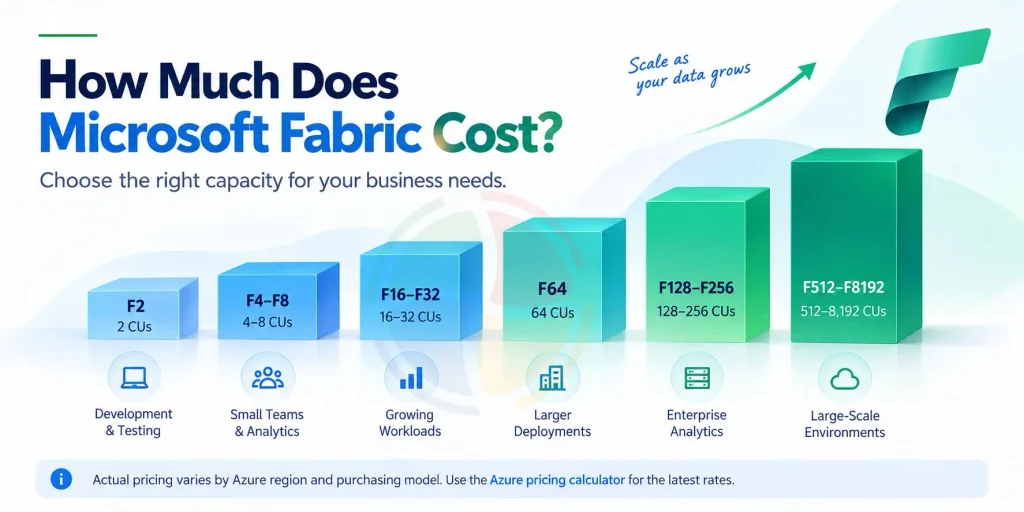
Microsoft Fabric primarily uses capacity-based pricing. Organizations purchase Fabric capacity through F SKUs, with each SKU providing a specific number of Capacity Units (CUs).
Microsoft currently offers F SKUs ranging from F2 with 2 CUs to F8192 with 8,192 CUs.
The higher the capacity, the more compute resources are available for Fabric workloads such as Data Engineering, Data Factory, Data Warehouse, Data Science, Real-Time Intelligence, and Power BI.
Here is a simple overview:
| Fabric SKU | Capacity Units | Usage |
| F2 | 2 CUs | Development, testing, and small workloads |
| F4–F8 | 4–8 CUs | Small teams and departmental analytics |
| F16–F32 | 16–32 CUs | Growing BI and data workloads |
| F64 | 64 CUs | Larger deployments and Power BI distribution |
| F128–F256 | 128–256 CUs | High-concurrency enterprise analytics |
| F512–F8192 | 512–8,192 CUs | Large-scale, compute-intensive environments |
These examples are not capacity recommendations. Actual requirements depend on workload type, concurrency, data volumes, operating hours, and consumption patterns.
Pricing also varies by Azure region and purchasing arrangement, so current Azure pricing should be checked when calculating your exact Microsoft Fabric cost.
How Does Microsoft Fabric Pricing Work?
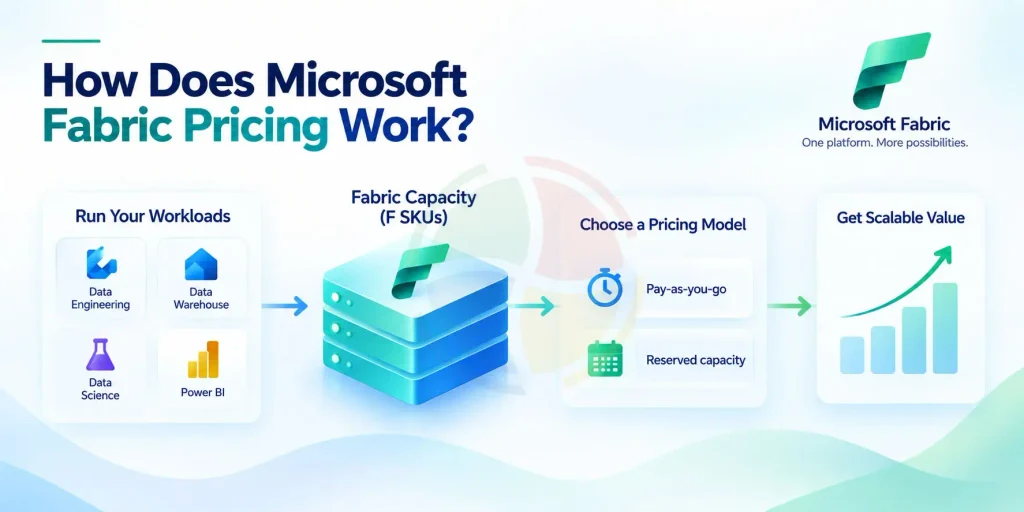
Businesses generally have two ways to pay for Fabric capacity: pay-as-you-go or capacity reservations.
Pay-As-You-Go
Pay-as-you-go is designed for organizations that need flexibility.
Azure F capacities are billed according to the provisioned capacity and how long it operates. Businesses can scale capacity up or down and pause it when it is not required.
This makes pay-as-you-go useful for:
- Development and testing
- Proof-of-concept projects
- Seasonal analytics
- Unpredictable workloads
- Short-term data projects
For example, a development capacity that is only needed during business hours can be paused outside those hours rather than running continuously.
Fabric Capacity Reservations
For predictable and continuous workloads, organizations can consider a Fabric Capacity Reservation.
Microsoft supports one-year and three-year reservation terms. Microsoft indicates that reservations can provide significant savings compared with standard pay-as-you-go pricing when capacity is consistently utilized.
Reservations make the most sense when you already understand your CU requirements. Reserving substantially more capacity than you consume can reduce the financial benefit.
Pay-As-You-Go vs Capacity Reservation
| Factor | Pay-As-You-Go | Capacity Reservation |
| Commitment | No long-term commitment | 1 or 3 years |
| Flexibility | High | Better for predictable usage |
| Pause/Resume | Supported | Reservation commitment still applies |
| Scaling | Flexible | Requires stronger capacity planning |
| Best For | Variable workloads | Stable workloads |
| Cost Benefit | Pay for flexibility | Potential savings for consistent usage |
What Makes Up the Total Microsoft Fabric Cost?
Your F SKU is only one part of the total Microsoft Fabric cost. A realistic budget should consider:
| Cost Component | What It Covers |
| Fabric Capacity | Compute resources provided through F SKUs |
| OneLake Storage | Data stored within Fabric’s unified data lake |
| Power BI Licensing | Pro or PPU licenses where required |
| Spark Compute | Shared capacity or optional on-demand Spark compute |
| Networking | Applicable data transfer and networking charges |
| Additional Azure Services | Supporting Azure resources used with Fabric |
The importance of each component depends on your architecture.
For example, a Power BI-heavy implementation can have very different licensing economics from an environment running intensive Spark notebooks, pipelines, and data science workloads.
How Much Does Microsoft Fabric Storage Cost?
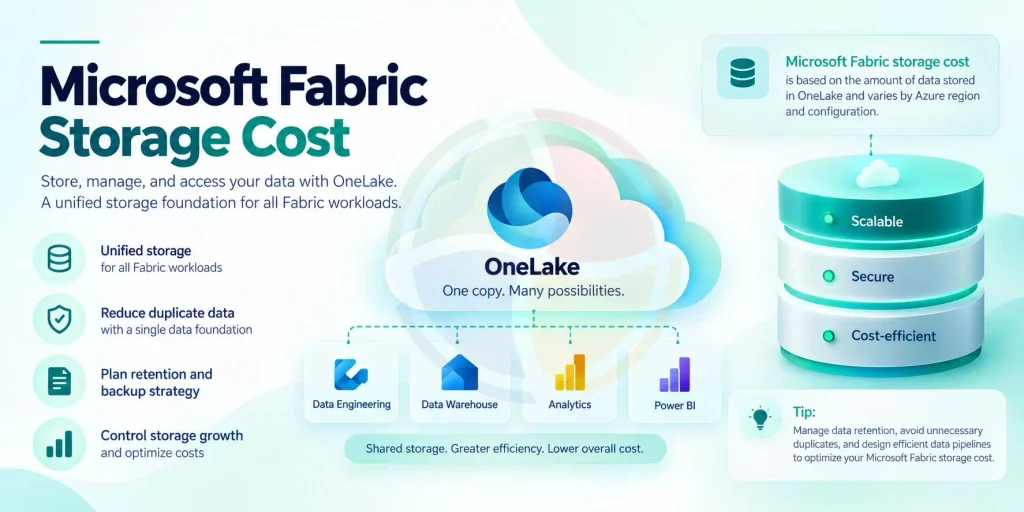
Microsoft Fabric storage cost is primarily associated with data stored in OneLake.
OneLake acts as the common data foundation for Fabric. Data Engineering, Data Warehouse, Data Science, Power BI, and other Fabric experiences can work with data through the same environment, helping organizations reduce unnecessary copies between analytics tools.
If you want a deeper understanding of the storage layer, read our guide on Microsoft Fabric and OneLake.
Your Microsoft Fabric storage cost can be influenced by:
- Total data volume
- Azure deployment region
- Data retention policies
- Backup and disaster recovery requirements
- Duplicate data
- Data movement patterns
- Workloads using the stored data
Storage should therefore be planned separately from compute capacity.
Businesses should also look beyond the basic cost per GB. Retaining unnecessary historical data, duplicating datasets, or using inefficient data architecture can gradually increase storage consumption.
Microsoft Fabric Licensing Explained
Understanding the difference between Fabric capacity and individual user licenses is important when calculating total costs.
Microsoft Fabric Free
A Fabric Free license gives individual users access to supported Fabric experiences, but the capabilities available depend on the capacity and workspace configuration.
The Free user license should not be confused with free Fabric compute.
Power BI Pro
Power BI Pro is generally used by people who create, publish, share, and collaborate on Power BI content.
Licensing requirements depend on how Power BI is deployed alongside Fabric.
Power BI Premium Per User
Power BI Premium Per User (PPU) provides advanced Power BI functionality on a per-user basis.
However, PPU does not replace Fabric capacity for workloads such as lakehouses, warehouses, and notebooks.
Fabric F SKUs
F SKUs provide the compute resources used across Microsoft Fabric workloads.
An important threshold is F64. With F64 or higher, eligible users with a Fabric Free license and Viewer role can consume Power BI content without requiring an individual Pro license for viewing.
For businesses with a large report-viewing audience, this can materially change the overall licensing calculation.
For a deeper comparison of these platforms and licensing models, see Microsoft Fabric vs Power BI.
On-Demand Billing for Spark
Another factor to consider when estimating Microsoft Fabric cost is Spark compute.
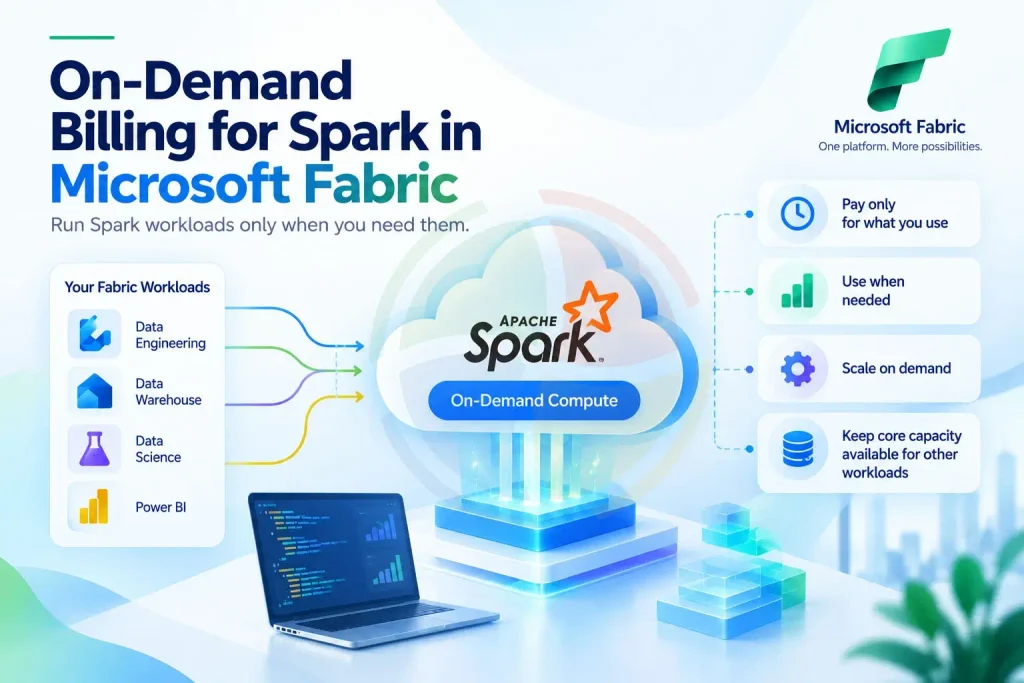
Fabric supports on-demand billing for Spark workloads, allowing eligible Spark jobs to use separate serverless compute rather than drawing resources from the organization’s shared Fabric capacity.
This can be useful for unpredictable or compute-intensive Data Engineering and Data Science workloads.
For example, an organization could run predictable warehousing and BI workloads on its Fabric capacity while using on-demand Spark compute for occasional intensive processing jobs.
This approach can also reduce competition between Spark workloads and other workloads sharing the main Fabric capacity.
Microsoft Fabric Cost Examples by Workload
There is no universal Fabric SKU based simply on company size. Capacity should be determined by workload consumption.
Development or Pilot Environment
A team experimenting with notebooks, pipelines, warehouses, and Power BI reports could start with a smaller F SKU using pay-as-you-go pricing.
If the environment is only required during working hours, pausing capacity during idle periods can further control spending.
Growing Analytics Environment
A business regularly running Power BI dashboards, data pipelines, warehousing, and engineering workloads may require greater capacity.
Once consumption becomes consistent and predictable, the business can evaluate whether a capacity reservation provides better long-term economics.
Enterprise Analytics Environment
An organization running numerous concurrent workloads, large data volumes, and enterprise-wide reporting may need substantially higher capacity.
Organizations with large Power BI viewer populations should also evaluate the economics of F64 or higher capacity against individual licensing requirements.
These are planning examples rather than SKU recommendations. Actual capacity should be validated using Fabric utilization data.
How to Choose the Right Microsoft Fabric Capacity
Choosing capacity based only on employee count can lead to unnecessary spending or performance issues. Instead, consider:
- Workload types: Identify whether you are primarily running Power BI, Data Warehouse, Data Engineering, Data Science, Real-Time Intelligence, or several workloads simultaneously.
- Concurrency: Estimate how many processes and users will consume capacity at the same time.
- Operating hours: Determine whether workloads run continuously or only during defined periods.
- Power BI audience: Consider how many users create versus consume reports, particularly when evaluating F64 or higher.
- Future demand: Plan for reasonable growth without purchasing significantly more capacity than you currently need.
Microsoft’s Fabric Capacity Metrics app can help organizations understand CU utilization and identify workloads responsible for capacity consumption.
How to Reduce Microsoft Fabric Cost
Cost optimization should focus on improving how efficiently capacity is used rather than simply selecting the smallest possible SKU.
Monitor CU Consumption
Use the Fabric Capacity Metrics app to identify which workloads, queries, refreshes, notebooks, and pipelines consume the most capacity.
Pause Unused Capacity
Pay-as-you-go F capacities can be paused when they are not needed. This can be particularly useful for development, testing, and temporary project environments.
Optimize Queries and Pipelines
Poorly optimized SQL, Spark notebooks, transformations, and pipelines can consume unnecessary compute.
Efficient architecture can reduce consumption while improving performance. See our guide to Lakehouse architecture in Microsoft Fabric for more on optimizing Fabric data environments.
Review Data Pipelines
Data ingestion and orchestration patterns also affect resource utilization. Avoid unnecessary processing, redundant data movement, and inefficient pipeline schedules.
Learn more about how Data Factory in Microsoft Fabric handles ingestion, pipelines, orchestration, and data movement.
Reduce Unnecessary Refreshes
Not every Power BI semantic model needs frequent refreshing. Align refresh schedules with actual business requirements instead of consuming capacity for data users do not need immediately.
Evaluate Reservations After Usage Stabilizes
Pay-as-you-go provides flexibility during initial implementation. Once consumption patterns become predictable, compare the economics of reserved capacity against continued pay-as-you-go usage.
Optimize Microsoft Fabric Costs with Aegis Softtech
Controlling Microsoft Fabric costs requires more than selecting an F SKU. Capacity utilization, workload architecture, OneLake storage, Power BI licensing, Spark processing, data pipelines, and operating schedules all influence the overall investment.
Aegis Softtech helps organizations assess Fabric workloads, plan capacity, design scalable data architecture, optimize CU consumption, and implement Microsoft Fabric around actual business requirements.
Our Microsoft Fabric consulting services can help you plan, implement, and optimize a Fabric environment that balances performance, scalability, governance, and cost.
Organizations modernizing legacy analytics environments can also explore our data warehouse migration services to plan the transition from traditional data platforms to modern cloud analytics architectures.
Frequently Asked Questions
How much does Microsoft Fabric cost?
There is no single Microsoft Fabric price. Your total cost depends on the F SKU, Azure region, operating hours, OneLake storage, workload consumption, Spark requirements, and Power BI licensing. Fabric supports both pay-as-you-go capacity and longer-term reservations.
What is the main factor affecting Microsoft Fabric cost?
Compute capacity is a major factor. Your selected F SKU determines how many Capacity Units are available to workloads. Storage, operating time, workload efficiency, Power BI licenses, and additional services can also affect total spending.
How much does Microsoft Fabric storage cost?
Microsoft Fabric storage cost depends on the amount of data stored in OneLake and the applicable Azure pricing for your region and configuration. Storage is calculated separately from Fabric compute capacity.
Is Microsoft Fabric free?
Microsoft provides a Fabric Free individual license and trial options, but production Fabric workloads generally require appropriate capacity. A Free user license does not provide unlimited free Fabric compute.
Can Microsoft Fabric capacity be paused?
Yes. Azure F capacities using pay-as-you-go can be paused and resumed. This can help reduce compute spending for environments that do not need to operate continuously.
Do I need Power BI Pro with Microsoft Fabric?
It depends on your capacity and how users interact with Power BI content. Content creators generally require appropriate Power BI licensing. With F64 or higher capacity, eligible users with a Fabric Free license and Viewer role can consume Power BI content without individual Pro licenses for viewing.
Does Microsoft Fabric Copilot require F64?
No. Copilot can be supported on eligible paid Fabric capacity below F64, subject to Microsoft’s current capacity, tenant, and regional requirements. F64 is particularly significant for Power BI content distribution to Free viewers.
How can businesses reduce Microsoft Fabric costs?
Organizations can reduce costs by right-sizing capacity, monitoring CU consumption, pausing unused pay-as-you-go capacity, optimizing pipelines and queries, managing OneLake storage, controlling refresh frequency, and considering capacity reservations when usage becomes predictable.