

Dynamics 365 environments change continuously as businesses update workflows, forms, integrations, plugins, and Power Platform applications. Traditional test automation can validate these changes, but maintaining large test suites becomes increasingly difficult as CRM environments grow.
AI automation in Dynamics CRM testing makes testing more adaptive. It can generate test cases, repair broken UI locators, identify high-risk areas, prioritize regression tests, and detect unusual application behavior.
For QA engineers and Dynamics 365 teams, this means faster testing, broader coverage, and better visibility into potential defects before deployment.
What Is AI Automation in Dynamics CRM Testing?
AI automation in Dynamics CRM testing is the adoption of machine learning and AI to enhance the evaluation of Microsoft Dynamics 365 programs.
Instead of relying on predetermined scripts and fixed verification rules, AI-supported testing can analyse past performance, application changes, UI elements, and usage patterns to make assessment more flexible.
AI can support Dynamics 365 QA by:
- Generating tests from requirements
- Repairing broken test locators
- Prioritizing high-risk regression tests
- Predicting defect-prone CRM components
- Detecting visual UI changes
- Identifying unusual data or workflow behavior
AI generally complements rather than replaces conventional automation frameworks. QA engineers still define business-critical scenarios, review results, and validate complex application behavior.
Why Does Dynamics CRM Testing Need AI?
Microsoft Dynamics 365 implementations can include custom entities, plugins, Power Automate flows, third-party integrations, security configurations, and industry-specific business logic.
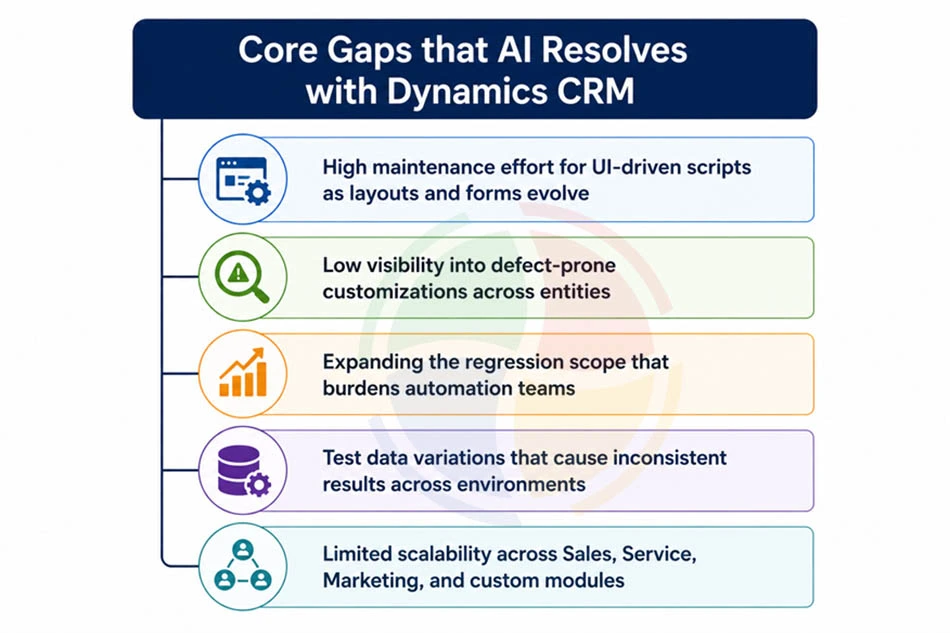
Every customization introduces additional testing requirements. Traditional automation often struggles with:
- Frequent UI and form changes
- High script-maintenance requirements
- Large regression suites
- Complex test-data combinations
- Integration dependencies
- Difficulty identifying the most important tests
AI introduces an additional intelligence layer into Dynamics CRM testing. Instead of executing every test in the same way, AI-assisted systems can use application context and previous results to determine what requires attention.
5 Ways AI Improves Dynamics CRM Testing
1. Automated Test Script Generation
Artificial intelligence can assist you in generating test cases from user narratives, specifications, acceptance standards, or even natural-language commands.
For instance, a QA specialist could write these criteria:
Establish a possibility with multiple products and validate that the appropriate discount is set.
An AI-powered testing system can comprehend the specification and assist you in translating it into test steps, expected results, and automation reasoning.
Benefits include:
- Faster initial test creation
- Better coverage of business scenarios
- Reduced repetitive scripting
- Faster feedback during development
- Easier conversion of requirements into test cases
Human review remains important because Dynamics 365 implementations frequently contain organization-specific rules that an AI model may not fully understand.
2. Self-Healing Test Automation
UI changes are a common cause of failed CRM automation tests. A renamed button, modified field identifier, changed DOM structure, or redesigned form can cause a traditional selector to stop working even when the underlying functionality remains correct.
Self-healing automation attempts to identify the same UI element using additional characteristics such as:
- Element role
- Labels
- Relative position
- Attributes
- Surrounding elements
- Historical locator information
The testing system can then recommend or apply an alternative locator. For Dynamics 365 developers managing frequently customized forms, self-healing tests can reduce false failures and routine script maintenance.
However, automated locator changes should still be governed carefully. An incorrectly healed test could potentially validate the wrong UI element.
3. Predictive Defect Analysis
Predictive defect analysis uses historical information to identify components that may have a higher probability of failure.
Relevant inputs can include:
- Previous test failures
- Code changes
- CRM customization history
- Integration dependencies
- Defect records
- Module relationships
Suppose a change is made to an opportunity workflow. Historical testing data might indicate that similar changes previously affected quote generation or invoice processing.
An AI-driven framework could then identify those interconnected areas for further testing. This enables testing teams to concentrate their efforts on riskier elements instead of assuming that all modules have an equal chance of not working.
4. Smart Regression Test Prioritization
In large Dynamics 365 implementations, you can end up with a large number of regression tests. Running the full suite on each change can slow down CI/CD pipelines.
AI-based prioritization can rank tests using factors such as:
- Recent application changes
- Business criticality
- Previous failure frequency
- Dependency relationships
- User activity
- Production incidents
For example, if developers modify lead-to-opportunity logic, tests covering that workflow and connected sales processes can receive higher priority.
This does not necessarily eliminate full regression testing. Instead, it helps teams run the most relevant tests earlier and receive useful feedback faster.
5. AI-Powered Visual Testing
Functional testing confirms whether an application works. Visual testing checks whether it appears correctly to users. This distinction matters for Dynamics 365 environments accessed through different browsers, devices, custom interfaces, and Power Apps.
AI-assisted visual testing can compare rendered interfaces and identify:
- Misaligned fields
- Layout shifts
- Missing UI components
- Responsive-design problems
- Unexpected dashboard changes
- Cross-browser rendering differences
Computer vision can also help distinguish meaningful visual defects from minor rendering differences, reducing unnecessary alerts.
AI Tools and Frameworks for Dynamics 365 Testing
AI capabilities can be combined with existing automation frameworks rather than requiring organizations to rebuild their testing strategy completely.
| Tool/Framework | Primary Capability | Dynamics CRM Testing Use |
| Testim | AI-assisted UI automation | Helps maintain UI tests as CRM interfaces change |
| Functionize | Natural-language testing | Supports test creation from business requirements |
| Appvance | AI-assisted testing | Supports automated test generation and analysis |
| mabl | Intelligent UI/API testing | Supports regression, UI, and API validation |
| Microsoft EasyRepro | Dynamics-focused UI automation | Automates model-driven Dynamics 365 application scenarios |
| Selenium | Browser automation | Provides a foundation for custom AI-assisted CRM testing frameworks |
The appropriate technology depends on the Dynamics architecture, existing automation stack, CI/CD environment, test volume, and level of customization.
AI should therefore be evaluated as part of the overall QA architecture rather than as a standalone testing tool.
AI Automation Use Cases in Dynamics CRM Testing
AI-assisted testing can support Dynamics 365 environments across multiple industries.
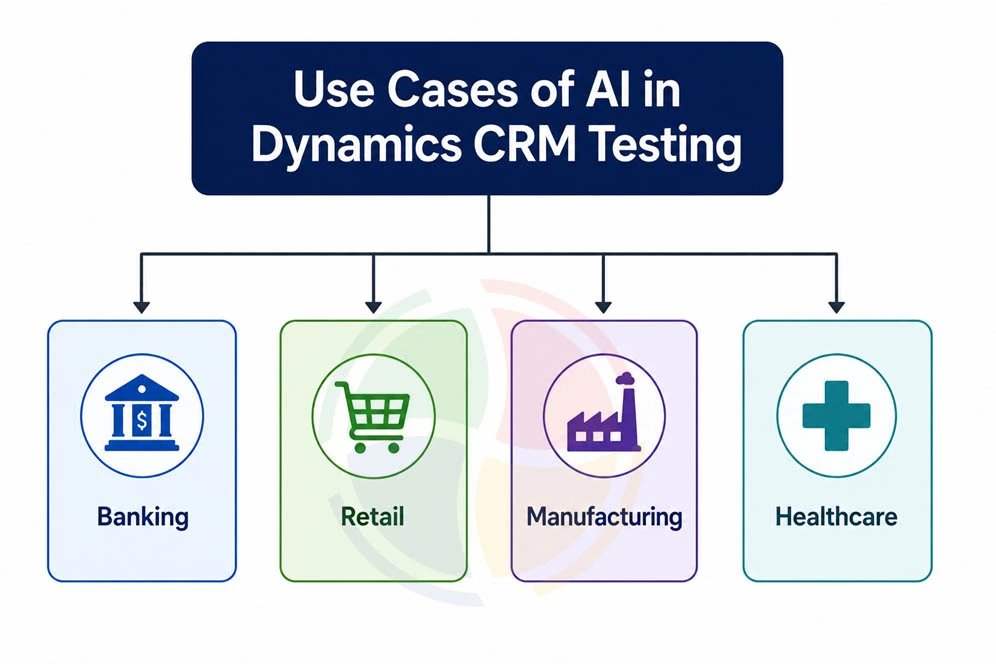
Banking and Financial Services
Financial organizations may utilise Dynamics 365 for user onboarding, loan processing, relationship handling, and service processes. AI-supported assessment has the potential to prioritise validation around:
- Credit-related workflows
- Customer onboarding
- Payment integrations
- Risk processes
- Regulatory reporting
Predictive analysis can highlight connected components when important workflows change.
Retail
Retail organizations often connect CRM applications with ecommerce systems, loyalty platforms, customer service channels, and mobile experiences. AI-powered visual and functional testing can validate:
- Product and promotional interfaces
- Loyalty workflows
- Customer profiles
- Mobile layouts
- Omnichannel integrations
This helps detect problems that conventional functional tests may overlook.
Manufacturing
Many manufacturing businesses build Dynamics 365 around vendors, production, stock, and client relationships. AI-driven regression prioritisation helps concentrate testing on modules impacted by modifications in production or supply-chain operations.
It can also identify relationships between custom entities that may not be obvious when teams manually select regression tests.
Healthcare
Healthcare CRM environments may integrate with scheduling, billing, patient communication, and other healthcare systems. AI-assisted anomaly detection can help identify unexpected patterns such as:
- Data synchronization inconsistencies
- Missing information
- Integration failures
- Incorrect workflow behavior
Sensitive data and regulated environments require particularly strong governance when AI is introduced into testing processes.
Challenges of AI Automation in CRM Testing
AI does not remove every QA challenge. Organizations should consider several limitations before adopting AI-powered CRM quality assurance.
- Limited historical data: Predictive models require useful historical test and defect information. New implementations may not have enough data initially.
- Highly customized environments: Complex entities and organization-specific workflows can make pattern recognition more difficult.
- AI validation: Self-healing scripts and automatically generated tests should be reviewed to ensure they validate the intended business behavior.
- Data governance: Test data may contain confidential or regulated information. AI testing processes must follow appropriate security and compliance controls.
- Legacy integrations: Older APIs and third-party systems can make end-to-end automation less predictable.
A controlled implementation with human oversight generally provides a stronger foundation than attempting fully autonomous testing immediately.
How Aegis Softtech Supports AI-Powered Dynamics CRM Testing
Aegis Softtech helps organizations strengthen Dynamics 365 QA by combining conventional test automation with AI-assisted testing approaches.
Depending on the environment, this can include:
- Automated regression testing
- AI-assisted test generation
- Risk-based test prioritization
- UI and workflow validation
- Integration testing
- CI/CD testing support
- Test automation optimization
Contact Aegis Softtech to discuss an AI-assisted Dynamics CRM testing strategy for your environment.
FAQs about AI Automation in Dynamics CRM Testing
How does AI improve Dynamics CRM regression testing?
AI improves Dynamics CRM regression testing by looking at application changes, past failures, dependencies, and risk patterns, then prioritizes the tests most likely to catch real defects — so QA teams get faster feedback without losing regression coverage.
Can AI automatically update test scripts after CRM UI changes?
Yes. Self-healing test automation can identify changed UI elements and use alternative attributes or contextual information to locate them. Human validation is still recommended for important business workflows.
Can AI work with Microsoft EasyRepro?
AI capabilities can complement EasyRepro by supporting areas such as test generation, failure analysis, locator maintenance, test prioritization, and intelligent validation. The implementation approach depends on the organization’s automation architecture.
How is machine learning used for predictive defect analysis?
Machine learning can analyze previous failures, code changes, customization history, and component relationships to estimate which areas carry higher defect risk. QA teams can use those insights to prioritize testing.
Is AI-based CRM testing suitable for Power Platform applications?
Yes. AI-assisted testing can support Power Apps, Power Automate, model-driven apps, and connected Power Platform solutions. It can assist with UI validation, workflow testing, regression prioritization, and anomaly detection.