
A SaaS company tracks 14 decision-makers across a nine-month sales cycle. An e-commerce brand converts 2,000 shoppers in a single afternoon.
Both rely on CRM systems, but the way they manage relationships couldn’t be more different.
The gap between B2B vs. B2C CRM goes far beyond contact lists. It determines how you structure data, automate workflows, and measure success. Pick the wrong type and you’ll either drown in unnecessary complexity or lack the depth your sales team actually needs.
In this blog post, we break down what separates these models and how to choose a CRM for a B2B vs. B2C business that fits your operations.
B2B vs. B2C CRM: Key Differences
The distinction between B2B vs. B2C CRM lies in how each system organizes customer data, structures workflows, and guides engagement. Here’s a quick comparison:
| Dimension | B2B CRM | B2C CRM | What This Influences |
| Customer model | Company-level account with linked contacts and roles | Individual customer profile with behavioral data | Determines how records, ownership, and communications are structured |
| Sales motion | Consultative cycles with negotiation and phased progression | High-speed, high-volume conversions across channels | Shapes pipeline logic, qualification stages, and follow-up sequencing |
| Decision structure | Several stakeholders with defined responsibilities | Single buyer or household-level influence | Drives contact permissions, conversation history, and stakeholder visibility |
| Pricing and contracts | Custom terms, tiered pricing, renewals, SLAs | Published pricing, offers, loyalty incentives | Requires contract workflows for B2B and promotion engines for B2C |
| Marketing approach | Account-based programs targeted to segments of companies | Lifecycle campaigns with dynamic segmentation | Impacts segmentation models and marketing automation setup |
| Data priorities | Relationship mapping, account health, deal progress | Behavioral indicators, preferences, purchase events | Informs analytics, enrichment strategy, and data storage design |
| Integrations | ERP, billing, partner networks, service management | E-commerce, POS, CDP, campaign delivery platforms | Dictates technical architecture and API requirements |
| Performance metrics | Pipeline quality, contract value, renewal rates | Conversion rate, repeat purchases, CLTV | Determines how dashboards and reports are structured |
| AI applications | Forecasting, account scoring, opportunity alerts | Recommendation engines, churn signals, dynamic personalization | Aligns AI training data with expected outcomes |
What is a B2B CRM?
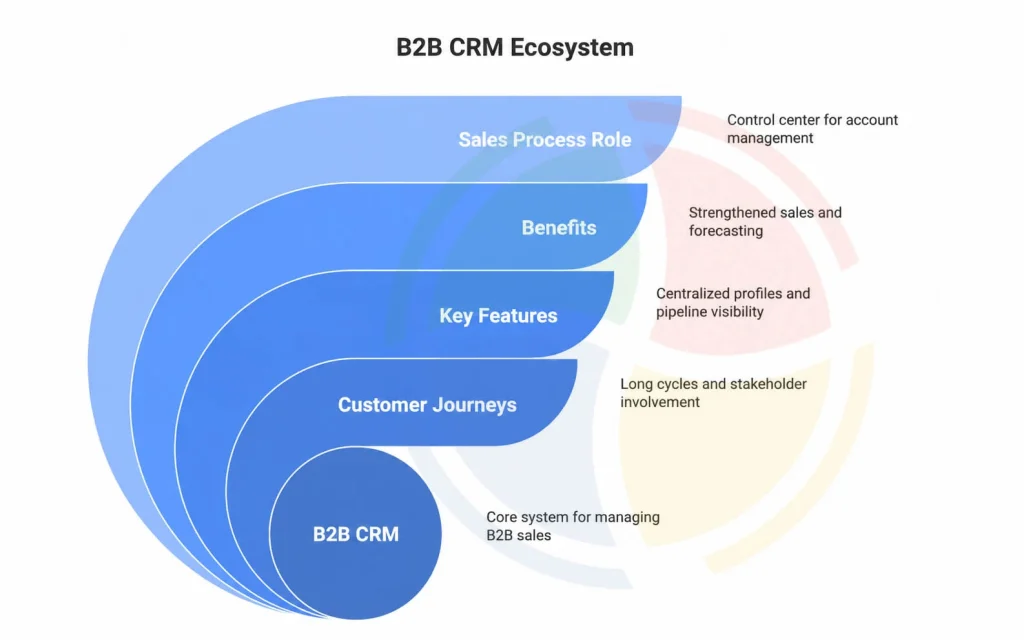
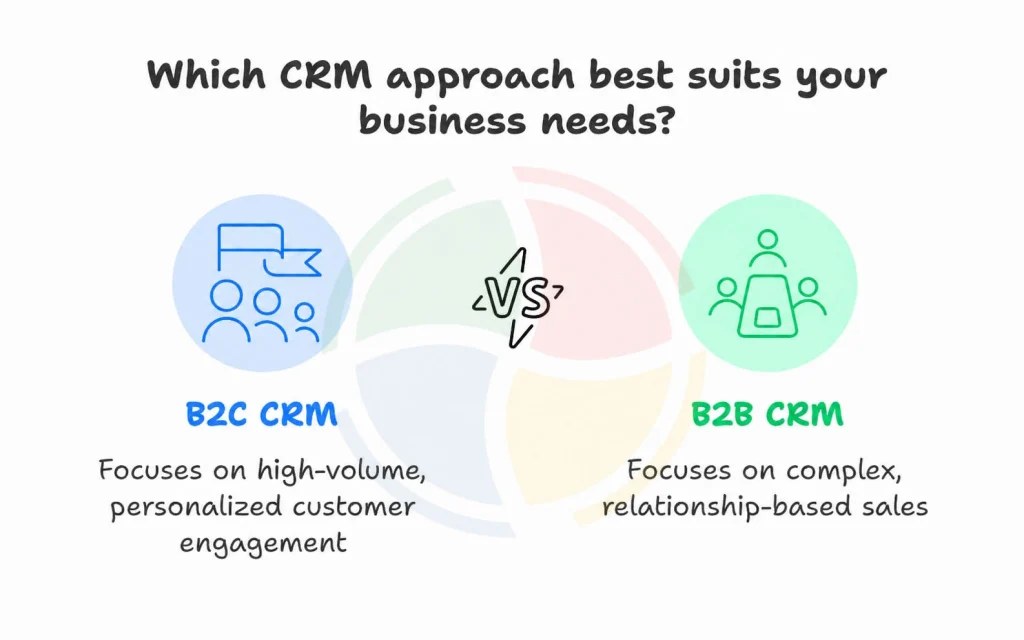
A B2B CRM supports organizations that sell to other businesses. Customer journeys involve longer cycles, multiple stakeholders, structured negotiations, and ongoing account collaboration.
This type of CRM emphasizes relationship history, contract value, project timelines, and revenue tracking across extended engagement periods.
Benefits of a B2B CRM
A B2B CRM strengthens complex sales environments. Key advantages include:
- Centralized account profiles with detailed organization-level data
- Support for multi-contact deals and layered approval journeys
- Pipeline visibility across long-cycle negotiations
- Account-based marketing coordination
- Structured forecasting tied to contract or subscription value
Role in the Sales Process
A B2B CRM often acts as the control center for account planning and opportunity progression.
Platforms such as Microsoft Dynamics CRM provide workflows for managing enterprise sales cycles, multi-contact deal structures, contract renewals, and service-level follow-through.
What is a B2C CRM?
A B2C CRM supports organizations that sell directly to individual customers. Customer engagement focuses on volume, personalization, behavioral insights, and responsive communication.
Journeys move faster, buying decisions are quicker, and campaigns rely heavily on segmentation and experience consistency across channels.
Benefits of a B2C CRM
A B2C CRM elevates high-volume consumer engagement. Key advantages include:
- Granular customer profiles enriched with behavioral and demographic data
- Automated campaign journeys mapped to lifecycle stages
- Real-time personalization across email, social, and in-app channels
- Scalable support for high-frequency leads and conversions
- Analytics that guide product recommendations and loyalty strategies
Role in the Sales Process
A B2C CRM drives targeted engagement and high-speed lead conversion.
Platforms such as HubSpot support automated messaging, segmentation, and lifecycle campaigns that move customers from acquisition to repeat purchase.
How to Select the Right CRM for Your Business Model
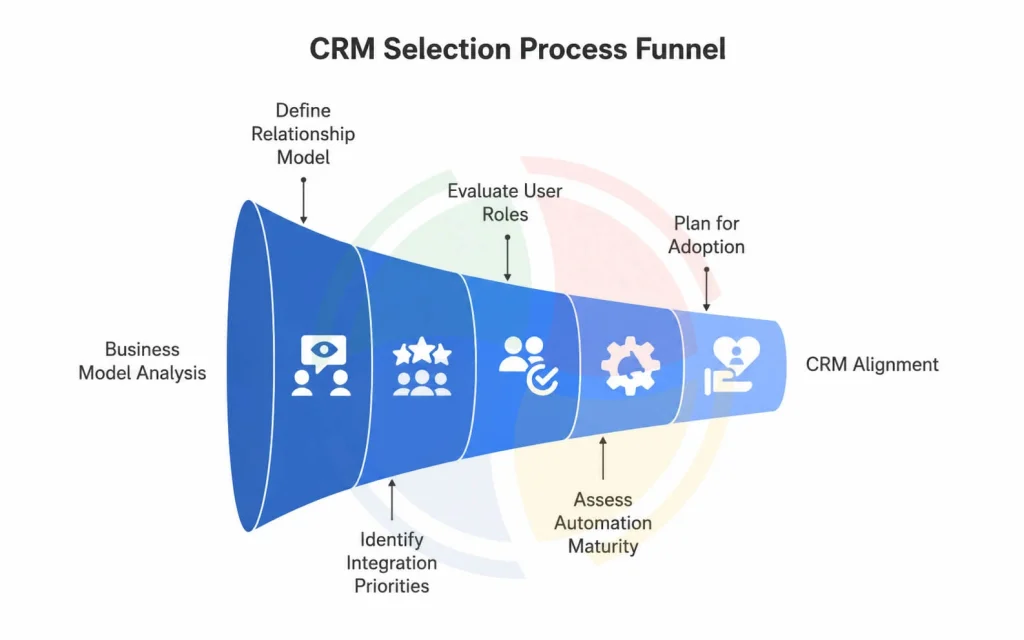
Selecting between B2B vs. B2C CRM platforms begins with diagnosing how your organization sells, engages, and scales.
The CRM has to reflect the structure of your relationships and transactions; otherwise, teams end up working around the system instead of through it.
To illustrate the reasoning, consider this scenario:
- A manufacturing supplier managing long-cycle enterprise contracts works with purchasing heads, technical evaluators, and legal teams. They need structured opportunity progression, shared notes across departments, and contract renewal workflows.
- A D2C beauty brand interacts with thousands of customers per day across web, email, and social. They need fast segmentation, recommendation engines, and automated responses tied to browsing patterns.
Both organizations use CRM systems, but their needs differ at the architectural level. The framework below supports this type of clarity when evaluating how to choose a CRM for a B2B vs. B2C business.
Step #1: Define the relationship model and sales motion
Start by mapping how customer interactions unfold day-to-day.
A B2B cycle often spans multiple conversations, evaluation phases, and touchpoints across teams. In these cases, look for:
- Account-level records with linked contacts and defined roles
- Opportunity stages that reflect phased progression
- Support for contract values and renewal timelines
A B2C cycle moves faster and relies on behavioral cues. Here, the CRM should support:
- Individual-level profiles with unified identity resolution
- Real-time triggers from browsing, engagement, or purchase activity
- High-volume lead handling with automated qualification
When this foundation is clear, the CRM selection process becomes focused.
Step #2: Identify integration priorities based on operational flow
Dynamics 365 integrations should reflect how work moves across systems. For example:
- A B2B organization might integrate CRM > ERP > Billing > Ticketing to maintain continuity across the full customer relationship lifecycle.
- A B2C brand might integrate CRM > E-commerce platform > CDP > Marketing automation for consistent personalized messaging.
Evaluating cloud CRM usage in B2B vs. B2C contexts helps clarify deployment considerations:
- B2B workflows benefit from stable data synchronization and compliance controls
- B2C workflows benefit from speed, throughput, and event-driven architecture
Step #3: Evaluate user roles and scalability requirements
Different teams rely on the CRM for different types of insight. The CRM must support:
- Role-based visibility (e.g., account managers, sales engineers, marketing ops)
- Access controls that align with responsibility and data sensitivity
- Capacity to add teams, business units, and customer segments without restructuring core data models
For sustained scalability, look at whether the CRM uses flexible schema design (e.g., custom objects, modular record types). This matters quite early, even if expansion feels far off.
Step #4: Assess automation and AI maturity
Automation and AI should align with data confidence and operational rhythm.
In B2B contexts:
- AI supports forecasting, account scoring, and relationship health tracking
- Workflows coordinate follow-up sequences and approval steps
In B2C contexts:
- AI supports product recommendations, churn prediction, and timing optimization
- Automation sequences respond to lifecycle triggers and campaign logic
The key is verifying that your data model can feed these workflows accurately because tools cannot compensate for fragmented or incomplete customer records.
The result is a CRM setup that matches your business model and feels natural for your teams to adopt.
Step #5: Plan for adoption and process alignment
Technology succeeds when teams see it as the natural place to work.
Look for:
- Intuitive interface patterns
- Configurable workflows without dependency on heavy engineering
- Dynamics 365 training paths aligned to different user groups
A CRM should reinforce how your teams collaborate and hand off work. If the platform introduces friction, adoption drops, and value erodes.
How Aegis Softtech Helps Businesses Implement Tailored CRM Solutions
We help organizations shape Microsoft Dynamics CRM to match how they sell, support customers, and manage revenue workflows. The focus of our Dynamics 365 CRM consulting services is always on fit: configuring the CRM to reflect real sales motions and customer engagement patterns across B2B vs. B2C CRM.
Our approach starts with understanding your relationship model, sales structure, and data sources. From there, our Dynamics CRM Developers design a Dynamics setup that supports clean handoffs, clear visibility, and reliable reporting across teams.
FAQs
1. How does customer data management differ between B2B and B2C CRMs?
In B2B CRMs, customer data focuses on companies, accounts, and multiple contacts within each organization. You’re tracking long sales cycles, deal values, and relationship histories across teams.
On the other hand, in B2C CRMs, data centers are around individual customers. The focus is on personal preferences, purchase behavior, and high-volume transactions that happen faster and more frequently.
2. What features are essential in a B2B CRM vs. a B2C CRM?
B2B CRMs need features like account management, lead scoring, opportunity tracking, and workflow automation for complex, multi-stage sales processes. Conversely, B2C CRMs require customer segmentation, marketing automation, loyalty tracking, and analytics for handling large customer bases and quick, personalized interactions.
3. Can a single CRM platform support both B2B and B2C operations?
Yes, many modern CRMs can support both models. Platforms like Microsoft Dynamics 365 let you customize workflows, fields, and automation rules to match either B2B or B2C needs within the same system.