
Dynamics AX is an older ERP product, while Dynamics 365 is a family of business applications. Dynamics 365 covers both ERP and CRM needs, spread across different apps. For most AX customers, Dynamics 365 Finance and Supply Chain Management matter most, since they align with existing finance, manufacturing, and distribution processes. Depending on what your business needs, other apps might come into the picture too.
Moving over isn’t just a matter of a new product name. You’ll need to think through the right applications, hosting model, updates, customizations, integrations, and reporting — none of it can really be skipped. This guide walks through the main differences and what they mean for planning a move from AX.
What Is the Difference Between Dynamics AX and Dynamics 365?
Microsoft’s previous, on-premises ERP system was called Dynamics AX, and it was developed primarily for bigger organizations with large production, distribution, or business operations. It performed fine, but with a catch: you had to have a private server, your personal IT team, and sufficient time to manually update whenever an issue required fixing or upgrading.
Then came 2016, and Microsoft launched Dynamics 365, taking AX and its CRM counterpart and rolling them into a single cloud-based platform. Rather than a huge rigid system, you now have distinct applications – Finance, Supply Chain, Sales, Customer Service – that communicate with one another seamlessly.
The real differences come down to how it’s deployed (cloud vs. on-premises), how it updates (automatic vs. manual), and how it connects with tools like Power Platform and Office 365.
Dynamics AX vs Dynamics 365: At a Glance
Dynamics 365 is not a single application, but a group of applications, so what you receive depends upon which one you are working with. This comparison compares AX 2012 to the most appropriate Dynamics 365 options for AX users. Updates and custom code refer primarily to Finance and Supply Chain Management.
| Area | Dynamics AX 2012 | Dynamics 365 for an AX customer |
| Product scope | One ERP product covering several operational areas | A family of apps; Finance and Supply Chain Management address many AX ERP workloads |
| Deployment | Hosted and maintained on infrastructure managed by the organization or its provider | Cloud is a common option; an on-premises Finance + Operations option also exists |
| Updates | Major version upgrades and organization-managed maintenance | Cloud Finance and Supply Chain Management receive recurring service updates; on-premises maintenance differs |
| Customization | Existing solutions may use layered changes to standard code | Finance and Supply Chain Management use extensions; existing AX code needs assessment |
| Reporting | Existing AX reports and connected reporting tools depend on each implementation | Reporting options vary by app and can include connections to Power BI |
| Integrations | Existing interfaces may rely on custom code or older integration methods | Integration choices depend on the apps and processes selected |
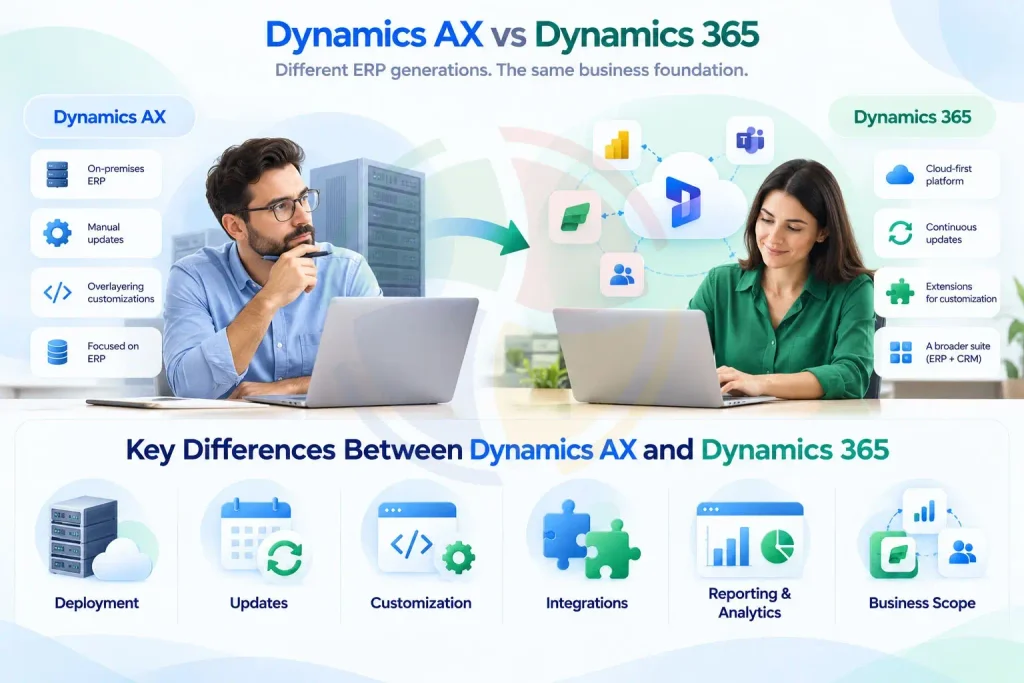
Key Differences Between Dynamics AX and Dynamics 365
The two platforms differ most in how they’re built, updated, and used day to day. Here’s a closer look at where they diverge — from infrastructure and upgrades to customization and analytics.
1. Deployment and Infrastructure
- Dynamics AX: Runs on physical servers or data centers that your company has to buy, house, and maintain — and that means your in-house IT staff carries the full burden of securing data, running backups, servicing hardware, and handling recovery when something goes wrong.
- Dynamics 365: Hosted and maintained by Microsoft’s cloud infrastructure — no on-premises hardware to worry about, remote access is built right in, and disaster recovery plus enterprise-grade security come standard. Businesses moving from legacy environments can also consider Dynamics 365 migration services to plan data, integrations, testing, and deployment.
2. The Upgrade Cycle
- Dynamics AX: Upgrades arrived as infrequent, large-scale projects — often years apart. They tended to be costly and risky, frequently requiring specialized developers to manually reconcile and rewrite customizations.
- Dynamics 365: Follows a continuous, “evergreen” release model, with Microsoft rolling out automated monthly updates to keep security and functionality current. Companies can validate changes in a sandbox first and defer up to three release cycles when more prep time is needed.
3. Extensions over Overlayering
- Dynamics AX: Developers could modify the core source code directly through “overlayering.” While flexible, this approach made future upgrades fragile and prone to breaking.
- Dynamics 365: Keeps the underlying platform untouched. Custom functionality is added through “extensions” — layered on top rather than baked in, much like installing apps on a phone — so core updates don’t disrupt your customizations.
For custom development, you can also hire a Dynamics 365 developer to build extensions without modifying the core application.
4. Artificial Intelligence and Analytics
- Dynamics AX: Functions mainly as a data repository. Getting insights out typically means exporting to Excel manually or working within fixed SSRS report templates that need developer involvement to adjust.
- Dynamics 365: Built to work with Power Platform and Power BI out of the box. It also incorporates Copilot and autonomous AI agents, enabling natural-language queries and predictive insights — like flagging slow-moving stock or upcoming cash-flow issues.
Can You Upgrade Dynamics AX 2012 to Dynamics 365?
Microsoft documents a supported cloud upgrade path from AX 2012 R2 and R3 to finance and operations applications. The process includes tools to bring forward code and upgrade data, followed by remediation, testing, and validation. AX 2012 RTM does not have the same supported cloud upgrade path. Some R2 or R3 systems using deprecated features may also be ineligible for a direct upgrade, so an early assessment matters.
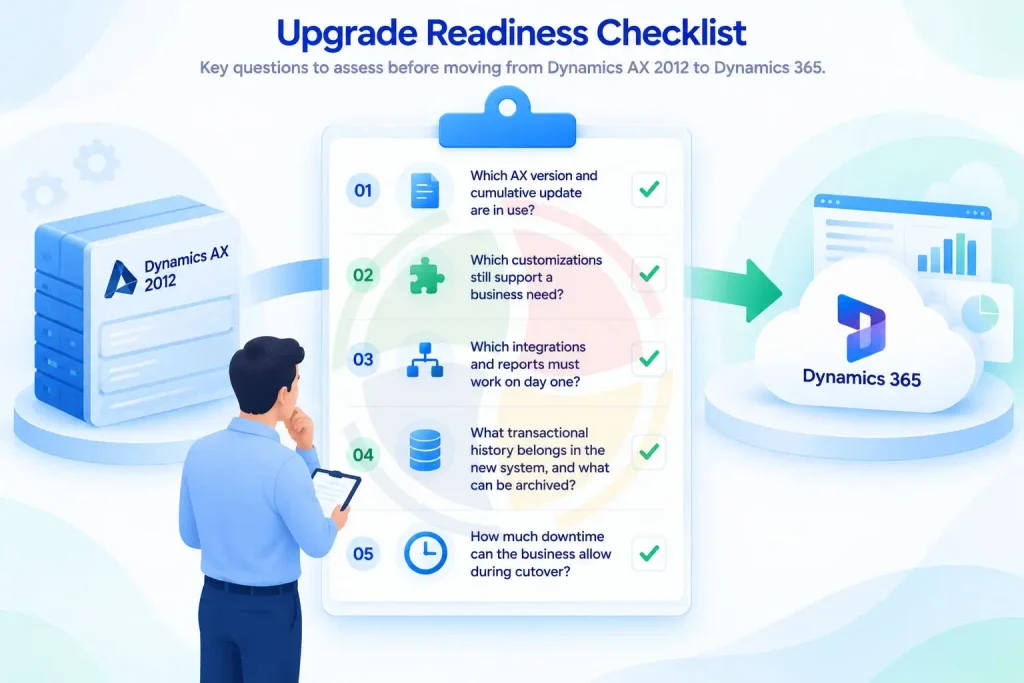
A practical assessment should answer five questions:
- Which AX version and cumulative update are in use?
- Which customizations still support a business need?
- Which integrations and reports must work on day one?
- What transactional history belongs in the new system, and what can be archived?
- How much downtime can the business allow during cutover?
Microsoft’s upgrade tools provide a starting point, but code conflicts, data cleanup, process changes, and testing still require project work. A mock cutover helps the team check timing and dependencies before go-live.
For larger migration workloads, Dynamics 365 data migration using ADF offers additional context on data mapping, validation, pipeline orchestration, and incremental migration.
Which Dynamics Platform Fits Your Business Needs?
The choice between Dynamics AX and Dynamics 365 largely depends on where your organization stands today and what you need from your ERP environment going forward.
Stay on Dynamics AX when:
- Your core processes are still running fine on it.
- Your existing customizations are still doing their job.
- There’s no immediate business case pushing you toward a platform change.
Move to Dynamics 365 when:
- You need a cloud-based ERP environment instead of on-premises AX. If you’re weighing that shift, it helps to understand what the migration to Dynamics 365 Finance and Supply Chain Management actually involves.
- You want more frequent platform updates than AX gives you.
- You’re looking for modern integration options, or simply a way off legacy AX customizations and infrastructure.
If you’re leaning toward the move, the next step is assessing your existing AX version, customizations, integrations, data, and business processes before settling on an approach.
Aegis Softtech can support that assessment and the migration itself — covering code and data migration, customization review, integration planning, testing, cutover, and post-go-live support.
Explore Aegis Softtech’s Dynamics 365 Upgrade Services to learn more about how the process works.
Frequently Asked Questions
Is Dynamics AX the same as Dynamics 365?
No. Dynamics AX is an older ERP product. Dynamics 365 is a broader family of business applications; Finance and Supply Chain Management are the applications most relevant to many AX customers.
Is Dynamics 365 the replacement for Dynamics AX?
Dynamics 365 Finance and Supply Chain Management are the modern applications AX customers commonly evaluate for finance and operations workloads. The right destination depends on the processes, customizations, and products used in the current AX environment.
Can AX 2012 be upgraded directly to Dynamics 365?
Microsoft supports a cloud upgrade path from AX 2012 R2 and R3, subject to version and feature requirements. AX 2012 RTM does not have that supported cloud path. Run an upgrade assessment to identify any deprecated features or other blockers before committing to a method.
What happens to existing AX customizations?
They need to be reviewed individually. Some can be replaced with standard functionality, while others need conversion or redesign as extensions. All business-critical customizations should be tested in the target environment.
Does all AX data need to move?
No. It depends on operational, reporting, audit, and retention needs. Historical records can often stay archived rather than carried into the live system, but archive and access requirements need to be settled before migration starts, not figured out mid-project.
How can Aegis Softtech help with AX migration?
Aegis Softtech can help in assessing the current environment, planning code and data migration, reviewing integrations, testing business processes, supporting cutover and whatever comes up after go-live — that’s the scope of it.
Is Dynamics 365 the replacement for Dynamics AX?
Yes. Microsoft offers a compatible upgrade process from AX 2012 R2 and R3 to Dynamics 365 Finance and Operations that includes data and code migration, testing, and verification. Existing modifications and integrations are evaluated for what the business really needs today.