A marketing director recently told us her team was drowning in data but starving for insight.
They had conversion rates, email opens, and web traffic, but no clear answer on which leads to prioritize or when to reach out. The manual effort to connect those dots was eating 15 hours a week.
That gap between having data and using it effectively is where AI-powered CRM tools make the difference.
Top AI-powered CRM sales tools analyze buying signals and recommend next steps. AI-powered marketing CRM tools predict campaign performance before launch and adjust messaging in real time. And AI-powered recruitment CRM tools screen applicants against role requirements and flag candidates that human reviewers might miss.
In this blog post, we walk through eight platforms built to turn CRM data into automated, intelligent action across sales, marketing, and hiring.
Key Takeaways
- Microsoft Dynamics CRM: Best for AI copilots and predictive insights
- Salesforce: Best for generative AI across sales and service
- HubSpot: Best for AI-driven data enrichment and automation
- ClickUp: Best for AI task generation and content assistance
- Zoho CRM: Best for AI forecasting and conversational insights
- Zendesk: Best for AI-powered customer interactions
- Pipedrive: Best for AI deal prioritization and automation
- Freshsales: Best for AI recommendations and lead scoring
What are AI-Powered CRM Tools?
AI-powered CRM tools are customer relationship management systems enhanced with artificial intelligence capabilities. They automate routine tasks like data entry, lead scoring, and follow-up reminders while providing intelligent insights into customer behavior and sales patterns.
These tools use machine learning (ML) to predict customer needs, personalize communications, and recommend next-best actions for sales teams.
Best AI-Powered CRM Tools: Brief Comparison
Here’s a breakdown of the best AI-powered CRM tools across various domains.
| CRM Platform | Key AI Features | Limitations | Pricing (per user/month) |
| Microsoft Dynamics 365 (Copilot) | Predictive lead scoring, email and meeting summarization, Azure AI insights, Power BI forecasting | Steep learning curve involved in initial days | From $135 (Project Operations), Copilot add-on $30 |
| Salesforce Einstein | Lead scoring, deal outcome prediction, conversation insights, automated opportunity creation | Steep learning curve and cost escalation with AI add-ons | From $25 (Starter Suite) |
| HubSpot (ChatSpot + Breeze AI) | AI email writing, natural language queries, behavioral lead scoring, automated sequences | Advanced AI limited to higher tiers | From $15 (Starter), Free version available |
| ClickUp Brain | AI agents for CRM tasks, cross-workspace data search, pipeline dashboards, automation setup | Setup can be complex and mobile CRM limited | From $10 (Unlimited), AI add-ons $14–33 |
| Zoho CRM (Zia) | Deal prediction, sentiment analysis, timing recommendations, data enrichment | Dated interface and slower customer support | Free for 3 users, paid plans from $20 |
| Zendesk AI | Ticket routing, sentiment detection, auto-suggested responses, customer health tracking | Limited sales CRM features, AI mainly for support | From $25 (Support Team) |
| Pipedrive AI Sales Assistant | Deal recommendations, activity-based insights, workflow automation, revenue forecasting | Basic marketing tools and limited reporting | From $24 (Lite) |
| Freshsales (Freddy AI) | Deal scoring, call transcription, email automation, behavior-based workflows | Occasional sync issues and limited customization | From $11 (Growth) |
*Please check the tool’s website for the latest pricing.
Key Capabilities of AI-Powered CRM Tools
Here are the core capabilities that set AI CRMs apart:
- Predictive lead scoring: Automatically ranks prospects based on conversion likelihood using historical data patterns
- Smart automation: Handles repetitive tasks like data entry, email scheduling, and follow-up reminders without manual input
- Sentiment analysis: Analyzes customer communications to gauge satisfaction levels and identify potential issues
- Sales forecasting: Predicts future revenue and pipeline performance using advanced analytics
- Personalized recommendations: Suggests optimal actions, content, and timing for customer engagement
- Intelligent insights: Surfaces actionable trends and opportunities from customer data automatically
Examples of AI CRM Tools
Now, here’s a closer look at examples of AI-powered CRM tools.
1. Microsoft Dynamics 365
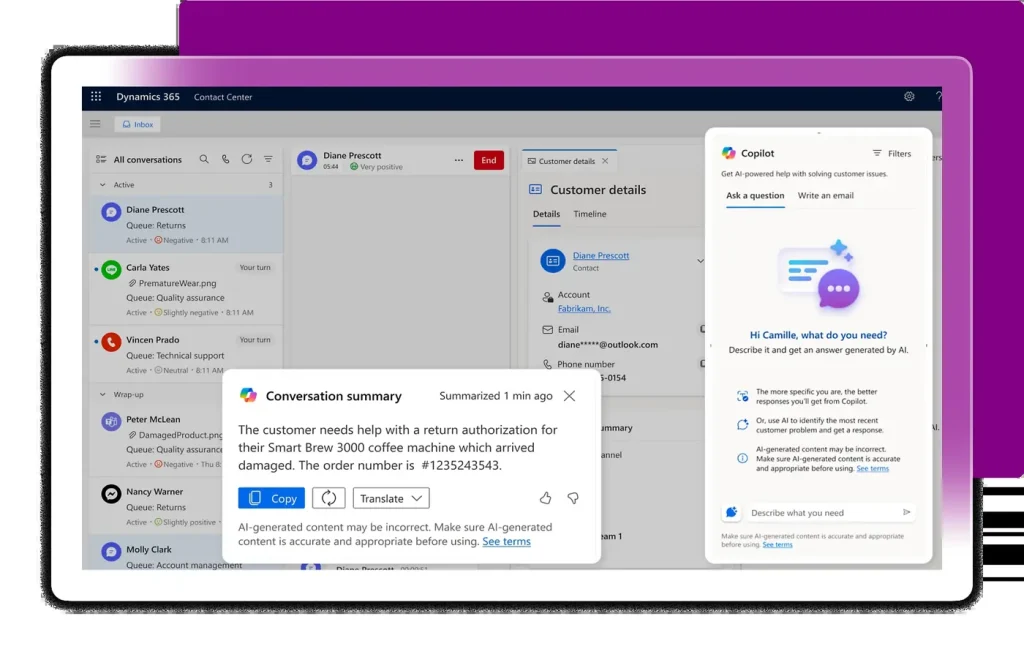
via Microsoft
Microsoft Dynamics 365 lives in enterprise territory, where CRM needs to integrate with existing Microsoft infrastructure.
The platform connects natively to Outlook, Teams, and Excel, so your team can work from tools they already know. Copilot AI sits inside the CRM and helps draft emails or summarize meetings without switching windows. Azure AI runs behind the screen, analyzing customer data to predict needs and recommend actions.
Microsoft Dynamics CRM handles complex B2B sales cycles with deals stretched over months and involving multiple decision-makers.
Microsoft Dynamics 365 Best Features
- Train the AI lead scoring model on your historical deal data to prioritize opportunities based on conversion patterns specific to your business
- Connect Copilot to your email threads and meeting transcripts so it can draft responses that reference specific conversations and customer pain points
- Build predictive dashboards in Power BI that forecast deal closure probability using engagement metrics, historical win rates, and pipeline velocity
- Map custom workflows that automatically assign leads to reps based on geographic territory, industry expertise, or product specialization
- Sync contact records across Outlook, Teams, and Dynamics so customer information updates in real time
Microsoft Dynamics 365 Limitations
- Pricing structure gets complicated quickly with add-ons and per-user costs stacking up
- Smaller businesses find the feature set overwhelming and more complex than they need
Microsoft Dynamics 365 Pricing
- Free trial
- Dynamics 365 Project Operations: $135.00/month per user (billed annually, and includes Microsoft 365 Copilot Chat)
- Microsoft 365 Copilot: $30/month per user (billed annually)
Our experts integrate predictive insights, lead scoring, and conversational automation to help teams make smarter decisions and respond faster to customer needs. We configure AI tools to analyze sales trends, forecast demand, and personalize outreach so your CRM evolves from a tracking system into a proactive business assistant.
2. Salesforce
via Salesforce
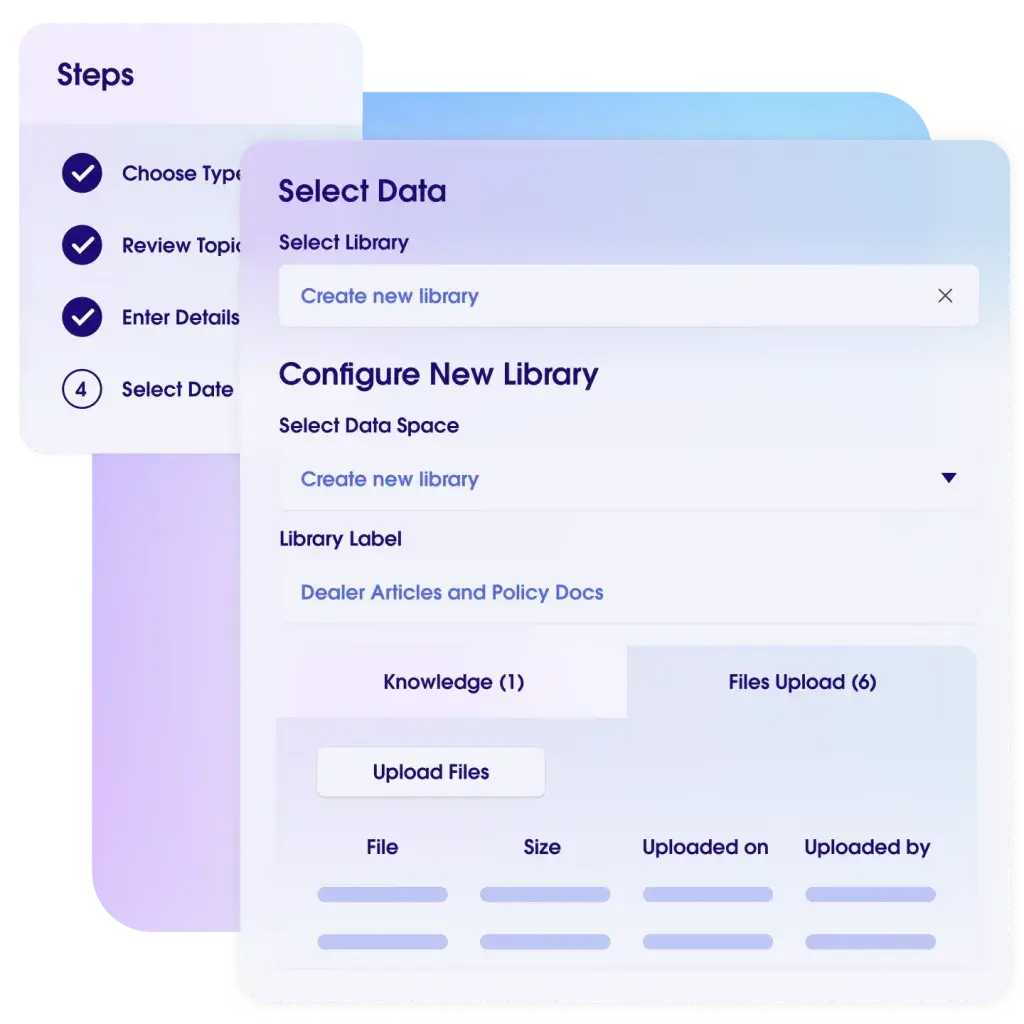
Salesforce’s Einstein AI is good at predicting deal outcomes and surfacing insights buried in your data. The platform automatically captures communication from emails, calls, and calendar events, then applies machine learning to identify which leads actually matter.
Einstein Conversation Insights transcribes your sales calls and flags critical moments like objections or competitor mentions. The AppExchange marketplace offers thousands of integrations, though navigating that ecosystem takes effort.
Salesforce Best Features
- Configure Einstein Lead Scoring rules that weigh factors like email engagement, website visits, and firmographic data to rank prospects by conversion likelihood
- Feed Einstein AI your customer history and deal context to generate email drafts tailored to specific industries, pain points, and buying stages
- Design dashboard reports that pull data from Salesforce and external APIs to track market conditions, competitor activity, and internal performance side by side
- Set automation rules that create opportunities and assign tasks when leads reach score thresholds or complete specific actions like demo requests
Salesforce Limitations
- The platform’s complexity overwhelms new users, particularly those without dedicated Salesforce administrators
- Costs escalate quickly when adding AI features, advanced analytics, or premium support tiers
Salesforce Pricing
- Free trial
- Starter Suite: $25/month per user
- Pro Suite: $100/month per user
Agentforce
- Flex Credits: $500 per 100k credits
- Conversations: $2 per conversation
3. HubSpot
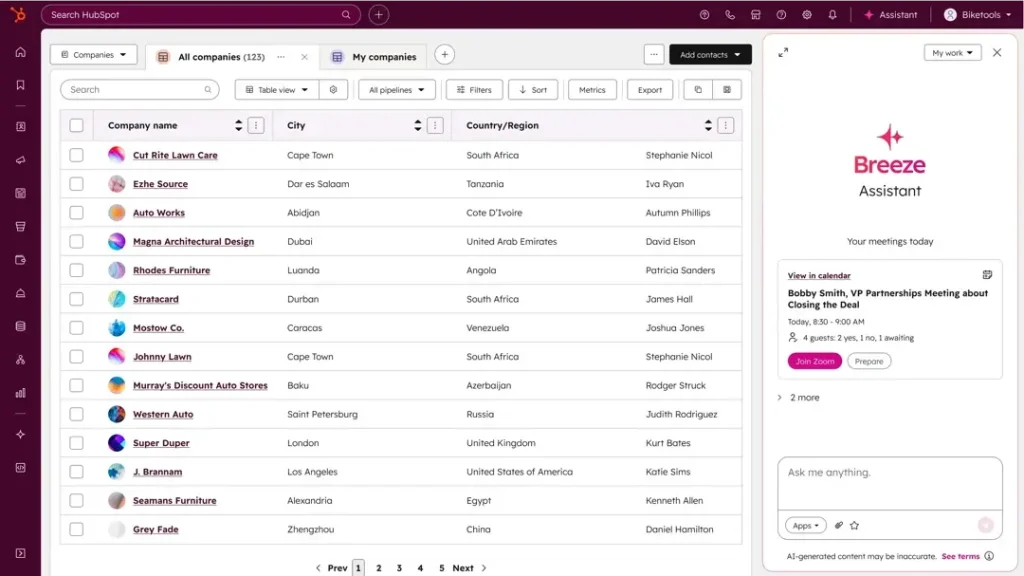
via HubSpot
HubSpot built its reputation on making AI-powered marketing CRM tools accessible. ChatSpot responds to natural language queries, so you can ask for reports or customer segments instead of clicking through menus.
Its Breeze AI extends to email drafting, suggesting subject lines and content based on what’s performed well historically. Marketing, sales, and service functions connect in HubSpot, so campaign data flows into your pipeline and support tickets link to contact records.
HubSpot Best Features
- Configure lead scoring criteria that assign points based on email engagement, content downloads, website behavior, and demographic attributes you define
- Track every customer touchpoint across web visits, email clicks, social engagement, and form submissions in a unified timeline on each contact record
- Build email sequences that send follow-ups automatically, pause when prospects reply, and trigger tasks for reps when specific engagement thresholds are hit
HubSpot Limitations
- Advanced AI features and automation capabilities require upgrading to the expensive Professional or Enterprise tiers
- Reporting customization hits walls quickly compared to more technical platforms like Salesforce
HubSpot Pricing
- Free
- Starter: $15/month per user
- Professional: $1,450 (includes six users)
- Enterprise: Starts at $4,700/month (includes eight users)
4. ClickUp
via ClickUp
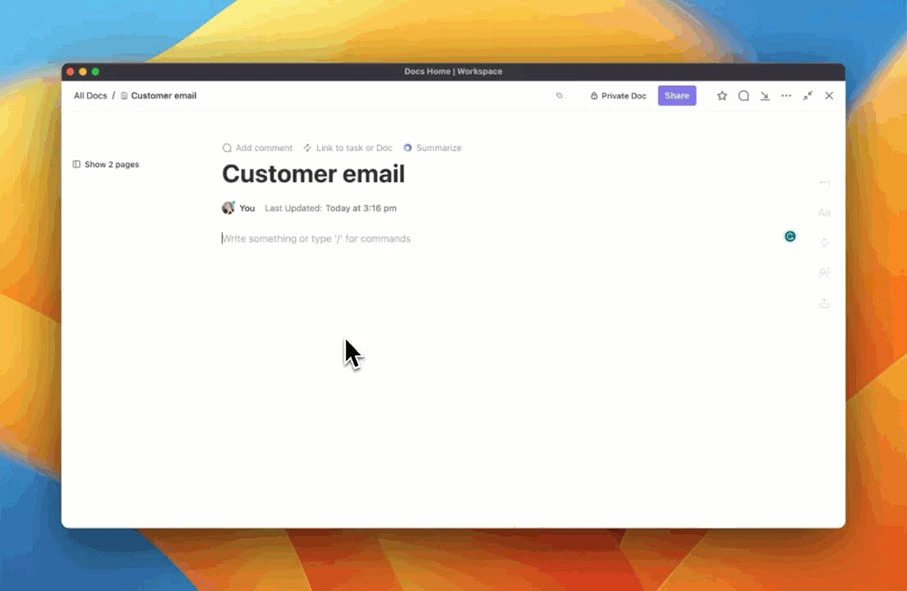
ClickUp Brain, the platform’s integrated AI assistant, searches across tasks, docs, and projects to surface pipeline information without manual digging. You can build views that match how your team operates: Kanban boards for deal stages, calendar layouts for follow-ups, and lists for lead tracking.
The mobile CRM consolidates customer communication and sales workflows in one workspace instead of forcing you to toggle between tools. What’s more, teams can set up automations for status updates and lead assignments based on criteria they control.
ClickUp Best Features
- Ask ClickUp Brain questions about customer history, deal status, or pending tasks to pull answers from across your workspace without searching through individual records
- Design dashboards that visualize pipeline stages, revenue projections, and team activity using custom widgets, charts, and data filters
- Create AI agents to update deal stages, assign follow-up tasks, or send notifications when customers take actions like opening proposals
- Build custom forms for lead capture that automatically generate CRM tasks and populate contact fields based on submission data
- Link email threads directly to customer records so correspondence, tasks, and deal notes exist in one chronological view
ClickUp Limitations
- The learning curve gets steep when setting up CRM views and automations for the first time
- Mobile app functionality lags behind the desktop experience, particularly for complex CRM configurations
ClickUp Pricing
- Free
- Unlimited: $10/month per user
- Business: $19/month per user
- Enterprise: Custom pricing
AI Add-Ons
- AI Standard: $14/month per user
- AI Autopilot: $33/month per user
With Aegis Softtech, your business gains a smarter CRM that learns from data, improves engagement, and drives measurable growth.
5. Zoho CRM
via Zoho CRM
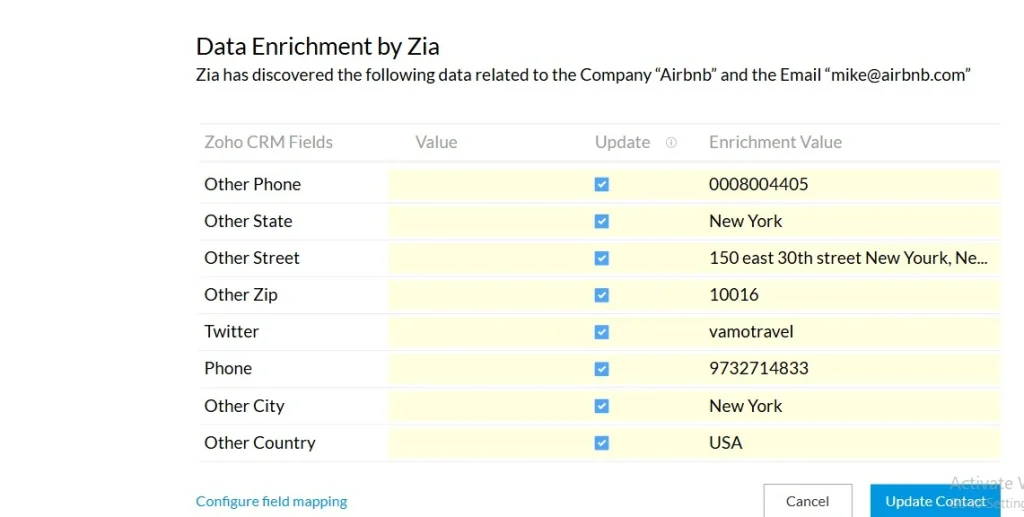
Zoho CRM’s Zia predicts which deals will close and suggests optimal contact timing based on past response patterns. The system analyzes email sentiment and flags conversations turning negative before relationships deteriorate. Zia handles data enrichment automatically, pulling company details and contact information from public sources to complete profiles.
Zoho operates an ecosystem of 50+ applications spanning finance, HR, and operations. If you expand beyond CRM, integration across that ecosystem becomes possible without relying on third-party connectors.
Zoho CRM Best Features
- Check AI-generated contact time recommendations that examine past response rates, time zones, and engagement windows for each lead
- Monitor sentiment analysis across email and support conversations to identify dissatisfaction signals, frustration language, or relationship risks
- Configure macros that execute multiple actions like field updates, email sends, task creation, and stage changes simultaneously with one command
Zoho CRM Limitations
- The interface feels dated compared to newer AI-powered CRM tools and requires time to navigate efficiently
- Customer support quality varies, with some users reporting slow response times for technical issues
- Integration capabilities work better within Zoho’s ecosystem than with popular third-party tools
Zoho CRM Pricing
- Free for three users
- Standard: $20/month per user
- Professional: $35/month per user
- Enterprise: $50/month per user
- Ultimate: $65/month per user
6. Zendesk
via Zendesk
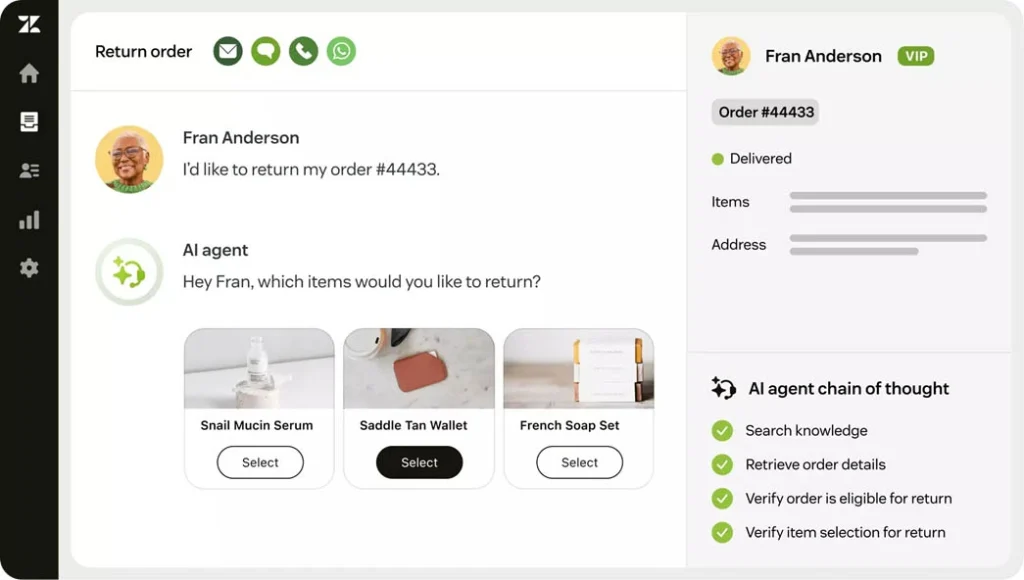
Zendesk approaches CRM through customer service, though Zendesk Sell brings sales functionality into play. AI focuses heavily on support: routing tickets to appropriate agents, suggesting knowledge base articles, and predicting resolution times.
For sales, AI scores leads based on support history and engagement, recognizing that customers requiring extensive hand-holding might not be expansion candidates. Where Zendesk stands out is the unified view between sales and support. Agents see complete histories spanning tickets, calls, and product usage. This matters when you want consistent customer experiences regardless of which department handles the interaction.
Zendesk Best Features
- Access AI-suggested responses for common inquiries that pull from your knowledge base articles and successful past resolutions
- View resolution time predictions that estimate ticket closure based on issue type, customer tier, and historical data to manage SLA commitments
- Track customer health metrics that combine ticket volume, sentiment scores from interactions, and product usage data into unified indicators
Zendesk Limitations
- Sales CRM features feel less developed than dedicated AI-powered CRM sales tools like Salesforce
- AI capabilities focus heavily on support functions rather than sales pipeline management
Zendesk Pricing
Customer service
- Free trial
- Support Team: $25/month per agent
- Suite Team: $69/month per agent
- Suite Professional: $149/month per agent
- Suite Enterprise: $219/month per agent
Employee service
- Free trial
- Suite Team: $39/month per agent
- Suite Growth: $79/month per agent
- Suite Professional: $149/month per agent
- Suite Enterprise: Custom pricing
7. Pipedrive
via Pipedrive
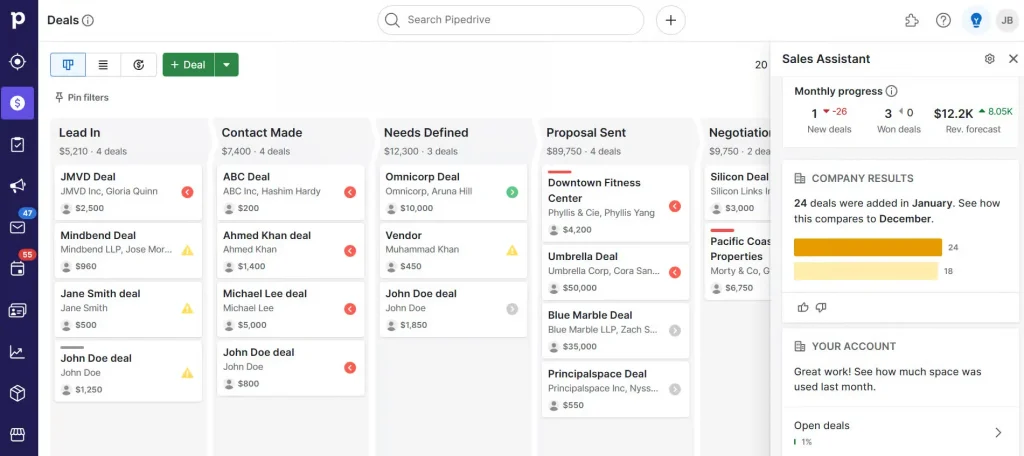
Pipedrive focuses on visual pipeline management and deal progression without feature bloat. The AI Sales Assistant analyzes your pipeline and recommends daily actions: which deals need attention, which leads went cold, and who to contact. Lead scoring runs automatically based on activity levels and engagement patterns to help reps prioritize.
Automation handles repetitive work like scheduling follow-ups and updating deal stages when triggers fire. For teams drowning in complex systems, Pipedrive strips things back to pipeline visibility and deal closure.
Pipedrive Best Features
- Track email open rates, link clicks, and response patterns to receive follow-up timing suggestions based on individual recipient behavior
- Set workflow automations that send emails, change deal stages, create activities, or update values when deals meet specific time or activity conditions
- Generate revenue forecasts using AI analysis of historical close rates, current pipeline value, deal age, and seasonal trends
Pipedrive Limitations
- Marketing automation features lag significantly behind platforms like HubSpot
- Reporting capabilities remain basic compared to enterprise CRM solutions
Pipedrive Pricing
- Free trial
- Lite: $24/month per user
- Growth: $49/month per user
- Premium: $79/month per user
- Ultimate: $99/month per user
8. Freshsales
via Freshsales
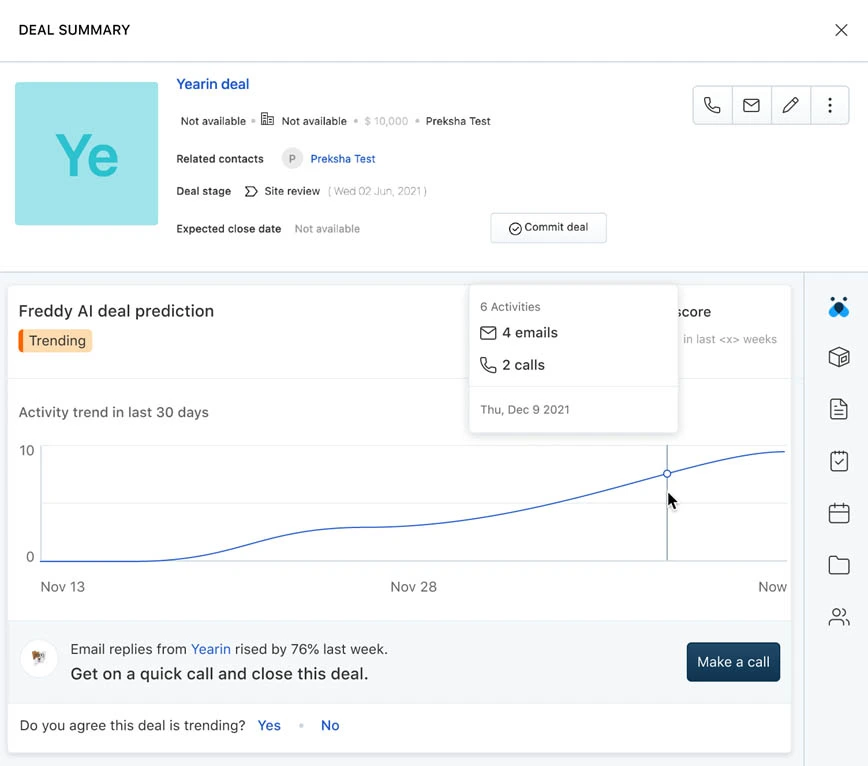
Freshsales bundles CRM with built-in calling and email, eliminating separate communication tools. Freddy AI handles lead scoring, deal predictions, and action recommendations. The system tracks behavior across your website, emails, and calls to build engagement profiles.
The AI-powered CRM tool schedules appointments, sends follow-ups, and updates records based on conversation outcomes. What distinguishes Freshsales is contextual display, like opening a contact record, which shows recent activities, upcoming tasks, and suggested actions in one view.
Freshsales Best Features
- Make calls directly in the CRM interface while AI captures conversation transcripts, logs notes automatically, and extracts action items
- Set triggers that launch workflows when website visitors view pricing pages, download content, or spend time on specific product features
- Launch email campaigns that adjust messaging based on recipient opens, clicks, and replies, automatically pausing sequences when prospects engage
Freshsales Limitations
- The platform occasionally feels buggy, with users reporting sync issues between email and CRM records
- Customization options for reports and dashboards are more limited than enterprise alternatives
- AI features work best when you have substantial historical data, making them less useful for newer teams
Freshsales Pricing
- Growth: $11/month per user
- Pro: $47/month per user
- Enterprise: $71/month per user
Choosing the Right AI CRM With Aegis Softtech
Most AI CRM implementations fail because companies chase features without understanding their actual needs. Do you need predictive lead scoring or automated email responses? Will your sales team trust AI recommendations, or will they ignore them like your last automation tool?
At Aegis Softtech, we focus on what drives results for your business. We implement Microsoft Dynamics 365 CRM with AI capabilities tailored to your sales process, whether that’s forecasting deal closure, recommending next-best actions, or automating repetitive tasks your team hates doing.
Your team is not left on their own post-implementation. Our D365 CRM developers train your staff to work alongside AI, not fear it.
FAQs
1. Which industries benefit most from AI-enabled CRM systems?
Industries like retail, real estate, healthcare, finance, and SaaS benefit the most from AI-powered CRM tools because they rely on strong customer relationships, personalized marketing, and large volumes of client data.
2. What are the three commonly used examples of AI in CRM?
The three commonly used examples of AI we cover during Dynamics 365 CRM consulting are:
- Predictive analytics for sales and customer trends
- Chatbots for customer service and support
- AI-based lead scoring to identify high-value prospects
3. Can AI-powered CRM tools automate recruitment processes?
Yes, they can scan resumes, match candidates to job requirements, manage communication, and even schedule interviews automatically.
4. How can businesses build a custom AI CRM platform?
Businesses can build an AI CRM platform by defining their goals, selecting the right AI technologies, integrating existing data sources, and continuously training the system to improve accuracy and performance.