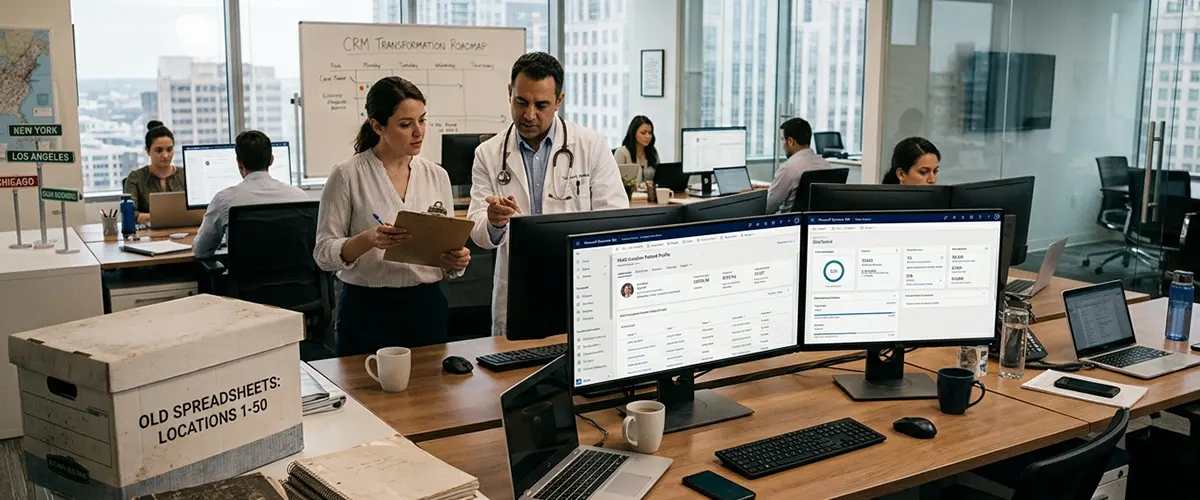
How a 100-Location Physician Group Replaced Spreadsheets With Dynamics 365 CRM?
40% Reduction in Patient Follow-Up Time | Centralised Data Across 100 Locations | Zero Missed Training Activities
Industry
Healthcare (Multi-Specialty Physician Group)
Services
Dynamics 365 CRM Consulting | CRM Implementation & Customisation | Workflow Automation | Custom Reporting
Platform
Microsoft Dynamics 365 CRM (Customer Service)
Timeline
Phased deployment across 100 clinic locations
Executive Summary
A rapidly growing multi-specialty physician group — operating across 100 locations with more than 800 physicians, 200 advanced practice providers, and 1,000 staff — was managing clinical training and support coordination through a combination of email threads, Excel spreadsheets, and Microsoft Word documents. As the organisation expanded and healthcare regulations increased in complexity, this approach became operationally unsustainable.
Aegis implemented a centralised Microsoft Dynamics 365 CRM environment that replaced all fragmented tools, gave every team member real-time access to clinic account data, and automated the manual follow-up and coordination tasks that were consuming the training team's capacity.
Result at 60 days post-go-live: 40% reduction in patient follow-up time across all three locations, zero duplicate contact entries, and a measurable improvement in training team productivity across the full clinic network.
The Challenge: Managing a 100-Location Network on Spreadsheets
For a physician group of this scale, the training and support team performs daily site visits — what the organisation calls "rounding" — across dozens of physician practices and clinics. Their role is to ensure clinical staff are trained on key healthcare technologies, including Electronic Health Records (EHR) systems, and to provide ongoing adoption support.
The problem was not the people. It was the tools.
- Fragmented contact data.
The team managed clinic account information, contact records, and interaction history across multiple disconnected databases. There was no single source of truth for which clinics had been visited, what was discussed, or what follow-up was outstanding. - Manual coordination overhead.
Scheduling training visits, logging activities, and tracking follow-up tasks were all handled manually. For a team covering large territories across multiple states, this created coordination failures and duplicated effort daily. - No real-time visibility.
Team managers had no way to see the real-time status of accounts, training progress, or pending follow-ups across the network. Activity reports required manual compilation from multiple sources, often producing data that was out of date before it was reviewed.
- Missed follow-up.
Without automated prompts or centralised task management, follow-up actions frequently fell through the cracks. Physician offices were left waiting for responses, training gaps went unidentified, and the team's credibility with clinical partners was being eroded. - No scalability path.
The organisation was growing rapidly. Adding new locations, physicians, and staff members with the existing spreadsheet-based system was not a viable option. The team needed an infrastructure built for scale.
What Aegis Delivered
Centralised Clinic Account and Contact Database
The priority was replacing the multiple disconnected databases with a single, unified clinic account structure inside Dynamics 365 CRM. Every physician practice and clinic across all 100 locations was migrated into a centralised Dataverse environment, with:
- Standardised account and contact records for each clinic location.
- Full activity history attached to each account, including previous training visits, issues raised, and follow-up actions taken.
- Role-based access ensured each team member could see all accounts in their territory and managers had visibility across the full network.
This single change — from scattered spreadsheets to one searchable CRM — gave the entire training team access to the information they needed to do their jobs effectively, from any device, in real time.
Custom Entity Design and Relationship Mapping
Healthcare training operations have structural requirements that out-of-the-box CRM configurations do not cover. Aegis customised the Dynamics 365 data model to reflect how this organisation actually operates:
- Custom entities were built for training activity types, clinic visit records, and EHR training milestones — mapped to the organisation's own terminology and workflows.
- Relationships between physician accounts, individual contacts, training records, and follow-up tasks were configured to give a complete picture of each clinic's status from a single account view.
- JavaScript and jQuery were used to build conditional form logic, ensuring data entry fields adapt to the type of activity being recorded — reducing manual input and capturing cleaner data at the point of entry.
This level of Dynamics 365 CRM customisation is the difference between a system that technically works and one that a field-based team actually uses every day.
Automated Workflows for Follow-Up and Coordination
Manual follow-up was the primary source of missed tasks and coordination failures. Aegis built custom workflows using Dynamics 365's native automation engine to eliminate the dependency on individual memory and manual scheduling:
- Visit follow-up automation: When a training visit is logged, the system automatically generates follow-up tasks for the assigned team member, with due dates calculated from the visit type and clinic priority tier.
- Escalation triggers: If a follow-up task passes its due date without resolution, an automated alert is sent to the team manager, replacing the need for manual status checks.
- Training gap identification: Workflows analyse training activity records across the network and surface clinics where key EHR modules have not been completed, creating prioritised work queues for the training team.
- Compliance checkpoints: For clinics subject to specific regulatory training requirements, automated reminders ensure that mandatory sessions are scheduled and completed within required timeframes.
These workflows replaced the equivalent of dozens of daily manual checks, allowing the training team to focus on delivery rather than administration.
Real-Time Dashboards and Activity Reporting
Before Dynamics 365, producing an activity report required manually compiling data from multiple sources — a process that took hours and produced information that was already outdated. Aegis configured a set of role-specific dashboards and automated reports that give the organisation immediate visibility into what matters:
- Individual dashboards showing each team member's open tasks, upcoming clinic visits, and overdue follow-ups.
- Manager dashboards showing real-time account status across the full network, by region, by training milestone, and by team member.
- Network-wide training reports identifying where adoption of key technologies is strongest and where additional support resources should be deployed.
- Trend analysis views tracking training completion rates and technology adoption over time — giving the organisation the data it needs to make resourcing decisions based on actual need rather than assumption.
This reporting capability turned data that was previously locked inside spreadsheets into a strategic tool for managing a 100-location healthcare network.
Outlook Integration and Mobile Access
Because the training team works in the field, Aegis prioritised native Microsoft 365 integration to ensure the CRM was accessible without friction:
- Dynamics 365 was integrated directly with Outlook, allowing team members to log clinic visit activities, create follow-up tasks, and access account records without leaving their email client.
- Mobile access was configured and tested across the device types used by field staff, ensuring consistent performance whether accessed from a laptop in a clinic waiting room or a phone between site visits.
- Microsoft Teams integration was configured for team coordination, enabling managers to reference live CRM data directly within team communication threads.
Results at 60 Days Post-Implementation
| Metric | Result | Driver |
|---|---|---|
| Reduction in patient follow-up time | 40% | Automated follow-up workflows eliminate manual task management |
| Duplicate contact entries post-migration | Zero | Centralised Dataverse with validation rules and deduplication |
| Number of disconnected databases replaced | Multiple → 1 | Single unified CRM environment across all 100 locations |
| Activity report compilation time | Real-time | Live dashboards replacing manual spreadsheet compilation |
| Training gap identification | Automated | Workflow-driven analysis replacing manual account reviews |
| Team coordination overhead | Significantly reduced | Centralised activity history removing duplicate phone calls and status checks |
Key Takeaways for Healthcare Organisations
Fragmented tools are a patient care risk, not just an efficiency problem.
When follow-up tasks fall through the cracks in a healthcare setting, the downstream impact is not just an operational inconvenience — it affects care continuity, regulatory compliance, and patient trust. Centralising coordination in a purpose-configured Dynamics 365 CRM removes that risk at the system level.
CRM adoption in healthcare requires domain-specific configuration, not generic templates.
The standard Dynamics 365 out-of-the-box setup covers generic sales and service workflows. Healthcare operations require custom entity design, compliance-aware automation, and data models that reflect clinical terminology. Organisations that deploy generic CRM configurations without this layer consistently see low adoption and limited ROI.
Field-based teams need mobile-first, Outlook-integrated CRM.
Clinical training teams, care coordinators, and field service staff cannot be expected to adopt a CRM that adds friction to their working day. Integration with Outlook, Teams, and mobile access are not optional features — they are adoption prerequisites for any healthcare CRM deployment.
Dashboards change management behaviour.
When managers can see real-time account status across a 100-location network, they make different resourcing decisions. When individual team members can see their open tasks and overdue follow-ups on a single screen, they manage their time differently. Data visibility is a management tool, not just a reporting function.
Scalability must be built in from day one.
This organisation was growing rapidly at the time of implementation. The Dynamics 365 environment Aegis configured was designed to accommodate new locations, new team members, and new training programme types without requiring structural rework. That scalability is now a direct operational asset as the network continues to expand.
Technology Stack
| Component | Role |
|---|---|
| Microsoft Dynamics 365 CRM (Customer Service) | Core CRM platform — account management, activity tracking, case workflows |
| Custom Entities (C# .NET) | Healthcare-specific data structures for training records, clinic visits, and compliance tracking |
| JavaScript & jQuery | Conditional form logic and UI customisation for field-based data entry |
| Custom Workflows | Automated follow-up generation, escalation triggers, and training gap analysis |
| Dashboards & Reports | Real-time visibility across the network, by team, region, and training milestone |
| Microsoft Outlook Integration | In-email CRM access for field staff — activity logging without context switching |
| Microsoft Teams Integration | Team coordination with live CRM data surfaced in communication threads |
Managing a Multi-Location Healthcare Network?
If your organisation is coordinating care teams, clinical training, or patient engagement across multiple locations using email and spreadsheets, the operational risk grows with every new site you add.
Aegis delivers Dynamics 365 CRM consulting services specifically configured for healthcare organisations — covering implementation, workflow automation, custom entity development, and the post-launch support that drives long-term adoption.
Speak with a certified consultant about your specific environment. You will receive a structured assessment, a clear deployment roadmap, and realistic timelines — before any configuration begins.
Results verified through post-implementation review at 60 days post-go-live. Client identity is confidential. Reference available on request.
More Success Stories

Call Center
Our client is leading call center service provider in USA. Our client had multiple call center sites with hundreds of support team handling support for many bit MNCs in USA.
Read Detailed Case Study
Data Warehousing - Car Rental
They specialize in offering GPS-enabled vehicles to provide real-time tracking and monitoring capabilities to their customers.
Read Detailed Case Study
Cyber Security
Our client has created a Risk engine which will prepare a detailed report by analyzing different data received from different sources.
Read Detailed Case Study