Your sales team closes 50 deals per quarter. They also spend 200 hours on data entry, another 80 chasing incomplete records, and roughly 15 minutes per lead doing manual research that’s already sitting in your CRM.
That’s 280 hours of expensive talent doing work a machine should handle, and it’s costing you deals because by the time someone updates the system, the opportunity has moved on.
The shift to AI-powered CRM automation eliminates that drag entirely. When Microsoft Dynamics 365 runs on intelligent automation, those 280 wasted hours convert into actual selling time.
The math gets interesting fast: remove 70% of administrative friction, and your team’s capacity doubles without adding headcount. Better yet, decisions are made on complete data for the first time because AI ensures nothing falls through.
Below, we break down how CRM task automation powered by AI drives measurable growth, where to start, and what to look for when evaluating solutions.
Read on!
Key Takeaways
- Need for AI-Powered CRM Automation It replaces manual admin tasks with intelligent workflows that update records, route leads, and trigger follow-ups automatically
- Benefits of AI in CRM: Businesses using AI in CRM see higher productivity, faster decisions, and stronger customer engagement backed by complete, real-time data
- Core Capabilities: Predictive analytics, intelligent customer interactions, data enrichment, and deep integration with tools like Power BI and Outlook
- CRM Integration: Microsoft Dynamics 365 with Copilot, Power Automate, and AI Builder delivers end-to-end automation across sales, marketing, and service functions
What is AI-Powered CRM Automation?
AI-powered CRM automation is the integration of machine learning and artificial intelligence into customer relationship management systems to handle tasks that traditionally required manual intervention.
Think of it as adding a brain to your database. The system stops waiting for human input and starts making decisions based on patterns it recognizes across millions of data points.
Here’s what that looks like in practice:
- Intelligent lead scoring that ranks prospects in real time based on conversion patterns identified across thousands of past interactions
- Automated workflows that trigger themselves when conditions are met, like a high-value prospect visiting your pricing page multiple times in a single week
- AI chat responses that understand context, resolve common customer issues, and escalate complex queries to the right team member without manual routing
- Sentiment analysis that evaluates customer emotions during calls and flags at-risk accounts before they churn
- Automatic data capture from emails, calls, and forms that keeps records current without anyone touching the CRM
Why AI-Powered CRM Automation is Changing the Way Businesses Operate
The shift toward AI-driven CRM automation is happening rapidly, and research confirms this trend. For example:
- Forrester highlights that organizations using AI in CRM are already seeing measurable improvements in productivity and customer engagement
- Salesforce reports that reps spend just 28% of their week selling, with the rest consumed by admin tasks. AI automation frees up this time for revenue-focused work
- Pipedrive finds that businesses adopting AI are better positioned to respond to customer expectations and gain an advantage over competitors
- HubSpot’s report shows 37% of sales reps use AI tools more than any other sales category, with 31% rating AI as the highest ROI tool
The same HubSpot report highlights the tasks sales teams use AI for:
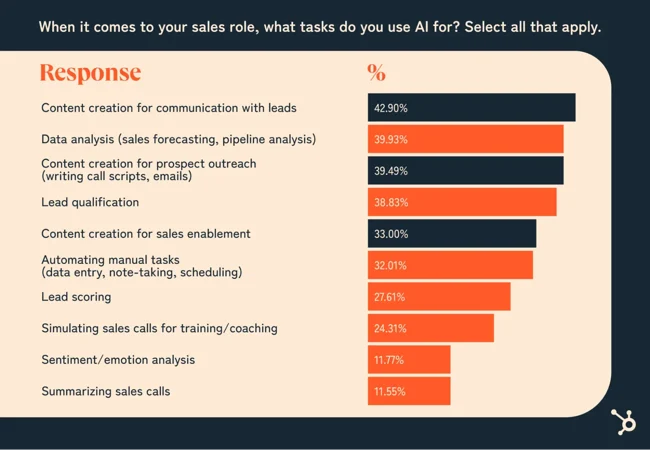
via HubSpot
Core Capabilities of AI-Powered CRM Automation
AI-powered CRMs deliver business value through five core automation capabilities.
1. Automating Routine CRM Workflows
Manual data entry, lead assignment, and follow-up scheduling eat up hours that could go toward strategic work. CRM task automation removes these bottlenecks by automating repetitive tasks without requiring human intervention.
Suppose a B2B software company is getting hundreds of inbound leads each week. An AI automation system checks each lead against scoring rules, assigns them to the right sales rep based on territory and expertise, and schedules the first outreach at the best time. What used to need dedicated staff now happens instantly, with no errors and full tracking.
The system also handles the time-consuming workflows that slow your team down:
- Contact records stay current as the system pulls verified updates when customers change jobs or companies
- Interaction logging captures every email, call, and chat across channels without anyone typing a single note
- Lead routing assigns incoming prospects based on territory, industry, product expertise, and current workload
- Follow-up sequences trigger and adapt automatically based on how recipients respond to previous messages
This shift frees your sales team from administrative tasks, allowing them to focus on conversations that close deals.
2. Delivering Predictive Sales and Marketing Insights
Your historical data holds patterns that predict future results. However, finding those patterns manually takes too long and misses key signals.
AI algorithms look at thousands of data points at once to forecast sales trends, spot high-value prospects, and catch accounts that might churn.
Predictive lead scoring ranks prospects based on the likelihood of them making a purchase. This lets sales teams focus on the opportunities most likely to close. The system weighs factors such as how often they engage, what content they view, budget signals, and how they compare to your best customers.
AI integration with Dynamics CRM provides intelligence that reshapes how decisions get made:
- Lead scoring models rank prospects using behavior patterns and engagement signals, eliminating guesswork from prioritization
- Churn prediction surfaces at-risk accounts weeks before they disengage, creating intervention windows that save revenue
- Deal health analytics identify stalled opportunities and recommend specific actions proven to advance similar deals
- Revenue forecasting incorporates seasonality, pipeline velocity, and historical conversion rates broken down by segment
Leadership gains clear visibility into realistic projections grounded in data, not optimism.
3. Enabling Intelligent Customer Interactions
Every customer conversation can either strengthen or damage the relationship. Natural language processing (NLP) reads communication tone in real time and gives agents smart recommendations that improve how they engage.
During live chats or calls, AI in Dynamics 365 pulls up the customer’s full history to surface the right details at the right moment. When a valuable customer reaches out with a concern, the system instantly shows their purchase history, open support tickets, and account value.
Then, it suggests retention tactics that worked with similar customers.
The tech equips your team with several layers of intelligence:
- Sentiment analysis detects shifts in tone that signal frustration, confusion, or readiness to buy during active conversations
- Next-best-action guidance draws from successful outcomes with similar customers in comparable situations
- Personalized recommendations align product suggestions with recent browsing activity and purchase history
- Escalation protocols activate automatically when conversation patterns indicate dissatisfaction or a significant opportunity
Customer-facing teams respond with precision that strengthens relationships and uncovers expansion opportunities.
4. Enhancing Data Accuracy and Completeness
CRM databases fall apart fast. Duplicate entries pile up, records remain incomplete, and information becomes outdated. AI constantly monitors data quality, identifies duplicates, fills in missing fields from trusted sources, and verifies that contact details are still accurate.
Continuous data maintenance runs in the background without manual intervention:
- Duplicate detection algorithms identify matching records even when spelling variations and email differences obscure the connection
- Automated enrichment appends firmographic details like job titles, direct phone numbers, company revenue, and technology infrastructure
- Validation processes flag invalid email addresses and disconnected phone numbers before teams waste effort on bad contacts
- Retention policies archive or purge outdated records according to regulatory requirements and company data governance rules
Marketing campaigns connect with real decision-makers using verified contact information that actually works.
5. Integrating Seamlessly With Other Business Tools
CRM systems work best when connected to your other business tools. AI in Microsoft Dynamics CRM creates smooth data flow between your customer platform, analytics tools, marketing systems, and financial applications.
Connected systems also create operational advantages across departments:
- Power BI integration delivers live CRM metrics to executive dashboards without manual report generation or data exports
- Marketing automation platforms receive engagement data that updates lead scores based on campaign responses and content interactions
- ERP system connections surface payment history, outstanding invoices, and fulfillment status during customer conversations
- Support ticketing integrations, alert account managers immediately when high-value customers open critical issues
Teams stop fighting data fragmentation and start collaborating around a unified view of each customer relationship.
Key Business Benefits of AI-Powered CRM Automation
Organizations implementing AI automation systems see measurable improvements in how teams work and how customers respond:
- Sales cycles shorten as teams focus on high-probability opportunities and skip prospects unlikely to convert
- Customer retention improves when support teams catch dissatisfaction signals early and intervene before churn occurs
- Marketing efficiency increases through the precise targeting of AI-identified microsegments that deliver higher conversion rates
- Operational costs decline as automation handles data entry, lead routing, and follow-ups that previously needed dedicated staff
- Forecast accuracy strengthens when models factor in deal velocity, seasonality, and performance trends that spreadsheets miss
- Team productivity rises as employees shift hours from administrative work to relationship building and strategic planning
- Scalability becomes possible without proportional headcount increases, allowing revenue growth without overhead bloat
- Decision speed accelerates as executives access real-time insights instead of waiting for manually compiled reports
AI Integration With Dynamics CRM
With Microsoft’s AI-driven tools like Copilot, Power Automate, and AI Builder, businesses can streamline operations, uncover actionable insights, and strengthen decision-making across teams.
Let’s look at how each tool enhances automation and intelligence within Dynamics CRM:
- Microsoft Copilot: Empowers users to generate contextual emails, summarize meeting notes, and surface next-step suggestions directly within Dynamics 365.
- Power Automate: Connects systems and takes care of repetitive tasks through intelligent workflows.
- AI Builder: Allows non-technical teams to build custom AI models for form processing, sentiment analysis, and image recognition within the CRM interface.
When these tools work together, they create a CRM system that adapts dynamically to changing business conditions and customer behavior.
Aegis Softtech helps organizations integrate AI into Dynamics CRM without disrupting existing workflows. Our approach aligns AI capabilities with your business objectives, ensuring measurable results from day one. Explore Our Dynamics CRM Consulting Services
Steps to Successfully Adopt AI-Powered CRM Automation
Follow these steps to integrate AI automation in your existing CRM workflows.
Step #1: Define Business Goals and KPIs
Before you start browsing vendor websites or sitting through demos, figure out what you’re trying to fix.
“We need AI” isn’t a goal. Neither is “let’s be more efficient.” Get specific.
Maybe your reps spend three hours a day updating records when they should be interacting with customers.
Or maybe promising leads sit in the queue for two days before anyone notices them.
Maybe your forecasts are so far off that nobody trusts them anymore.
Start there, with the problems keeping you up at night.
Here’s how to turn frustration into actionable goals:
- Tie goals to revenue metrics: Skip “better lead management” and go for “cut sales cycle time by 25%” or “boost lead-to-opportunity conversion by 15%.”
- Pick 3-5 measurable KPIs: Choose metrics you can actually track, like pipeline velocity, response time, forecast accuracy, or hours saved on admin work per rep.
- Get stakeholder alignment early: Sales leadership, operations, and IT need to agree on what matters most, or you’ll be rebuilding six months in.
Establish baseline metrics: Write down where you are today so you can prove ROI later when someone inevitably asks if AI-powered CRM automation was worth it.
Step #2: Start With High-Impact Use Cases
Here’s a mistake everyone makes: trying to automate everything at once. That’s how projects drag on forever, and teams check out before seeing any benefit.
Instead, pick one or two things that are causing the most pain right now and will show results faster. You want early wins that get people excited, not a two-year transformation nobody believes in.
Focus on what hurts the most:
- Lead scoring and routing: Stop letting hot leads sit around waiting for someone to notice them, get them to the right rep in minutes.
- Automated data entry: Let AI pull information from emails and calls so your team stops wasting an hour every day typing notes.
- Email response suggestions: Give reps AI-generated drafts that sound human and cut email writing time from 9 minutes to 30 seconds.
- Meeting summaries and follow-ups: Generate action items automatically after sales calls so important details don’t disappear into someone’s notebook.
- At-risk customer alerts: Catch accounts showing churn signals weeks early, while you still have time to save them.
Pick use cases where success is obvious within 30-60 days. Quick wins build momentum and provide proof points when the skeptics start asking questions. You can then expand CRM task automation to other areas.
Step #3: Train Teams for AI Adoption
Your sales team has seen plenty of “revolutionary” tools come and go. They’re not going to embrace AI just because leadership says so. They need to see how it makes their lives easier, using real examples from your actual pipeline, not some polished demo that looks nothing like your messy reality.
Here’s what training should look like:
- Run hands-on workshops: Show them scenarios they recognize, like “here’s how the system scored those three leads you got yesterday and why it ranked them that way.”
- Address job security concerns directly: Be honest that AI handles the boring stuff, so they can focus on building relationships and closing deals, because avoiding this conversation makes anxiety worse.
- Assign internal champions: Find your early adopters who can answer questions in Slack, share wins during team meetings, and help the stragglers catch up.
- Create quick-reference guides: Build simple cheat sheets for common tasks, because nobody’s reading a 50-page manual, no matter how good it is.
- Measure adoption metrics: Track who’s using which features and who’s struggling so you can help before they give up and go back to their old ways.
People resist change when they don’t see what’s in it for them. Make training about solving their problems, not checking a box for compliance.
Step #4: Work With the Right Implementation Partner
AI integration with Dynamics CRM calls for a partner who gets your business and knows how to make AI fit the way you actually work. The wrong partner will configure everything by the book, hand you the keys, and disappear, leaving you with fancy features nobody knows how to use.
Here’s what to look for:
- Industry-specific experience: Partners who’ve done this in your sector already know your workflows, your compliance headaches, and the weird edge cases that always pop up.
- Dynamics 365 specialization: Generic consultants won’t understand the nuances of Microsoft’s AI tools or how to customize Copilot for what you need.
- Post-launch support offerings: You’ll need help after go-live for optimization, troubleshooting, and new features Microsoft continues to release.
- Measurable success stories: Ask for case studies with actual numbers from companies like yours, not vague “they’re great” testimonials.
- Customization capabilities: The right partner builds around your processes instead of cramming you into their standard template.
Aegis Softtech specializes in implementing AI-powered CRM automation within Microsoft Dynamics 365 for mid- to large-scale enterprises. We handle everything from figuring out what you actually need through custom configuration, connecting it to your existing systems, and making sure it keeps working well after launch. Check Out Our Dynamics 365 CRM Services
Top AI-Powered CRM Tools to Explore
These are the top CRM task automation tools with integrated AI to help you make the right decision.
1. Microsoft Dynamics 365 CRM
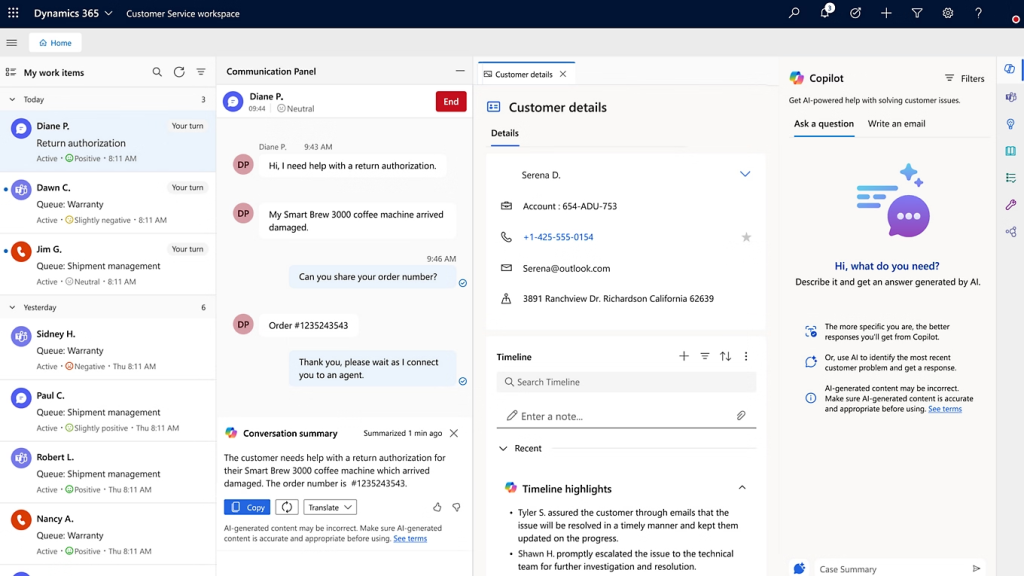
via Microsoft
Microsoft Dynamics 365 works best for enterprises already running on Microsoft’s infrastructure. AI-powered CRM and Copilot in the platform connect naturally with Teams, Outlook, and SharePoint, creating a unified workspace where sales, marketing, and service teams share customer intelligence.
For companies managing operations across multiple regions or business units, Dynamics 365 scales well, and the customization options support different workflows by department or geography.
Microsoft Dynamics 365 AI Features
- Copilot for Sales writes email replies, drafts meeting summaries, and pulls relevant information from SharePoint, Outlook, and Teams during conversations
- Sales Qualification Agent scores leads automatically and suggests which actions will move deals forward
- Intent-to-Buy Analysis watches customer behavior patterns to identify who’s ready to purchase
- Automated Follow-Up sends personalized emails based on prospect actions without waiting for manual input
Talk to our team and see how you can make Dynamics 365 CRM work harder for your business.
2. Salesforce Sales Cloud (Einstein AI)
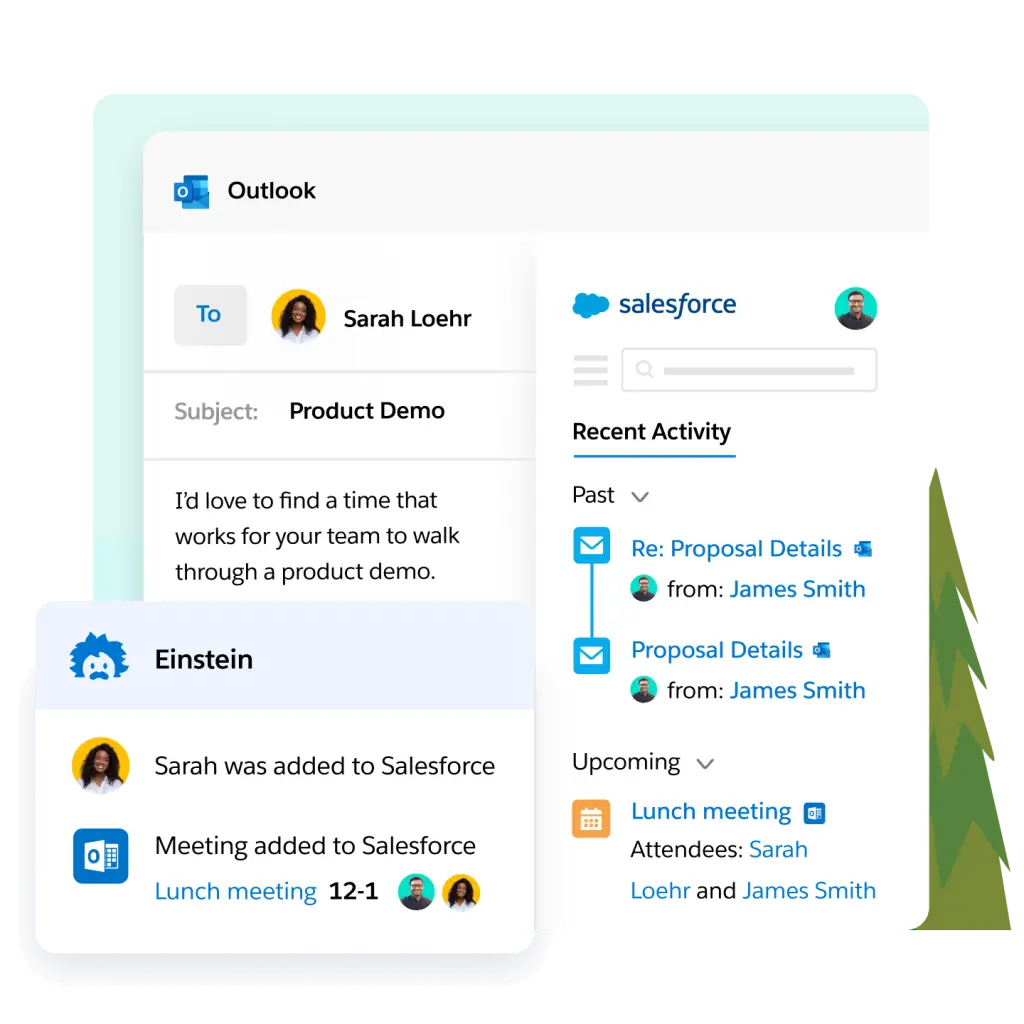
via Salesforce
Salesforce Einstein brings years of refinement across thousands of enterprise deployments.
The CRM for financial advisors handles complex sales processes well, and you can build custom AI models trained on your specific data patterns. The massive ecosystem of third-party integrations lets you extend capabilities beyond baseline features, and strong community support means help is available when you need it.
Salesforce Einstein AI Features
- Lead and Opportunity Scoring ranks prospects from 1 to 99 based on historical conversion patterns
- Einstein Copilot provides conversational assistance directly inside Salesforce workflows
- Trust Layer masks sensitive information before sending prompts to external language models with zero data retention
- Conversational Intelligence offers real-time coaching during sales calls with accurate forecasting built in
3. HubSpot CRM
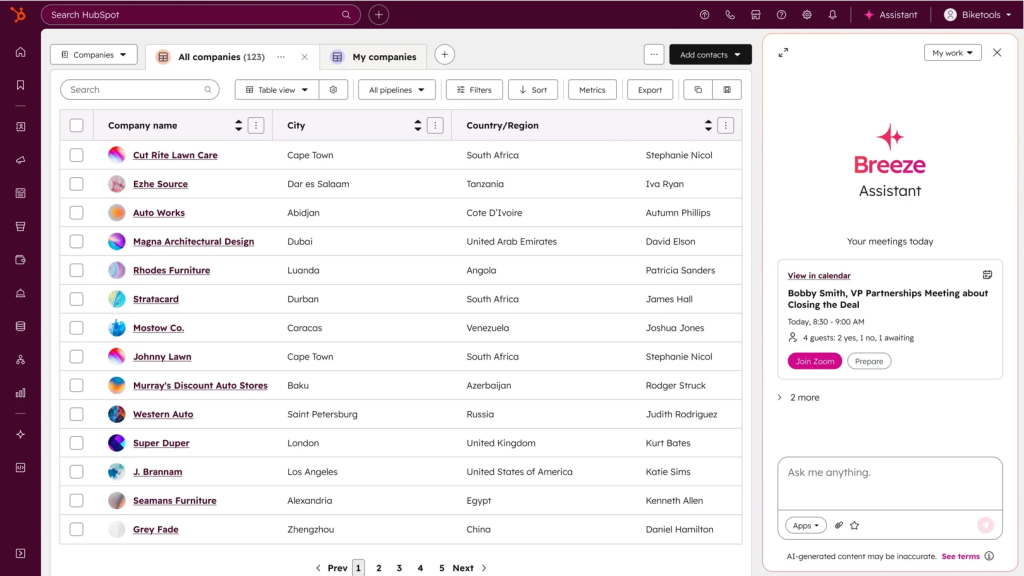
HubSpot Breeze AI prioritizes simplicity, making it an ideal solution for mid-market companies with limited technical resources. Teams get up and running in days, and the unified design means no duct-taping different systems together.
Everything lives in one place, and pricing scales with usage instead of demanding huge upfront commitments.
HubSpot Breeze AI Features
- Breeze Assistant provides help across all hubs with full access to your CRM data and business context
- Sales Forecasting projects future performance based on historical activity for better planning
- Knowledge Base Agent builds support resources in real time as new tickets arrive
- Predictive Lead Scoring ranks prospects by conversion likelihood to align marketing and sales priorities
4. Zoho CRM (Zia AI)
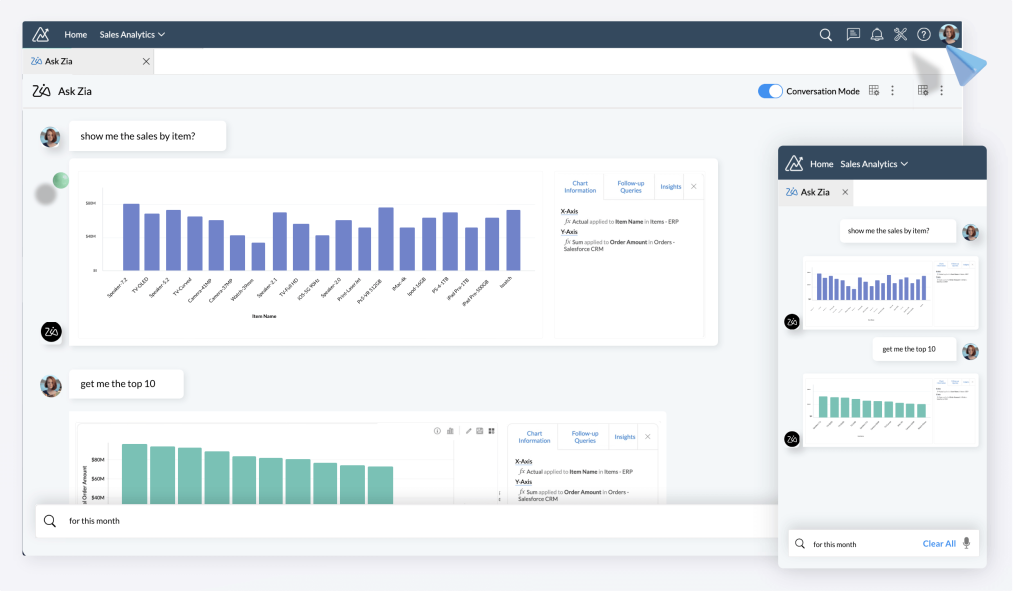
via Zoho
Zoho owns its entire technology stack, giving it complete control over data handling and model training. Customer data never leaves Zoho’s infrastructure, which appeals to organizations with strict compliance requirements or those in regulated industries.
The tool offers enterprise-grade features at accessible price points, and voice command capability helps sales teams working from calls or the field.
Zoho Zia AI Features
- Deal Win Probability assigns dynamic scores showing how close each opportunity is to closing
- Churn Prediction spots at-risk accounts early with product-specific indicators for subscription businesses
- AI Sales Agents qualify new leads through targeted emails, handle objections, and schedule meetings autonomously
- Sentiment Analysis reads email tone to help prioritize responses and adjust communication style
5. Pipedrive (AI Sales Assistant)
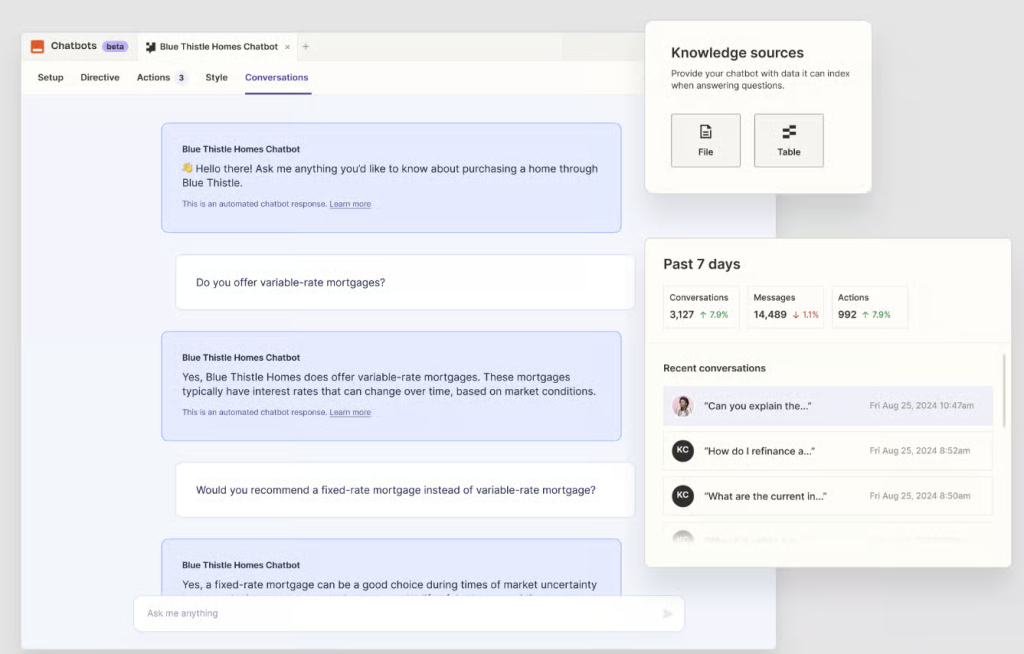
via Pipedrive
Pipedrive built its AI for solo salespeople and small teams that need results without complexity. The interface focuses on tools that directly impact pipeline velocity, and the system learns from your sales patterns without requiring extensive configuration.
For businesses where sales leaders wear multiple hats and IT support is minimal, the AI CRM software solution offers sophisticated features in an approachable design.
Pipedrive AI Sales Assistant Features
- Win Probability forecasts deal with outcomes and recommends actions to improve closing odds
- Email Generation creates compelling sales messages with control over content type, tone, and length
- Thread Summarization condenses lengthy email conversations while capturing sentiment and readiness to close
- Smart Notifications flag deals without scheduled activities and opportunities in the final stages before they slip
Common Pitfalls to Avoid
Even well-planned AI CRM implementations hit snags. Here are the mistakes that derail projects and how to steer clear of them:
| Pitfall | Why It Matters | Solution |
| Skipping data cleanup before implementation | AI trained on messy, duplicate, or incomplete data produces unreliable results. | Run a data audit first. Deduplicate records, fill critical gaps, and standardize formats before AI touches anything. |
| Automating broken processes | If your current workflow doesn’t work well manually, AI-powered automation will just do the wrong thing faster. | Map out your ideal process first, test it manually, then automate what works. |
| Ignoring change management | Rolling out AI without preparing your team for how their work will change leads to resistance and low adoption. | Involve users early, communicate benefits clearly, and assign champions to support adoption. |
| Overlooking data security and compliance | Not every AI solution handles customer data safely. Missing security checks can expose sensitive information. | Review data handling policies, encryption standards, and compliance certifications before committing. |
| Choosing features over fit | Picking a platform for its feature count instead of your needs can lead to wasted time and poor ROI. | Start with your use cases and pick tools that excel at those specific functions. |
| Underestimating training needs | One quick training session isn’t enough. Teams need ongoing support as new use cases arise. | Create a training plan with workshops, documentation, office hours, and regular check-ins for the first 90 days. |
| Going all-in on day one | Automating everything at once overwhelms teams and makes it hard to measure success. | Phase implementation. Start with one high-impact use case, prove results, then expand gradually. |
Turn Your CRM Into a Growth Engine With Aegis Softtech
The gap between companies using AI-powered CRM automation and those still relying on manual processes continues to widen every quarter. But you don’t need to figure this out alone.
At Aegis Softtech, we’ve helped mid-to-large enterprises implement intelligent automation within Microsoft Dynamics 365 from start to finish. We handle the strategy work upfront so you’re building toward clear goals, not just adding features.
Our Dynamics CRM developers have a deep understanding of the platform, which enables us to customize AI integration with Dynamics CRM to fit how your business actually operates.
Security is our top priority in everything we build, ensuring your customer data remains protected while automation does its job.
FAQs
1. Can AI replace a CRM?
No, AI cannot replace a CRM. It enhances CRM systems by adding intelligence, automation, and data-driven insights, but the CRM itself remains essential for managing customer relationships and storing key information.
2. What are three commonly used examples of AI in CRM?
Three commonly used examples of AI in CRM are lead scoring to prioritize high-potential prospects, sales forecasting to predict revenue and trends, and chatbots that respond to customer queries and provide real-time support.
3. What is the three-step strategy for AI implementation in CRM?
The three-step strategy for AI implementation in CRM includes assessing and cleaning your data, starting with one high-impact use case, and training teams to use AI tools effectively while continuously reviewing and improving results.
4. What security measures should I look for in AI-powered CRM automation?
When selecting an AI-powered CRM, look for strong data encryption, user access controls, compliance with standards like GDPR or SOC 2, and clear policies outlining how customer data is stored, processed, and protected.