Most business owners know they need better software. They’re tired of handling five different systems, chasing down missing invoices, and spending days trying to figure out what they made this month. So they start shopping for an ERP system, get overwhelmed by feature lists, and either buy too much or too little.
That’s why knowing which Microsoft Dynamics 365 Business Central features solve your daily headaches is important.
The difference between Essentials and Premium licensing often comes down to three or four key capabilities that either make sense for your business or don’t. When you understand what each feature does in practice, you can make smarter decisions and get better returns from your investment.
We are here to break down the capabilities of Microsoft Dynamics 365 Business Central and how they work in real business scenarios.
Let’s get started!
Key Takeaways
- Platform Overview: Dynamics 365 Business Central features unify finance, sales, inventory, and operations in one ERP solution.
- Core Features: Manage accounting, sales, purchasing, inventory, and projects with real-time insights and automation.
- Premium Features: Unlock advanced modules like manufacturing, service management, and enhanced warehouse tools.
- Business Benefits: Streamline processes, improve decision-making, and drive business growth with integrated capabilities.
- Customization: Tailor features and workflows to fit your unique business needs for maximum efficiency and ROI.
Core Dynamics 365 Business Central Features
The core features of Business Central handle the day-to-day operations that keep your business running. These capabilities come standard with both Essentials and Premium licenses, forming the backbone of your customized ERP system.
Here’s how each area supports your operations.
Financial Management
via Microsoft
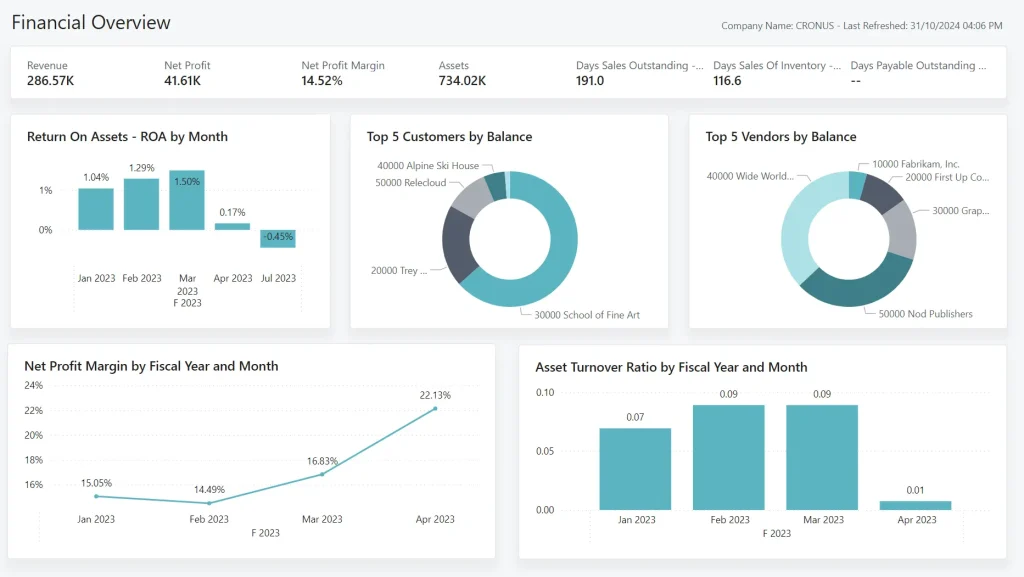
Financial management in Business Central transforms how you handle money by giving you real-time visibility into your financial position.
Key financial capabilities include:
- General ledger that posts transactions automatically from sales, purchases, and bank activities
- Accounts receivable tracking with automated payment reminders and credit limit alerts
- Accounts payable with approval workflows and early payment discount scheduling
- Bank reconciliation that matches statements with recorded transactions in minutes
This integration eliminates the back-and-forth that usually happens between sales and operations teams.
Purchasing and Vendor Management
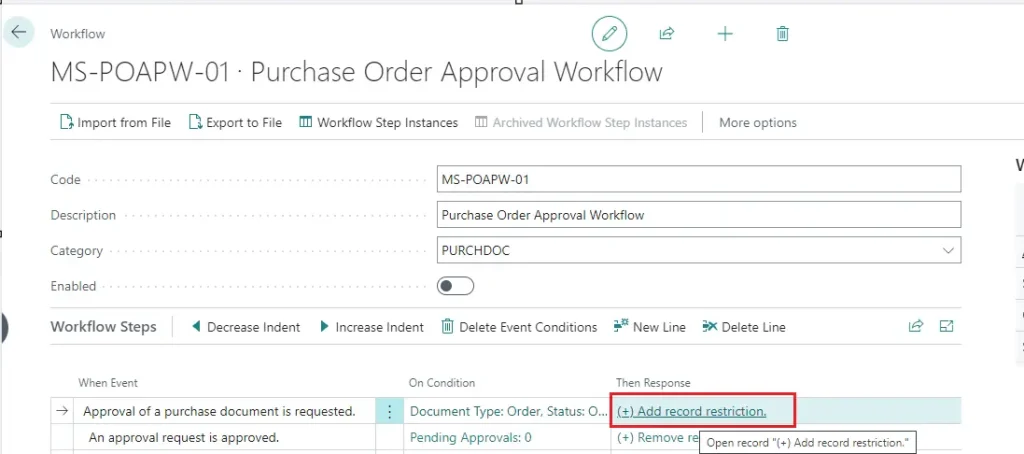
Smart purchasing decisions become easier when purchase order management connects directly to inventory levels and sales demands. When stock runs low, the system suggests purchase orders with recommended quantities based on historical usage and lead times.
via Microsoft Learn
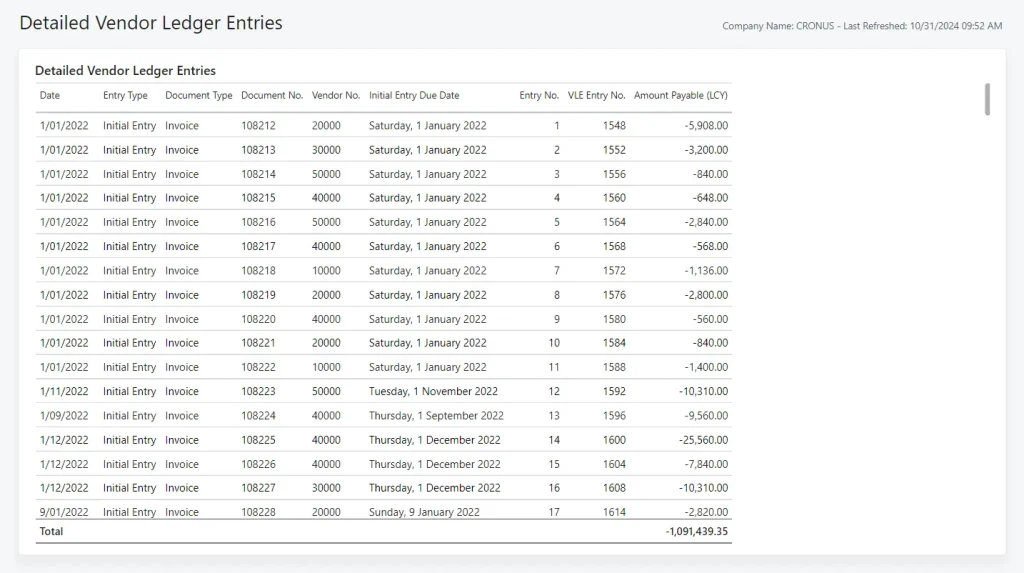
Vendor records capture pricing agreements, payment terms, and performance history, so you can compare supplier costs across multiple vendors and track delivery performance over time.
This data helps you make better purchasing decisions and negotiate stronger contracts.
Additionally, cost tracking follows expenses from the purchase order through receipt and invoicing. The system captures landed costs, freight charges, and duty fees, giving you true product costs for accurate pricing decisions.
Inventory Management
via Microsoft Learn
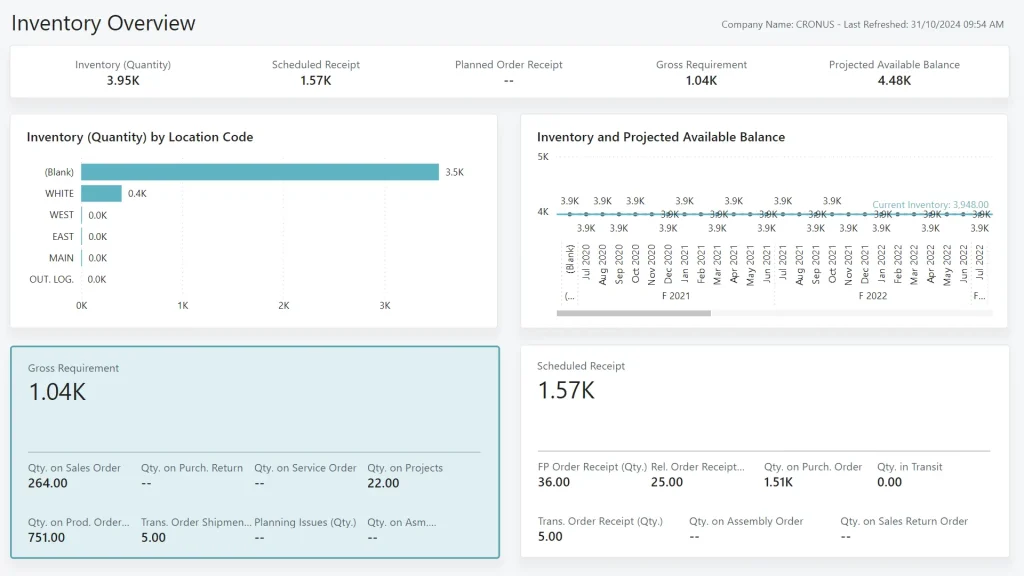
Inventory management provides real-time visibility into stock levels across multiple locations. You see available quantities, reserved stock, and incoming purchases on one screen, eliminating the guesswork about whether you can fulfill orders.
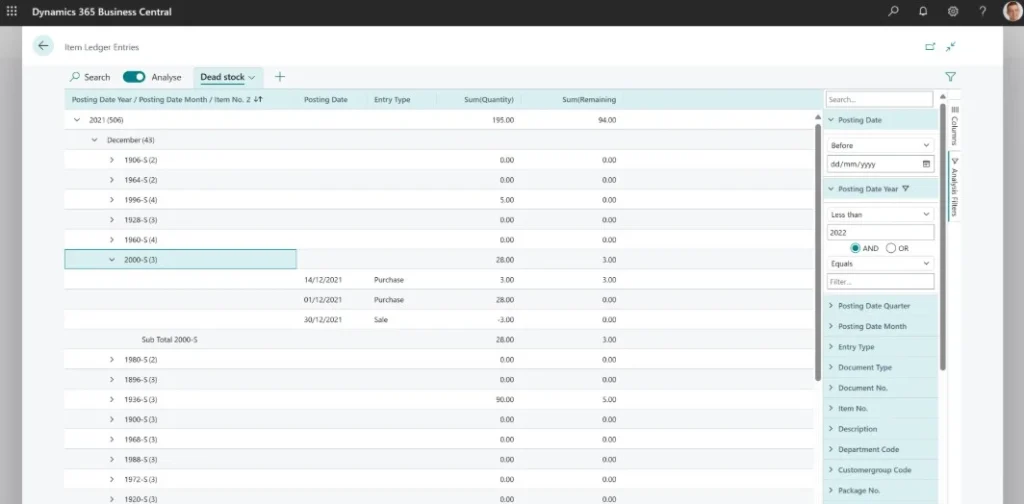
The warehouse management capabilities optimize storage and picking processes by suggesting optimal bin locations based on product velocity and creating efficient pick lists for order fulfillment.
via Microsoft Learn
Meanwhile, replenishment planning analyzes sales patterns and lead times to recommend reorder points and quantities. This level of automation means you stop selling products you don’t have while avoiding excess inventory that ties up cash.
From Our Project Desk: We encourage clients to start small with automation in Dynamics 365 Business Central solution. Automating repetitive approvals or reminders first builds user confidence, which is essential before tackling more complex workflows.
Project Management
Complex jobs need detailed tracking, and Business Central’s project management features keep projects profitable and on schedule.

Job costing tracks labor, materials, and overhead costs against project budgets in real-time, so you know whether projects are profitable before they finish.
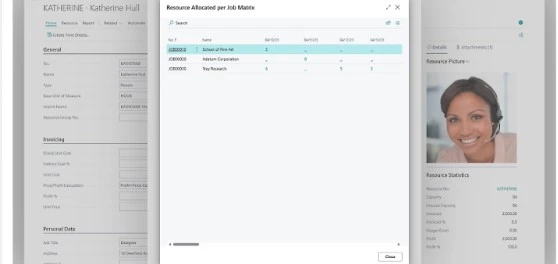
Resource allocation schedules employees and equipment across multiple projects, preventing double-booking and highlighting capacity constraints before they become problems. The budget tracking feature compares actual costs against planned budgets throughout project lifecycles, with automated alerts when projects approach budget limits.
via Microsoft
Reporting and Analytics
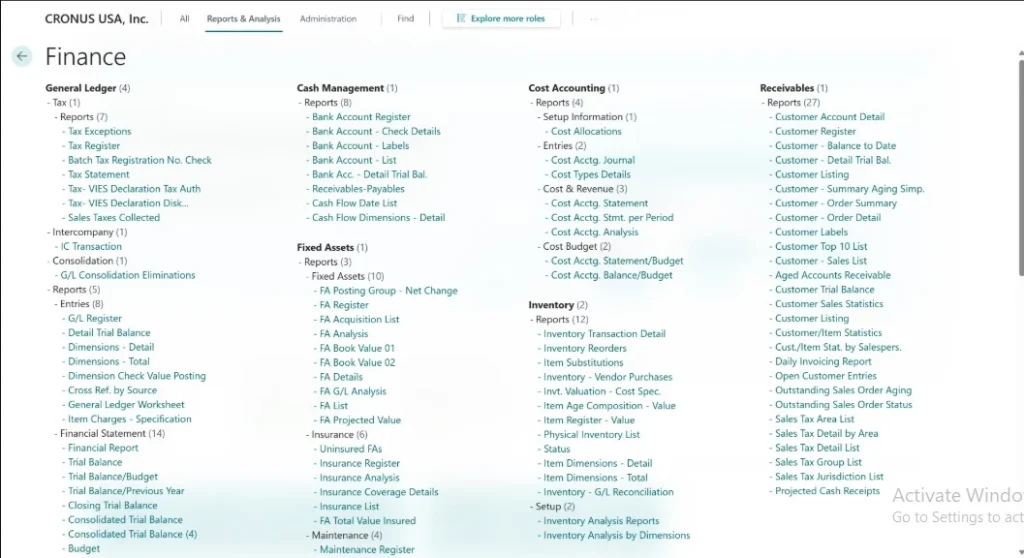
Good decisions need good data, and Business Central provides the tools you need without requiring technical expertise. The system includes dozens of prebuilt reports covering financial statements, sales analysis, and inventory reports that update automatically with current data.
via Microsoft Learn
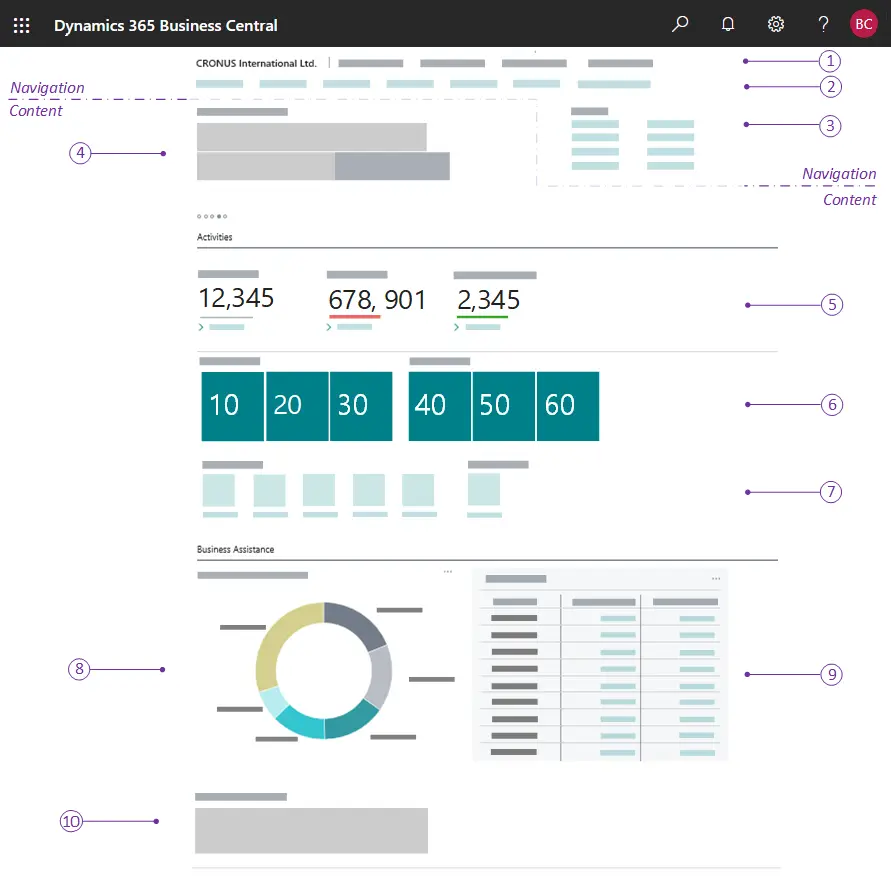
Role-based dashboards show relevant metrics for each team member. Sales managers see pipeline performance, while operations managers focus on inventory turnover and fulfillment metrics. The Power BI integration connects Business Central data to advanced analytics tools, letting you create custom dashboards and share insights across your organization.
Premium Dynamics 365 Business Central Features
Premium Business Central modules add specialized capabilities for businesses with complex operations. These advanced features in Business Central require Premium licensing but deliver significant value when you need sophisticated functionality.
Service Management
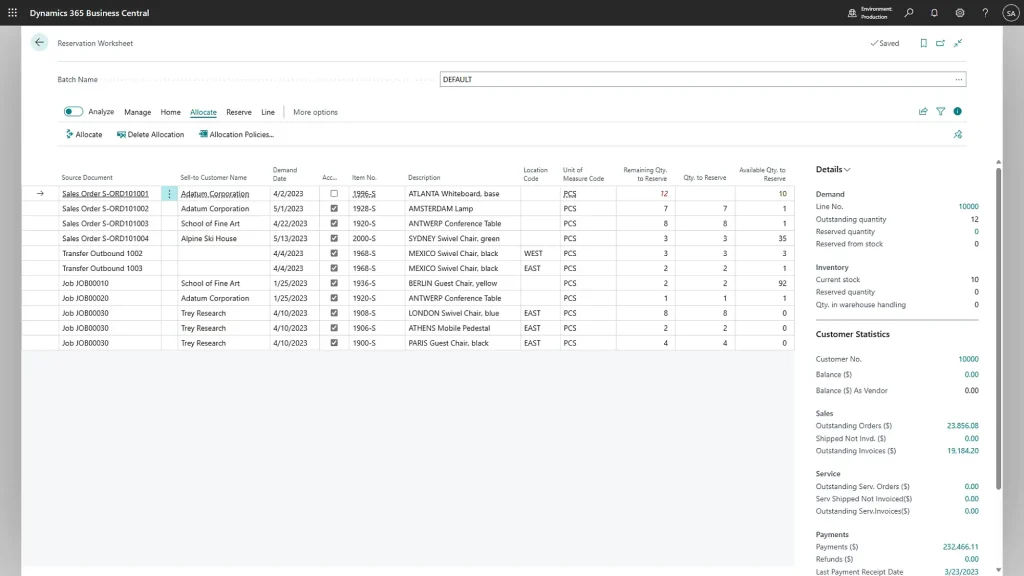
Service management handles the complexities of maintenance contracts, service calls, and field technician scheduling.
via Microsoft
The system tracks complete service history, manages warranty claims, and schedules preventive maintenance automatically. Service contracts generate recurring revenue while ensuring customer equipment stays operational, with automatic service orders created based on contract terms.
Manufacturing
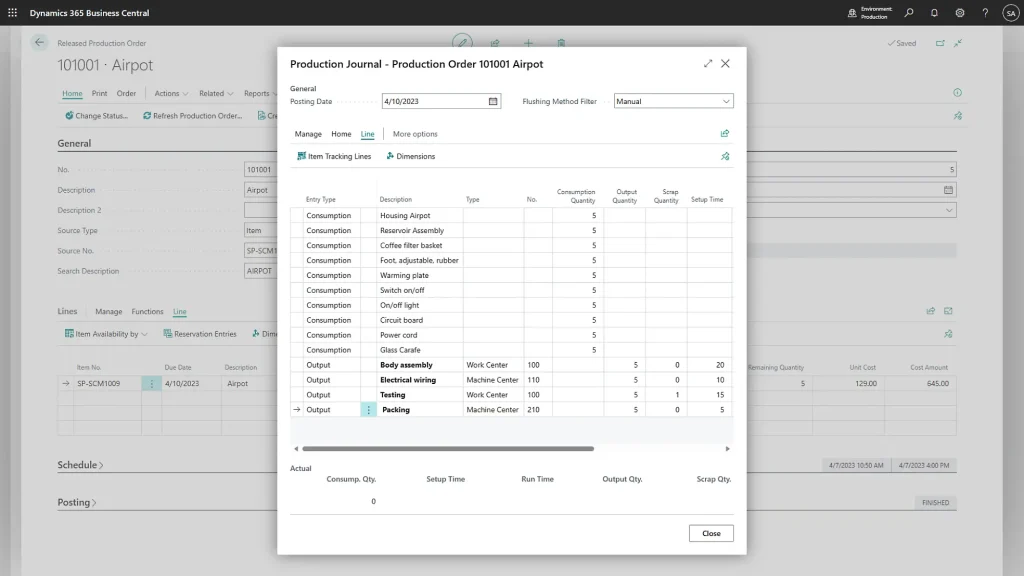
Manufacturing Dynamics 365 Business Central features support both make-to-order and make-to-stock production environments.
via Microsoft
Production planning schedules manufacturing runs based on sales orders and inventory requirements, while bill of materials management tracks component relationships and calculates material requirements. Shop floor control captures real-time production data, helping identify bottlenecks and optimize manufacturing efficiency.
Advanced Warehouse Management
via Microsoft
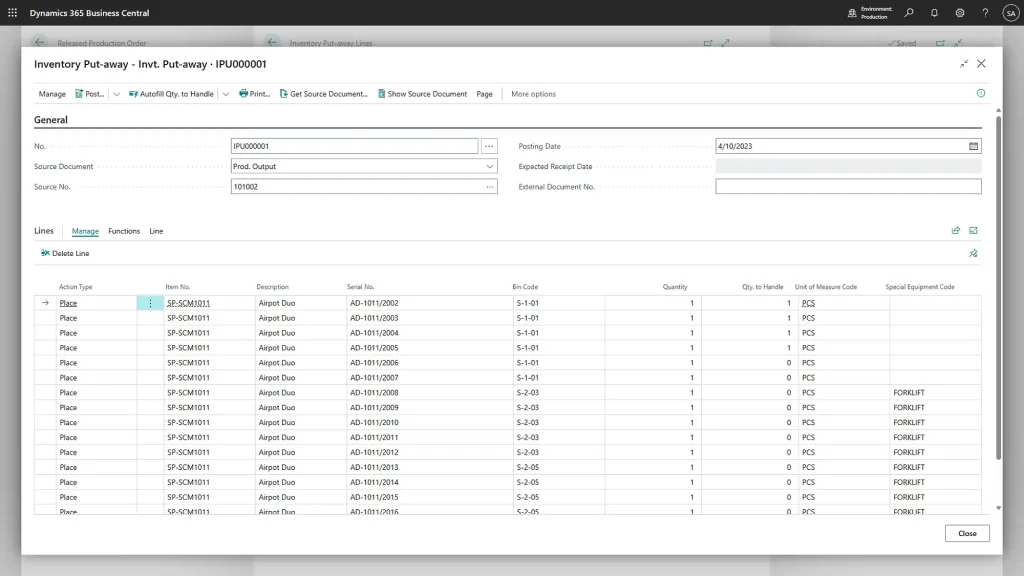
Advanced warehouse management supports complex distribution operations with multiple bins, zones, and specialized handling requirements.
Directed putaway and pick optimization streamlines warehouse workflows based on product characteristics and order requirements. The system supports cross-docking, quality control holds, and lot tracking for regulated industries.
AI and Automation Tools
via Microsoft
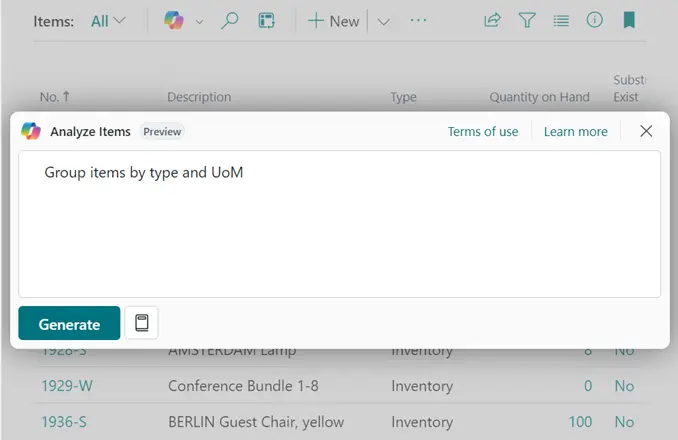
AI-powered features include late payment prediction, which analyzes customer payment patterns to identify collection risks before they occur. Sales forecasting uses machine learning to predict demand patterns, while automated workflows handle routine approvals and notifications without manual intervention.
Maximize Dynamics 365 Business Central Features with Aegis Softtech
Aegis Softtech specializes in Dynamics 365 Business central Implementation and customization, helping you extract maximum value from your ERP investment. We start by assessing your current processes and identifying which capabilities of Microsoft Dynamics 365 Business Central deliver the biggest impact for your specific business needs.
Our Microsoft Dynamics 365 Business Central services include configuring the system to match your workflows rather than forcing you to change business processes. Plus, the training we provide gets your team productive quickly, and ongoing support from our Business Central developers ensures you continue extracting value as your business grows and evolves.
FAQs
1. What is the difference between Dynamics 365 and Business Central?
Dynamics 365 is a broad cloud-based platform offering various CRM and ERP applications, covering sales, marketing, finance, and more. Business Central is a specific ERP application within Microsoft Dynamics 365 solutions, designed for small to medium-sized businesses to manage finances, inventory, sales, and projects.
2. Who uses Dynamics 365 Business Central?
Small to medium-sized businesses use Microsoft Dynamics 365 Business Central, including teams in finance, operations, sales, and logistics, across industries like retail, manufacturing, and services.
3. Does Microsoft Dynamics 365 Business Central have payroll?
Yes, Microsoft Dynamics 365 Business Central features include payroll in the Premium license, supporting employee payment processing and HR integration.
4. Can Business Central features be customized?
Yes, core features of Business Central can be customized using extensions, integrations, and tools like Microsoft Power Platform to fit specific business needs.
5. What’s the difference between core and premium Business Central features?
Core features of Business Central include finance, sales, purchasing, inventory, and basic project management. Dynamics 365 Business Central premium features add advanced capabilities like manufacturing and service order management for complex operations. These premium Business Central modules enhance business management for specialized industries.