Most successful businesses eventually hit a point where their tech stack becomes their biggest obstacle. The accounting system talks to no one. The inventory tracker lives in its own world. Customer data sits scattered across multiple platforms.
These operational headaches are bleeding money, slowing growth, and frustrating your best employees. When businesses reach this tipping point, Microsoft Dynamics 365 Business Central often becomes a lifeline. In this blog post, we’ll examine seven clear warning signs that indicate the need for Microsoft Dynamics 365 Business Central. It’s time to consider a comprehensive ERP upgrade.
Key Takeaways
- Core Issue Businesses lose time and money when outdated systems, spreadsheets, and disconnected tools become the bottleneck.
- Trigger Signs: Reporting delays, duplicate data entry, inventory mistakes, compliance stress, and rising IT maintenance costs.
- Business Impact: Decisions slow down, customer experience weakens, and growth stalls because teams can’t work from the same information.
- Solution Fit: Microsoft Dynamics 365 Business Central solves the above by unifying finance, sales, supply chain, operations, and reporting.
- Why It Matters: Companies see faster closes, automation, real-time visibility, and ROI within 12-18 months when upgrading to Business Central.
Recognizing the Need for Microsoft Dynamics 365 Business Central
While you’re struggling with outdated processes, competitors with integrated systems are making faster decisions and serving customers better. The need for Microsoft Dynamics 365 Business Central becomes clear when these operational gaps start costing you real money and opportunities.
Delaying an ERP upgrade only creates bigger problems. Your team gets frustrated with workarounds. Customer service suffers when information is scattered. Growth stalls because your systems can’t handle increased volume or complexity.
The cost of waiting often exceeds the cost of upgrading. Every month you delay means more lost productivity, missed opportunities, and competitive disadvantage.
Benefits of Microsoft Dynamics 365 Business Central

These Business Central solutions eliminate the core problems that slow down growing companies:
- Unified Data: All business information in one system eliminates duplicate entry and data inconsistencies
- Real-time Reporting: Financial and operational reports generate instantly instead of taking days to compile
- Automated Processes: Routine tasks run automatically, freeing your team for strategic work
- Scalable Platform: Handles increased transactions, users, and complexity without system overhauls
- Better Customer Service: Complete customer information accessible immediately during interactions
- Faster Decisions: Live dashboards and analytics provide current business performance data
Key Signs You Should Implement Business Central
Understanding when to implement Business Central requires looking for these seven warning signs.
1. Your Current Software Can’t Keep Up
The first red flag appears when your existing system starts failing when you need it most.
Maybe your ERP crashes every month-end, forcing your accounting team to work late just to close the books. Or simple tasks that should take minutes now require jumping between multiple programs.
For instance, generating a basic purchase order might require you to check inventory in one system, verify vendor information in another, then manually enter data into a third platform. What should take 2 minutes stretches into 15, and when multiplied across dozens of daily transactions, this inefficiency costs thousands of hours annually. Plus, as your business grows, software licenses get more expensive while giving you less value. These are clear Business Central implementation indicators that your current setup isn’t working.
2. Data is Stored in Too Many Places
Think about what happens when an important customer calls with a question.
Your sales rep has to check four different programs to get the full picture, putting the customer on hold multiple times. Even worse, the same customer might have different phone numbers, addresses, or credit limits in each system. Your team wastes 20-30% of their day just looking for basic information.
Meanwhile, these data mix-ups create mistakes that upset customers and hurt relationships.
Common data fragmentation problems include:
- Customer information that differs across sales, billing, and support systems
- Inventory counts that vary between warehouse and accounting software
- Product pricing that updates in one system but not others
- Order status that shows differently in sales versus fulfillment platforms
- Vendor details that require manual updates across multiple databases
3. Reports Take Too Long to Create
When monthly reports become a nightmare, you know something’s wrong. Many companies spend three full days each month pulling together basic financial statements. Someone has to extract data from multiple systems, match up spreadsheets, and fix all the errors along the way.
Every time data gets copied from one place to another, errors creep in. By the time reports are ready, the numbers are already outdated.
Common reporting struggles include:
- Financial statements that require manual data compilation from 5+ different systems
- Sales reports that need spreadsheet formulas to calculate accurate commission rates
- Inventory reports that show outdated stock levels by the time they’re completed
- Customer analysis that requires combining CRM data with accounting and shipping records
- Budget vs. actual comparisons that take hours to reconcile across platforms
4. Inventory and Supply Chain Are Hard to Manage
Inventory problems usually mean your systems are not talking to each other. When one program shows 50 units in stock while another shows 25, you can’t trust either number. This forces you to guess about stock levels, which leads to two expensive problems.
Either you order too much inventory and tie up cash you could use elsewhere, or you run out of products and disappoint customers. Without good supplier tracking, you also can’t tell which vendors are reliable and which ones cause problems. During busy seasons, these issues get worse because you can’t plan properly without accurate inventory information. These are clear signs you’ve outgrown your current ERP capabilities.
5. Compliance and Audits are Stressful
Following regulations should not feel impossible, but scattered systems make it that way.
Daily compliance gets harder, too. Sales tax calculations become guesswork when product information does not match between systems. You can’t maintain proper financial controls when approval processes are separate from your actual transactions. Without clear audit trails, you risk penalties and legal problems that could have been avoided with better systems.
Typical compliance headaches include:
- Tax documentation scattered across accounting, sales, and inventory systems
- Audit trails that require manual reconstruction from multiple data sources
- Regulatory reports that need information from systems that do not communicate
- Financial controls that break down because approvals exist separately from transactions
- Documentation requests that take weeks to fulfill because records live everywhere
6. Old Systems are Costly to Maintain
The hidden costs of legacy systems often exceed the obvious ones.
Consider the total cost: your IT team spends hours each week applying patches, troubleshooting integration failures, and maintaining custom workarounds that break with every update.
Then, add up these hidden costs:
- Downtime when systems crash
- Productivity lost to slow processes
- Competitive disadvantage of using outdated tools
Often, these total costs exceed what you’d pay for a new, integrated solution. An ERP upgrade to Microsoft Dynamics 365 eliminates these mounting maintenance burdens.
7. Teams Struggle to Work Together
Separate systems create walls between departments that should work together smoothly. Sales can’t see what’s being produced, so they make delivery promises that can’t be kept. Accounting is unaware of pending orders, making cash flow planning impossible.
These information gaps slow things down and hurt customer service.
Customers get different answers from sales and support because each team works from different information. This poor coordination drives business to competitors who have their act together. Improving efficiency with Business Central breaks down these departmental silos.
How Business Central Solves These Problems
Business Central fixes the problems that slow down your business by putting everything in one connected system.
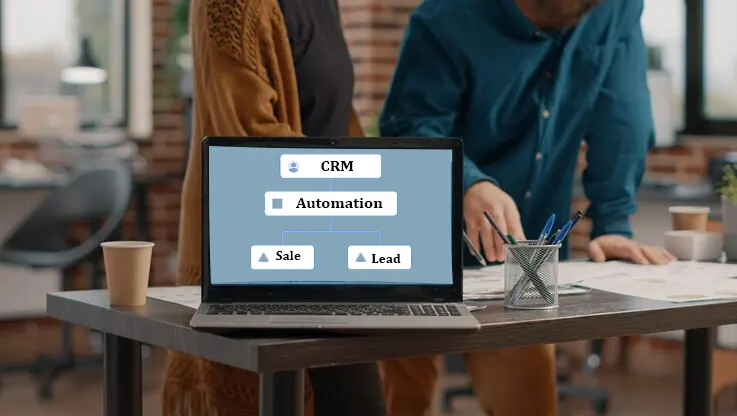
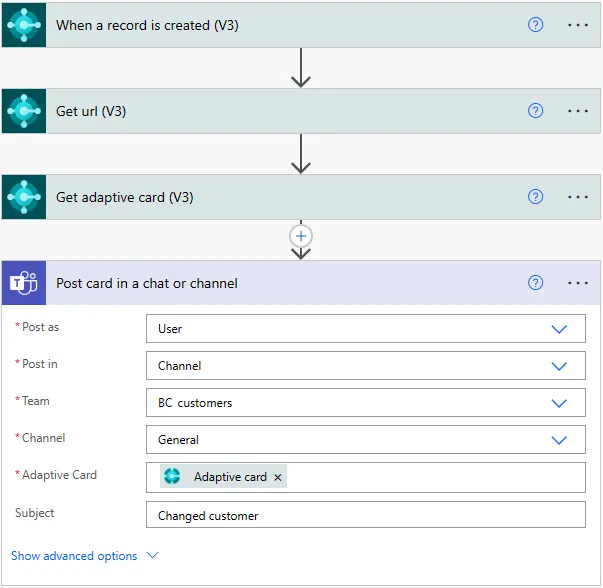
Better Workflows and Automation
via Microsoft Learn
Stop doing repetitive work manually. Business Central handles routine tasks automatically:
- Purchase orders get approved and sent without manual routing
- Low inventory triggers automatic reorder notifications
- Customer emails send based on order status changes
- Invoice processing happens without data re-entry
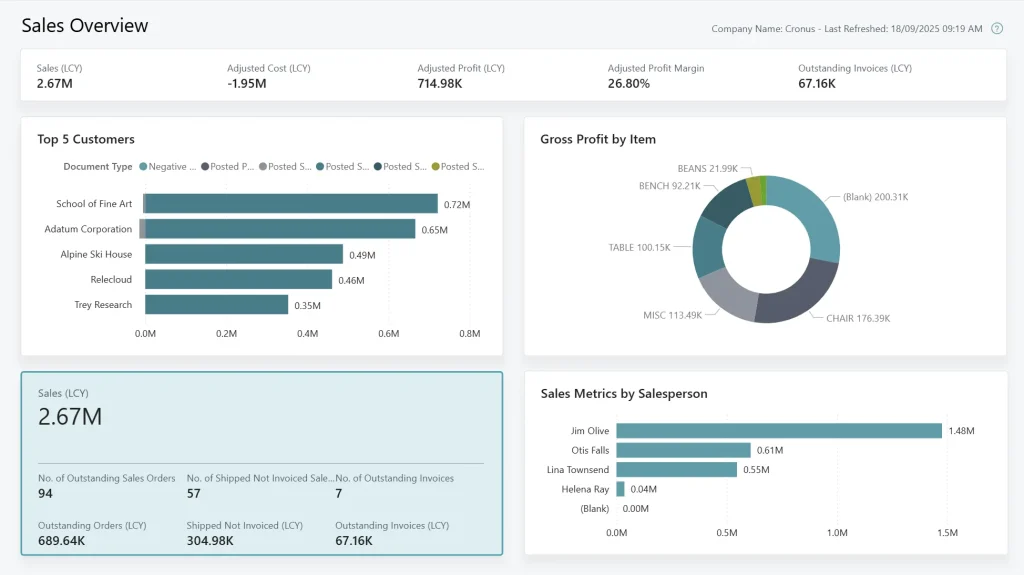
Real-Time Data and Analytics
via Microsoft Learn
See what’s happening in your business right now:
- Financial numbers update as transactions happen
- Sales reports show today’s performance, not last week’s
- Inventory levels reflect actual stock availability
- Make decisions with current information, not outdated reports
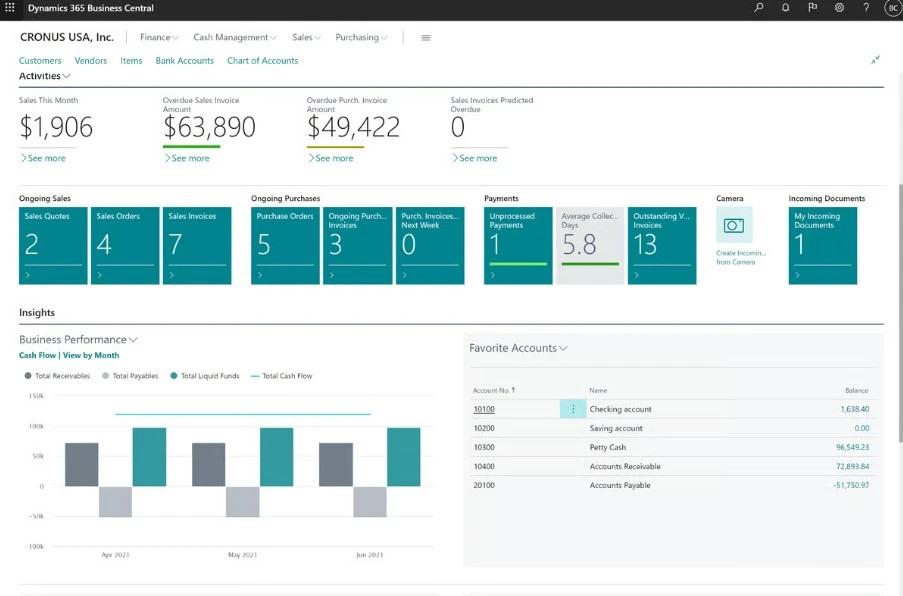
Complete Business Control
via G2
Everything works together in one system:
- Month-end closing takes hours, not days
- Budget comparisons generate instantly
- Cash flow forecasting uses real transaction data
- All departments see the same accurate information
Preparing for a Business Central Implementation
Getting ready for Business Central implementation requires careful planning, but the process becomes manageable when you break it down into clear steps.
Understanding Your Current Situation
Before you can improve your systems, you need a clear picture of how things work today. Take time to document your current processes:
- Which software handles your inventory
- How your sales team tracks leads
- Where your financial data lives
Pay particular attention to your reporting needs. What information does your team rely on daily? Which monthly reports drive your key decisions? This inventory helps ensure your new system delivers the insights that matter most.
The real value comes from identifying inefficiencies. What about those manual tasks that eat up hours each week? Are the data silos that slow down decision-making? These become your implementation priorities.
Getting Business Central right means understanding how your finance, supply chain, sales, and operations really work. Our Microsoft Dynamics 365 Business Central consultants map your processes, fix inefficiencies, and build an implementation that supports how your business runs.
Planning Your Investment
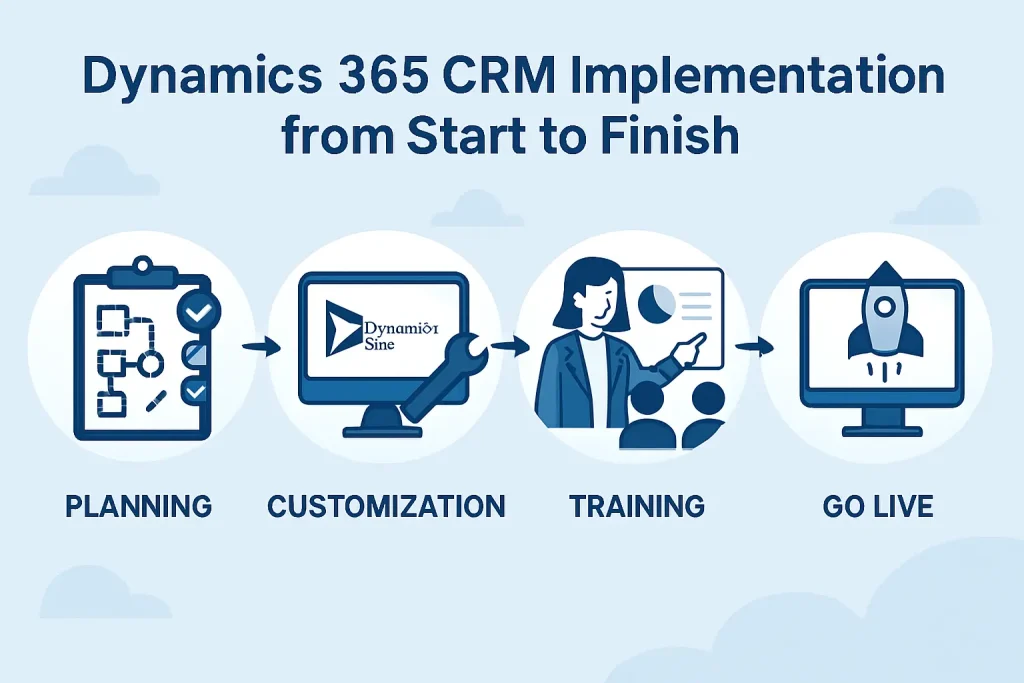
Business Central implementation typically ranges from $50,000 to $200,000, with the final cost depending on your company’s size and customization requirements. Most implementations take 3-6 months from planning through go-live.
While the upfront investment is significant, companies typically see positive ROI within 12-18 months through streamlined operations and reduced administrative overhead.
Choosing the Right Implementation Partner
Your implementation partner makes all the difference. Experienced consultants bring proven methodologies that help you avoid common pitfalls and stay on schedule.
Aegis Softtech has guided hundreds of companies through successful Business Central implementations. Our team understands industry-specific challenges and can tailor solutions to fit your unique requirements.
Beyond technical expertise, we provide comprehensive training through our Business Central implementation services to ensure your team embraces the new system rather than resisting it.
Stop Losing Revenue to Outdated Systems
Recognizing the need for Microsoft Dynamics 365 Business Central becomes clear when your current systems start holding back your growth. Every day you operate with disconnected software and manual processes, you’re losing ground to competitors who can respond faster to market changes.
Don’t let outdated systems limit your potential.
Contact Aegis Softtech today for a comprehensive Business Central assessment and implementation roadmap.
FAQs
1. When should I implement Business Central?
You should implement Business Central when your current system can’t keep up with your business growth. The right time is typically when you’re experiencing frequent data entry errors, struggling to get real-time financial reports, or spending too much time on manual processes. Companies with 10-250 employees often find this the sweet spot for implementation.
2. What business challenges does Business Central solve?
Business Central addresses several critical operational challenges. It eliminates data silos by connecting your financial, sales, inventory, and project management data in one system. This means no more manual data entry between different software platforms.
Many businesses see immediate improvements in cash flow management and decision-making speed.
3. Is upgrading to Microsoft Dynamics 365 worth it?
Yes, upgrading to Dynamics 365 Business Central typically delivers strong ROI within 12-18 months. Most companies see cost savings through reduced IT maintenance, fewer software licenses, and improved operational efficiency.
The cloud-based system means automatic updates, better security, and remote access capabilities. You’ll also benefit from integration with other Microsoft tools like Office 365 and Power BI. However, the investment makes most sense if your current system is limiting growth or requiring significant workarounds to meet basic business needs.