Want browser automation that doesn’t feel like a fight? Meet Playwright, Microsoft’s sleek, open-source testing tool launched in January 2020. It supports Chromium, Firefox, and WebKit, all with one API, and runs flawlessly across Windows, macOS, and Linux. No browser left behind.
Why should you care? Because Playwright isn’t just another Selenium alternative.
With over 62,000 GitHub stars and millions of weekly downloads, it’s become the go-to framework for developers and QA teams building reliable, cross-browser test suites at speed.
In this tutorial, we’ll show you exactly how to get started—from installation to your first working test.
Let’s get into it.
Key Takeaways
An open-source testing framework launched in January 2020, with 62,000+ GitHub stars, supporting Chromium, Firefox, and WebKit across Windows, macOS, and Linux via a single unified API
Languages supported:JavaScript/TypeScript, Python, .NET, and Java
Real-world use cases:End-to-end user journey testing, visual regression testing, web scraping, API and headless testing, and synthetic monitoring
How to get started:One command (npm init playwright@latest) scaffolds a full project with sample tests, a configured test runner, and support for all three browser engines out of the box
Key config tips:Set timeouts, auto-retries, and trace/video capture only on failure to keep CI pipelines lean and debuggable
Why Playwright for Automation Testing
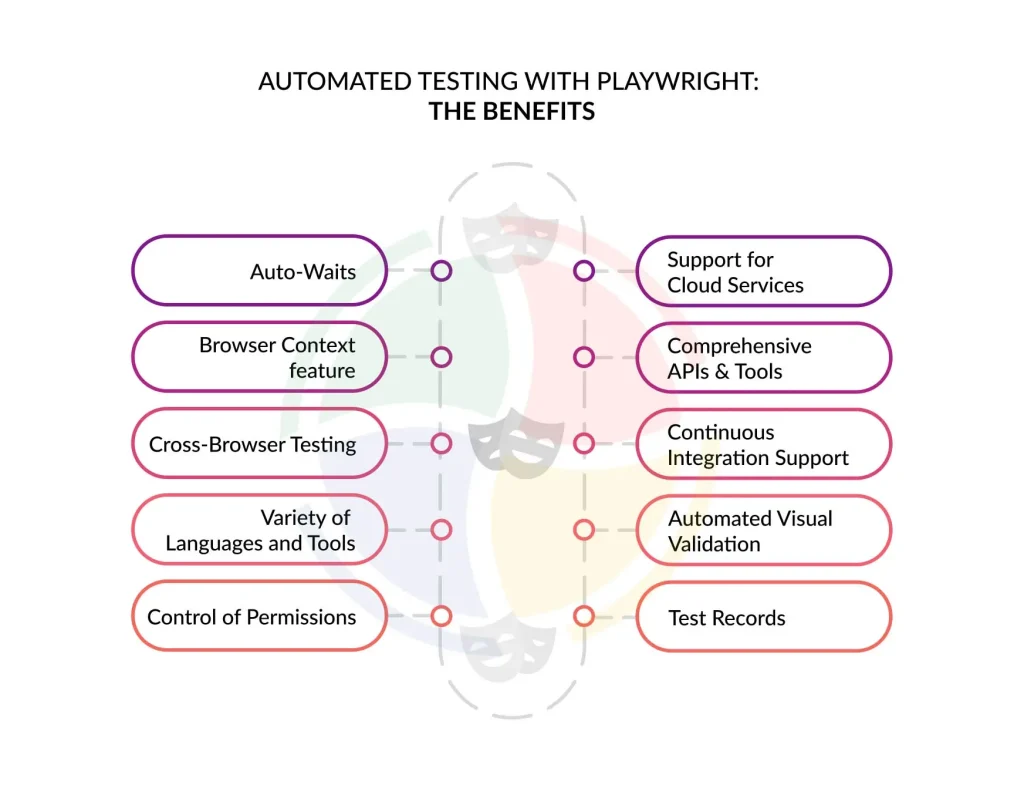
When it comes to test automation, you’ve got options—Selenium, Cypress, Puppeteer. But if you’re building for the modern web, Playwright deserves your attention.
It is a high-performance, full-browser automation framework that’s rewriting what reliable end-to-end testing looks like.
Let’s understand why Playwright stands out:
Cross‑Browser + Platform
Playwright supports Chromium, Firefox, and WebKit—the rendering engines behind Chrome, Firefox, and Safari. That means true cross-browser testing on Windows, macOS, and Linux—with no browser plug-ins or workarounds.
Multi‑Language Support
Whether you’re working in JavaScript/TypeScript, Python, .NET, or Java, Playwright integrates natively. This flexibility lets QA and dev teams collaborate in the languages they already use.
Auto‑Waits & Reliable Tests
No more sleep(1000) hacks. Playwright’s auto-waiting mechanism detects element readiness, like visibility or stability, before interaction. That alone cuts flakiness by A LOT.
Mobile & Multi‑Context Emulation
Mobile application testing reveals how your app behaves on an iPhone 13 or Pixel 5, complete with touch support and device-specific settings. You can simulate multiple users or sessions using isolated browser contexts. This is great for real mobile flows or multi-user apps.
Parallelism & Contexts
Spin up dozens of test instances in parallel, each in its own context. Faster feedback, zero collisions. Playwright nails this out-of-the-box; no third-party grid required.
Debugging Support
Breakpoints, video capture, trace viewer, screenshots—Playwright’s debugging tools are top-notch. Use Playwright Inspector to watch tests step through in real time.
CI/CD Integration
Easily hooks into GitHub Actions, Jenkins, CircleCI, and more. Headless mode runs smoothly in pipelines, with minimal config.
Rich Reporting
Playwright provides HTML, JSON, and JUnit reports right out of the box. It fully supports Allure reports and custom formats, too.
Advanced Patterns & Extensions
Supports Page Object Model, BDD frameworks like Cucumber, and even AI-generated test code. It’s built for scale, without boxing you in.
Use Cases of Playwright & Real‑World Scenarios
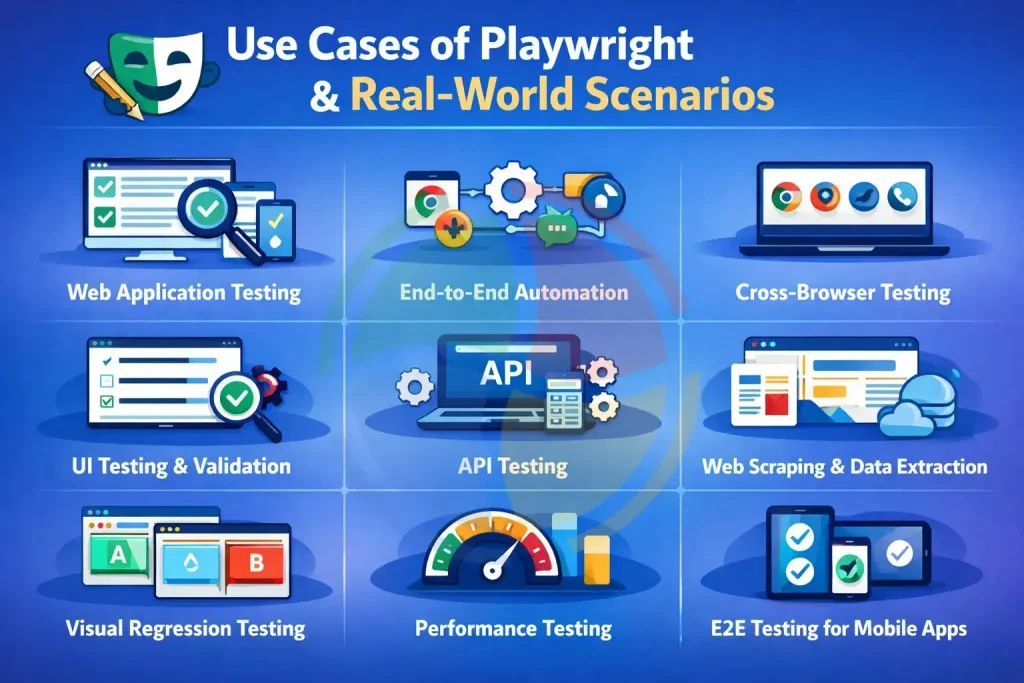
Playwright has real business value across use cases.
- End-to-End Testing Workflows
Playwright simulates real user behavior with precision. You can automate entire user journeys such as login flows, shopping carts, or checkout paths.
It’s perfect for validating form inputs, navigation patterns, or how features work together across pages. If your QA team lives by “test like the user,” Playwright’s got their back.
- Visual Regression Testing
Need to make sure UI changes haven’t broken the layout? Playwright captures screenshots and compares them to baseline visuals, conducting virtual regression testing.
- Web Scraping & Automation
From scraping job boards to building internal admin bots, Playwright handles dynamic DOMs, waits for async content, and interacts with dropdowns or modals.
- API Testing & Headless Interactions
Playwright excels in API testing by making HTTP requests, asserting responses, and running tests in headless mode. This helps in speeding up CI pipelines without browser overhead.
- Synthetic Monitoring & Distributed Testing
Simulate global traffic using Playwright and pair it with OpenTelemetry. Monitor uptime, catch slow responses, and flag outages before your users tweet about them.
Set Up & Getting Started with Playwright
Getting started with Playwright is refreshingly straightforward—no bloated setups, no endless configurations. It’s built for modern testing pipelines, and it shows. Whether you’re writing in JavaScript or TypeScript, the setup process is fast, consistent, and developer-friendly.
Let’s walk through the process step-by-step, from installation to your first running test.
Installation & Setup
The easiest way to start is with the built-in Playwright scaffolding tool. It bootstraps a fully functional project with examples, test runners, and folder structure in under a minute.
In your terminal, run:
npm init playwright@latestYou’ll be prompted to choose between JavaScript and TypeScript, and whether to include GitHub Actions, test examples, and so on. It’s designed to get you from zero to test-ready with minimal friction.
When complete, you’ll have:
- A structured test folder
- Sample .spec.ts or .spec.js files
- A pre-configured Playwright test runner
- Support for Chromium, Firefox, and WebKit out of the box
First Test Example
Here’s a basic test to launch a browser, navigate to a site, take a screenshot, and exit:
// example.spec.ts
import { test, expect } from '@playwright/test';

test('Simple screenshot test', async ({ page }) => {
  await page.goto('https://example.com');
  await page.screenshot({ path: 'screenshot.png' });
  await page.close();
});
Save the file under your tests/ folder, then run:
npx playwright testBoom—your first test in action. Screenshot included.
⚙️ Configuration Walkthrough
Playwright uses a config file (playwright.config.ts or .js) to control how tests run. Here’s a quick breakdown of useful options:
// playwright.config.ts
import { defineConfig } from '@playwright/test';
export default defineConfig({
  timeout: 30000,              // Each test can run up to 30 seconds
  retries: 2,                  // Automatically retry flaky tests twice
  use: {
    trace: 'on-first-retry',   // Record detailed trace on first failure
  },
  reporter: [['html'], ['list']], // View reports in browser + terminal
});
This lets you fine-tune your test behavior, get visual feedback via HTML reports, and diagnose issues faster with trace files.
Best Practices & Test Hygiene Tips
Before diving into complex Playwright test suites, it’s worth investing in clean testing habits.
Why? Because scaling a test suite without hygiene is like building a house on quicksand—fragile, slow, and expensive to fix.
Here’s what actually works in real-world Playwright automation setups:
Linting & Static Analysis
One missed await can break everything—and silently pass until it doesn’t. Integrate ESLint, TypeScript, and eslint-plugin-Playwright into your CI.
This setup catches async bugs, mistyped selectors, and bad patterns before tests run. One team cut broken build incidents in half just by linting strictly.
POM (Page Object Model)
Page Object Model is a way to keep your test code clean and modular. It means putting page elements and actions into their own files.
Use the Page Object Model to structure reusable, modular page classes with methods like loginPage.submit() or cart.addItem(). It keeps your test files focused and your code DRY. Plus, maintenance becomes a one-line fix instead of a rewrite.
Trace-Only-on-Failure
Want faster CI runs and smaller logs? Configure Playwright to retain traces/videos only on failure:
use: {
  trace: 'retain-on-failure',
  video: 'retain-on-failure',
}
This saves space and gives you just enough data to debug broken tests, without drowning in gigabytes of noise.
Parallel Execution & Project Parametrization
Playwright runs test files in parallel by default. Speed up CI further with multi-project configs:
workers: process.env.CI ? 4 : 2And define projects by browser or locale:
projects: [
  { name: 'Chromium', use: { browserName: 'chromium' } },
  { name: 'Firefox', use: { browserName: 'firefox' } },
]
This setup delivers faster feedback, broader coverage, and fewer “but it worked on Chrome” excuses.
Tool Comparisons & Unique Differentiators
As test automation becomes more central to DevOps pipelines, choosing the right tool becomes important.
And if you’re still stuck chasing flaky tests or struggling with cross-browser compatibility, it’s probably time to reassess.
Playwright vs Selenium & Cypress
Here’s a head-to-head comparison between Playwright, Selenium, and Cypress:
| Feature | Playwright | Selenium | Cypress |
| Browser Support | Chromium, Firefox, WebKit (Safari) | Chrome, Firefox, Safari, Edge | Mostly Chromium; Firefox (experimental) |
| Language Support | TypeScript-native | Java, Python, C#, JS, Ruby | JavaScript-first |
| Mobile Emulation | True device emulation (e.g., iPhone 13) | Real mobile via Appium | Browser resizing only |
| Multi-Tab Testing | Full support | Complex and limited | Not supported |
| Network Control | Intercept/modify/mock any request | Limited via CDP | Basic cy.intercept |
| Parallel Testing | Native & built-in | Needs third-party tools | Paid (via Dashboard) |
| Permissions Handling | Pre-set geolocation, camera, notifications | Partial | Minimal |
| Headless Stability | Fast and highly stable | Requires setup (e.g., XVFB) | Some inconsistencies |
| Growth & Support | Backed by Microsoft, fast-paced | Long-established, slower evolution | Active community, slower OSS updates |
Ecosystem Integrations: Beyond Just a Test Runner
Where Playwright really flexes is its tooling:
- Playwright Inspector lets you step through tests, highlight elements, and debug outside browser constraints.
- Trace Viewer shows DOM snapshots at each step—think time-travel debugging with full screenshots and event logs.
- Test Recorder (codegen) automatically writes test scripts in JavaScript or TypeScript while you interact with your app. Yes, it even nails selectors.
Compare that to Cypress’s runner or Selenium’s basic logs, and it’s not a contest.
Emerging AI tools
The ecosystem is moving forward with AI tools like Promptwright, which convert plain English instructions into working test scripts.
Migrating from Selenium?
AI-assisted migration tools can significantly cut that workload, transforming test cases and selectors to Playwright in hours, not weeks.
Looking to scale without bleeding cash? Tools like Leapcell let you run tests across multiple browsers in parallel, without spinning up full VMs or containers.
Build Reliable Automation with Playwright Powered by Aegis Softtech
Playwright is setting the pace for what modern automation should look like. With its cross-browser support, fast setup, and powerful testing capabilities, it empowers teams to write reliable end-to-end tests with minimal overhead.
So, what’s next after your first test passes? That’s where many teams pause – and where Aegis can help accelerate.
At Aegis Softtech, we don’t follow best practices. We help define them. With 100+ experienced test engineers and two decades of hands-on expertise, we help QA leads, CTOs, and engineering managers turn test automation into a competitive advantage. Whether you’re expanding Playwright coverage or rethinking your broader software testing strategy, we’ve done it!
FAQs
What is Playwright automation used for?
Playwright automation is used for end-to-end testing of modern web applications. It allows developers and QA teams to automate browser actions such as clicking, form submissions, navigation, and UI validation across Chromium, Firefox, and WebKit.
Is Playwright automation easy to learn?
Yes, Playwright is relatively easy to learn, especially for developers familiar with JavaScript or TypeScript. Its clean API, built-in test runner, and automatic waiting features make writing and maintaining tests simpler.
Which is better Selenium or Playwright?
Playwright is often preferred for modern web applications because it offers faster execution, built-in parallel testing, and automatic waiting. Selenium, however, remains widely used due to its large ecosystem and support for many programming languages.