Every React developer knows the grind: debugging cryptic errors at 2 AM, writing boilerplate components for the hundredth time, hunting through documentation for that one API endpoint.
Advanced AI tools for React developers are changing this reality.
These tools handle repetitive work: generating components from prompts, catching bugs before they ship, writing tests you’ll never get around to, and keeping documentation current.
This guide covers 10 tools worth your attention, including what they do well, where they fall short, and whether they fit your workflow. Let’s get started!
Key Takeaways
- 1. Cursor: Best for full-stack development with agentic AI
- 2. Windsurf: Best for context-aware coding and workflow automation
- 3. GitHub Copilot: Best for teams already in Microsoft’s ecosystem
- 4. Percy: Best for visual regression testing
- 5. Vercel v0: Best for React/Tailwind UI prototyping
- 6. Bolt.new: Best for rapid MVP and full-stack app generation
- 7. Sentry AI: Best for production error monitoring and debugging
- 8. Sourcery: Best for automated code review and security scanning
- 9. Mabl: Best for scriptless end-to-end test automation
- 10. Mintlify: Best for AI-powered developer documentation
AI Tools for React Developers: Brief Comparison
Before diving into individual tools, this comparison table highlights key differences between the best AI tools for React developers.
| Tool | Key Features | Limitations | Pricing* |
| Cursor | Tab completion with full codebase context, agent mode for multi-file editing, Composer chat interface, model flexibility (Claude, GPT-4), project indexing for relevant suggestions | Credit-based pricing can spike unexpectedly, steeper learning curve for agent mode, heavier resource consumption than vanilla VS Code | Free, From $20/mo |
| Windsurf | Cascade agent with deep codebase understanding, Supercomplete for proactive suggestions, reusable workflow commands, Zero Data Retention defaults, JetBrains and VS Code plugins | Slower response times on large projects, full agentic features require Editor (not plugins), credit usage depletes faster than expected | Free, From $15/mo |
| GitHub Copilot | Inline completions as you type, Copilot Chat for explanations and debugging, multi-IDE support (VS Code, JetBrains, Neovim), PR summaries (Enterprise), workspace context awareness | Reactive rather than proactive suggestions, no multi-file editing capabilities, context limitations on large codebases | Free, From $10/mo |
| Percy | AI-powered visual change detection, cross-browser testing (Chrome, Firefox, Safari), responsive breakpoint testing, CI/CD integration (GitHub, GitLab, Bitbucket), native React and Storybook SDKs | Screenshot-based billing adds up quickly, fewer browser options than full cross-browser platforms, snapshot strategy configuration takes iteration | Free (5K screenshots), from $99/mo |
| Vercel v0 | Text-to-UI React component generation, iterative chat-based refinement, accepts screenshots and mockups as input, shadcn/ui component alignment, one-click Vercel deployment | Frontend-only (no backend logic), credit consumption unpredictable with complex prompts, generated code sometimes needs debugging, React/Next.js centric | Free, from $20/mo |
| Bolt.new | Full-stack generation (React + Node.js + database), browser-based IDE with WebContainers, multi-framework support (Next.js, Remix, Astro, Vue), Supabase database integration, Netlify deployment | Token consumption can spike during debugging, AI-generated code often needs manual fixes, best for prototypes not production systems | Free, from $20/mo |
| Sentry AI | Seer debugging agent for root cause analysis, session replay of user interactions, React component hierarchy capture, performance monitoring and bottleneck detection, configurable alerting (Slack, PagerDuty) | Volume-based pricing expensive for high-traffic apps, optimal setup requires tuning sampling rates, AI features require paid subscription | Free, from $26/mo |
| Sourcery | Automated PR reviews on every commit, security vulnerability and dependency scanning, 30+ language support including TypeScript, real-time IDE suggestions, code quality metrics tracking | Occasionally suggests incorrect fixes, default rules may need tuning to reduce false positives, free tier limited to public repos | Free (public repos), from $12/seat/mo |
| Mabl | Auto-healing tests that adapt to UI changes, scriptless record-and-playback test creation, AI Test Creation Agent, CI/CD integration (Jenkins, CircleCI, GitHub Actions), unified web/mobile/API testing | Enterprise pricing (typically $500+/mo), advanced features require training, fewer browser options than competitors | Custom |
| Mintlify | AI-powered documentation generation from code, interactive API playground, AI chat assistant for user queries, GitHub sync for automatic updates, custom branding options | Pro plan at $150+/mo expensive for small teams, AI usage metered with overage charges | Free, from $150/mo |
*Please check each tool’s website for the latest pricing.
What Should You Look for in the Best AI Tools for React Developers?
Choosing AI coding assistants for React requires matching tool capabilities to your actual workflow. Consider these factors:
- Integration depth: Does the tool work within your existing IDE, CI/CD pipeline, and version control system, or requires switching environments?
- React-specific support: Generic AI tools work, but those trained on React patterns, JSX syntax, and common libraries deliver better suggestions.
- Token and usage limits: Many tools use credit-based pricing that can spike unexpectedly with heavy use.
- Privacy and security: Understand where your code goes; cloud processing, model training opt-outs, and self-hosting options matter for proprietary codebases.
- Learning curve vs. payoff: Advanced features mean nothing if your team won’t adopt the tool.
10 Best AI Tools for React Developers
The tools below span coding assistants, visual testing platforms, UI generators, and documentation systems. Each one addresses a specific challenge React developers face daily.
1. Cursor
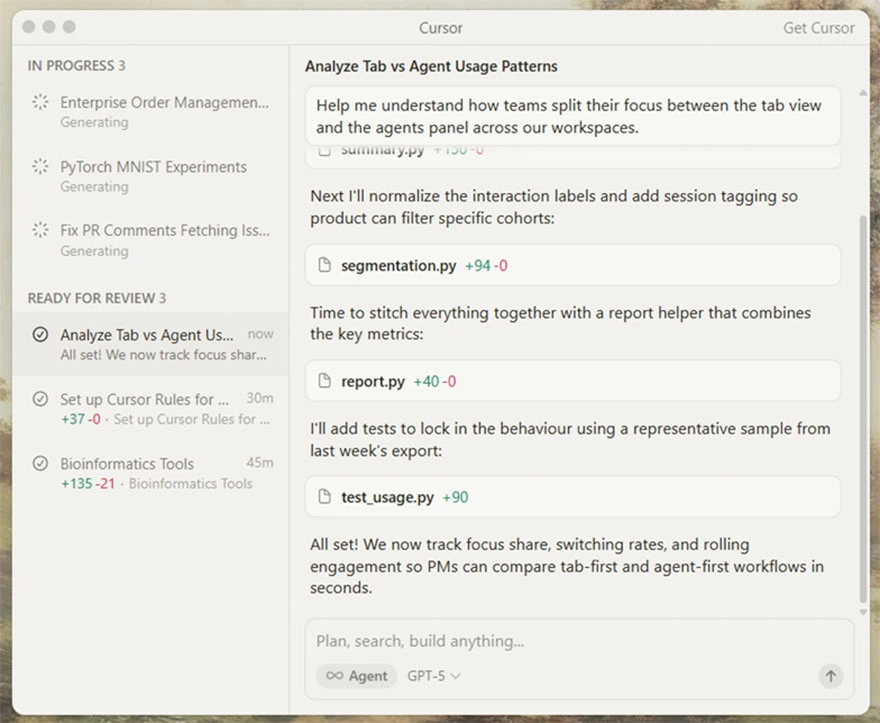
via Cursor
Cursor started as a VS Code fork and has since grown into a complete AI-native IDE. The distinguishing feature here is deep project awareness; Cursor indexes your entire codebase and uses that context when generating suggestions.
Composer, Cursor’s proprietary model trained specifically for agentic coding workflows; completes most operations in under 30 seconds.
If you have spent time wrestling with complex refactoring tasks across multiple files, Cursor’s multi-agent architecture addresses that friction directly.
Cursor Best Features
- Run up to eight parallel agents using git worktrees to compare implementation approaches before choosing the final direction
- Switch between Claude, ChatGPT, Gemini, and Cursor’s own Composer model mid-conversation through the model selector dropdown
- Reference specific files, folders, documentation URLs, or codebase symbols in prompts using the @mention system
- Configure project-specific rules in .cursorrules files that persist coding standards and conventions across sessions
- Use the embedded browser to pass selected DOM elements directly to the agent for UI-related tasks
Cursor Limitations
- Credit-based pricing model makes monthly costs harder to predict for heavy users
- Agent mode requires practice to prompt effectively; vague instructions lead to wasted iterations and burned credits
- Resource consumption runs notably higher than vanilla VS Code, especially during initial project indexing
Cursor pricing
- Free
- Pro: $20/mo
- Pro+: $60/mo
- Ultra: $200/mo
- Teams: $40/user/mo
- Enterprise: Custom pricing
Cursor Ratings and Reviews
- G2: 4.7/5 (20+ reviews)
- Capterra: Not enough reviews
2. Windsurf
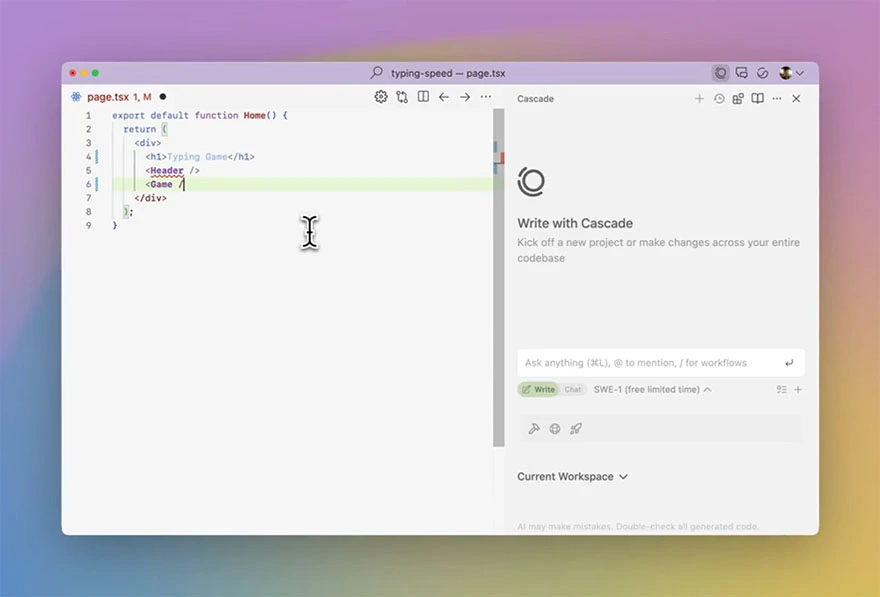
via Windsurf
Windsurf (formerly Codeium) acts as a standalone agentic IDE, with the Cascade assistant differentiating itself through anticipatory behavior. It watches your actions and suggests the logical next step before you ask. Finish writing a component, and Cascade might propose adding prop validation or a loading state.
Meanwhile, the Supercomplete analyzes your recent edits and predicts multi-line changes you’re likely to make next. For teams concerned about code privacy, Windsurf defaults to Zero Data Retention mode.
The tool also supports Workflows, which let you save common multi-step task sequences as reusable commands you trigger through natural language.
Windsurf Best Features
- Preview website changes directly inside the IDE and click any element to have Cascade modify the corresponding code instantly
- Set project-specific rules in .windsurfrules files that Cascade follows for consistent code style and framework conventions
- Use Turbo Mode for accelerated terminal command execution when running builds, tests, or deployments
- Persist codebase memory across sessions, so Cascade remembers your project structure, naming patterns, and prior conversations
Windsurf Limitations
- Response times lag behind competitors on codebases exceeding 100,000 lines, according to community benchmarks
- Full agentic features require the Windsurf Editor application; JetBrains and VS Code plugins only provide autocomplete and chat
Windsurf Pricing
- Free
- Pro: $15/mo
- Teams: $30/user/mo
- Enterprise: Custom Pricing
Windsurf Ratings and Reviews
- G2: 4.5/5 (25+ reviews)
- Capterra: Not enough reviews
3. GitHub Copilot
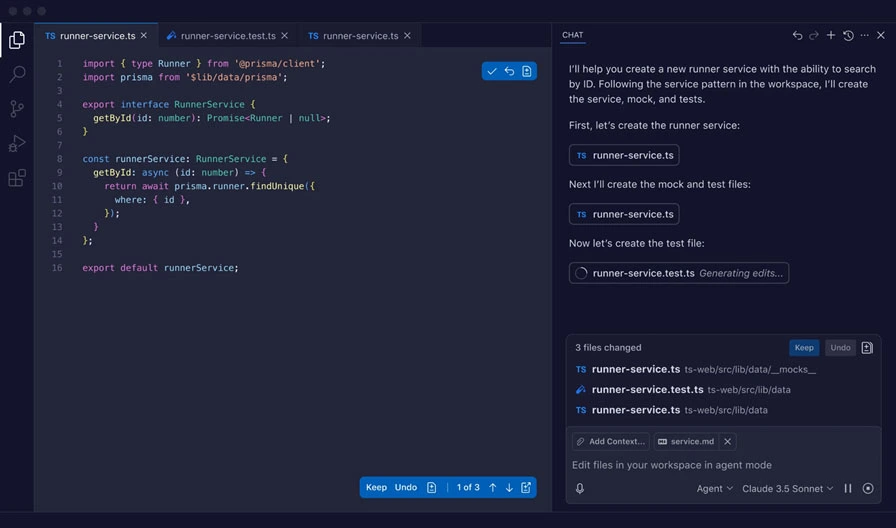
via GitHub Copilot
GitHub Copilot remains the most widely adopted AI coding assistant because it integrates directly into existing workflows without requiring a new IDE. Copilot suggests code as you type, and you accept suggestions by pressing Tab.
The tool can also analyze your entire file structure via the @workspace agent, meaning it understands how your new component interacts with existing providers, context, and TypeScript definitions.
Copilot Best Features
- Use the coding agent to delegate multi-file tasks like implementing new features or refactoring modules across your project
- Generate pull request summaries automatically on Business and Enterprise plans to accelerate code review cycles
- Access Copilot Chat directly within GitHub.com to ask questions about repositories, issues, and pull requests without opening an IDE
- Run Copilot in the CLI to get command explanations, script suggestions, and terminal workflow assistance
Copilot Limitations
- Operates reactively; waits for your input and keystrokes rather than anticipating next steps proactively
- Large monorepos may exceed context window limits, reducing suggestion relevance for cross-module changes
- Chat and agent capabilities feel less refined than dedicated AI-native IDEs
Copilot Pricing
- Free
- Pro: $10/mo
- Pro+: $39/mo
- Business: $19/user/mo
- Enterprise: $39/user/mo
Copilot Ratings and Reviews
- G2: 4.5/5 (140+ reviews)
- Capterra: 4.7/5 (30+ reviews)
Aegis Softtech evaluates your team's workflow, project complexity, and budget to recommend the right AI tools for React developers.
4. Percy
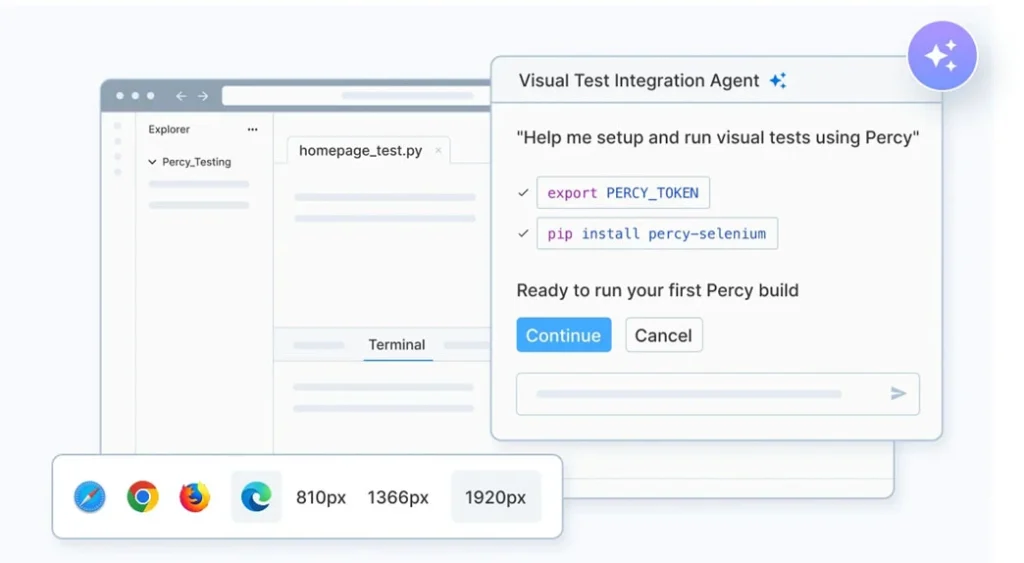
via Percy
Visual bugs escape unit tests and integration tests because those tests check logic, not appearance. Percy captures screenshots of your React components, compares each snapshot against an approved baseline, and flags pixel-level differences.
Its AI-powered stabilization engine filters out anti-aliasing noise and rendering variations that would otherwise produce false positives. For teams maintaining design systems or component libraries, Percy catches the visual regressions that human reviewers frequently miss during pull request reviews.
Percy Best Features
- Review visual diffs in a centralized dashboard where you approve or reject changes before merging any pull request
- Integrate Percy into GitHub Actions, GitLab CI, or Bitbucket Pipelines to run visual tests automatically on every commit
- Use the @percy/react SDK or @percy/storybook plugin to snapshot individual components in isolation during CI runs
- Configure DOM element ignore rules to exclude dynamic content like timestamps, ads, or user-generated data from comparisons
Percy Limitations
- Screenshot-based billing means high-volume projects (frequent commits, many components) consume monthly quotas quickly
- Browser coverage (Chrome, Firefox, Safari, Edge) falls short of full cross-browser testing platforms offering 20+ options
- Configuring effective snapshot strategies requires experimentation to balance coverage against credit consumption
Percy Pricing
- Desktop: Starts at $249/mo for 10,000 screenshots
- Desktop and Mobile: Starts at $720/mo for 25,000 screenshots
- Enterprise: Custom pricing
Percy Ratings and Reviews
- G2: 4.5/5 (2,620+ reviews)
- Capterra: 4.6/5 (600+ reviews)
5. Vercel v0

via Vercel v0
Describe a UI component in plain English, and v0 generates production-ready React code styled using Tailwind CSS and shadcn/ui patterns. The tool emerged from Vercel’s ecosystem in October 2023, and has since processed millions of generations.
The iterative chat interface lets you refine generated components through follow-up prompts without starting over.
For scaffolding standard UI patterns like pricing tables, dashboards, or marketing pages, v0 eliminates the blank-page problem. Complex custom components still require manual refinement after generation.
v0 Best Features
- Upload screenshots, Figma exports, or mockup images and generate matching React components from the visual input
- Install generated components directly into your Next.js project using the Vercel CLI (‘v0 add component-name’)
- Access a library of pre-built blocks and full-page templates covering common patterns like authentication, dashboards, and landing pages
- Define custom design systems (colors, typography, spacing tokens) that persist across all your v0 projects
v0 Limitations
- Focuses exclusively on frontend UI generation
- Generated code often contains TypeScript errors or edge-case bugs that require manual debugging
v0 Pricing
- Free
- Premium: $20/mo
- Team: $30/user/mo
- Business: $100/user/mo
- Enterprise: Custom pricing
v0 Ratings and Reviews
- G2: Not enough reviews
- Capterra: Not enough reviews
6. Bolt.new
via Bolt.new
Bolt.new is a browser-based AI development agent designed to collapse the distance between an idea and a deployed full-stack application. It provides a complete, live development environment, including a terminal, file system, and Node.js server directly in your browser window with zero local setup.
For React developers, it acts as an autonomous “scaffolder”. It can install npm packages, configure Vite or Next.js, and build out entire features through natural language prompts.
Bolt Best Features
- Generate full-stack applications including React frontend, Express/Fastify backend, and Prisma database schema from a single natural language prompt
- Edit generated code directly in the browser-based IDE powered by WebContainers—no local Node.js installation required
- Connect applications to Supabase for managed PostgreSQL, authentication, and real-time subscriptions using built-in integrations
- Deploy finished projects to Netlify, Vercel, or Cloudflare Pages using one-click deployment buttons in the IDE toolbar
- Enable ‘diffs mode’ in settings to reduce token consumption by showing incremental changes rather than regenerating full files
Bolt Limitations
- Token consumption spikes dramatically during debugging cycles; some users report burning 2-3x initial estimates fixing errors
- Context window limitations cause the AI to ‘forget’ earlier requirements on complex projects exceeding 20+ components
Bolt Pricing
- Free
- Basic: $25/mo
- Team: $30/user/mo
- Enterprise: Custom pricing
Bolt Ratings and Reviews
- G2: 4.4/5 (45+ reviews)
- Capterra: Not enough reviews
7. Sentry AI
via Sentry AI
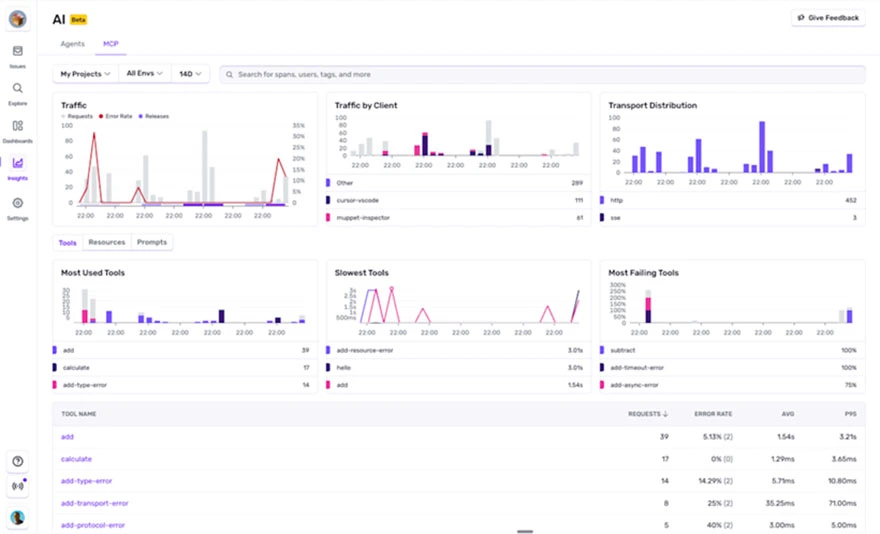
Sentry functions as a proactive AI debugging agent that transforms how React developers manage application stability.
Rather than simply reporting crashes, the platform uses an AI engine called Seer to analyze stack traces and session replays alongside your actual source code.
When a component fails in production, the tool can automatically identify the root cause and generate a suggested fix. It often provides a ready-to-merge pull request that includes necessary unit tests. For teams using Next.js or Remix, it is particularly effective at catching hydration errors and layout shifts that are otherwise difficult to replicate in development.
Sentry Best Features
- Replay user sessions as video-like reproductions showing mouse movements, clicks, scrolls, and console logs leading to the error
- Connect errors to specific code commits, file paths, and line numbers through GitHub and GitLab release integrations
- Configure custom alert rules that notify your team via Slack, PagerDuty, Discord, or email based on error frequency, user impact, or severity
- Track performance metrics (Web Vitals, API latency, database query times) alongside error data in a unified dashboard
Sentry Limitations
- Volume-based pricing becomes expensive quickly for high-traffic applications generating millions of events monthly
- Achieving optimal signal-to-noise ratio requires tuning sampling rates, filters, and alert thresholds through trial and error
- AI debugging features (Seer) require Team plan or higher; not available on the free Developer tier
Sentry Pricing
- Free
- Team: $29/mo
- Business: $89/mo
- Enterprise: Custom pricing
Sentry Ratings and Reviews
- G2: 4.5/5 (300+ reviews)
- Capterra: 4.5/5 (90+ reviews)
8. Sourcery
via Sourcery
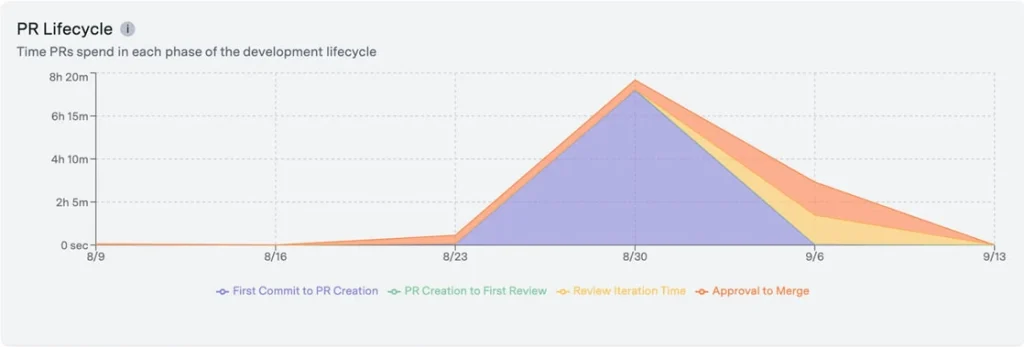
Sourcery acts as a continuous AI code reviewer that focuses on improving the quality and maintainability of React applications.
It monitors common pitfalls such as inefficient hook usage or deeply nested ternary operators that make JSX difficult to read.
For React and TypeScript projects, Sourcery understands JSX patterns, hooks rules, and common antipatterns. It catches missing dependency arrays, inefficient re-renders, and potential null references automatically.
Sourcery Best Features
- Get security vulnerability alerts and dependency risk assessments surfaced directly as PR comments you can click to fix
- View code quality metrics tracking complexity (cyclomatic, cognitive), duplication percentage, and test coverage trends over time
- Enable real-time refactoring suggestions in VS Code or JetBrains IDEs as you write code
- Generate visual diagrams and structured PR summaries automatically to help reviewers understand complex changesets
Sourcery Limitations
- Occasionally suggests oversimplified or contextually incorrect fixes
- Default rule configurations can produce false positives
- Free tier covers only public repositories; private repository support requires the Pro subscription
Sourcery Pricing
- Free
- Pro: $12/seat/mo
- Team: $24/seat/mo
- Enterprise: Custom pricing
Sourcery Ratings and Reviews
- G2: Not enough reviews
- Capterra: Not enough reviews
9. Mabl
via Mabl
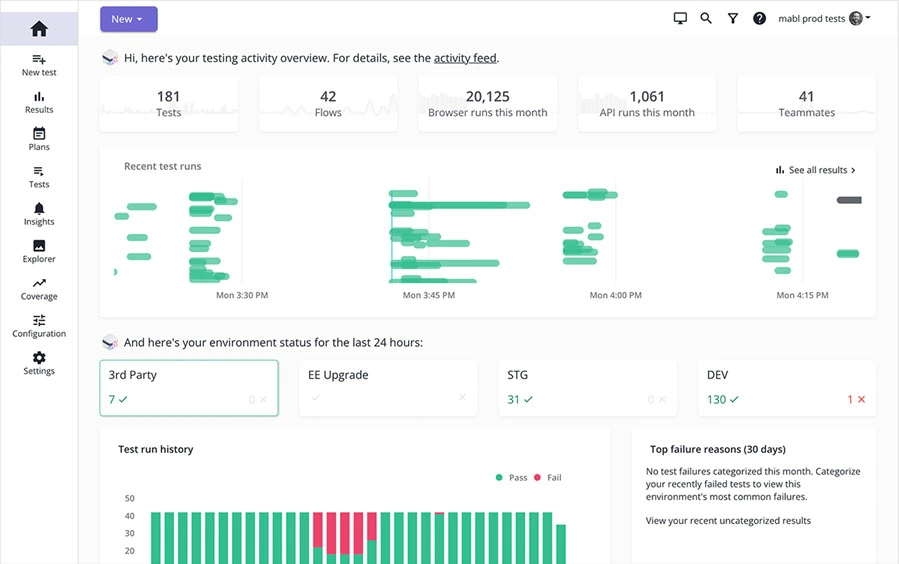
Traditional test automation frameworks break constantly. Change a button’s class name, and your Selenium tests fail. Mabl’s ‘auto-healing’ tests adapt to UI changes automatically, identifying elements through multiple attributes rather than brittle single selectors. The platform also generates tests from natural language; describe a user journey, and Mabl creates the automation.
The Test Creation Agent understands your application structure and suggests test scenarios you might have missed. Trusted by companies like Workday, JetBlue, and Vivid Seats, Mabl addresses the maintenance burden that makes traditional E2E testing unsustainable at scale.
Mabl Best Features
- Record user journeys through the Mabl Trainer browser extension and generate scriptless tests without writing Selenium or Playwright code
- Let auto-healing adapt tests automatically when developers change element IDs, class names, or DOM structure between releases
- Run parallel test executions across Chrome, Firefox, Safari, and Edge, integrating results directly into Jira or Azure DevOps
- Validate API responses within E2E tests and chain API calls together for comprehensive backend-to-frontend journey coverage
Mabl Limitations
- Enterprise-level pricing puts the platform out of reach for small teams and bootstrapped startups
- Advanced features like custom JavaScript snippets, complex assertions, and data-driven testing require training to use effectively
- Browser coverage (major browsers only) remains narrower than dedicated cross-browser testing platforms offering 2,000+ combinations
Mabl Pricing
- Custom pricing
Mabl Ratings and Reviews
- G2: 4.6/5 (35+ reviews)
- Capterra: 4/5 (65+ reviews)
10. Mintlify
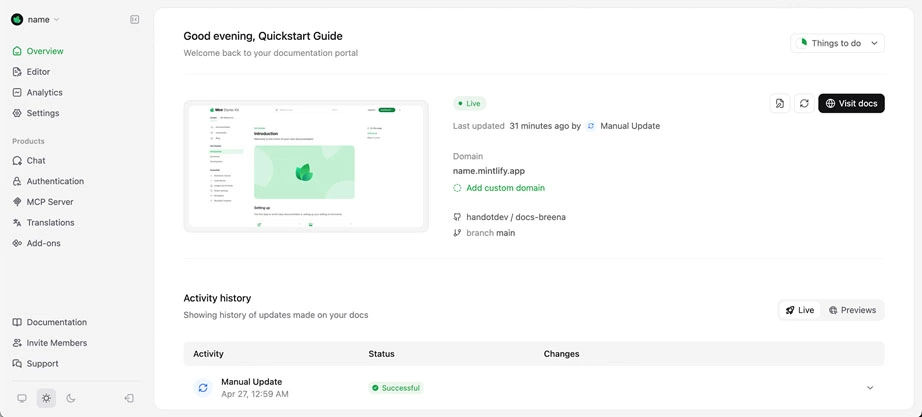
via Mintlify
Documentation decays. Code changes ship, and docs stay the same until someone notices the mismatch months later. Mintlify addresses this through AI-powered documentation that stays synchronized as your codebase evolves. It generates technical docs, API references, and developer guides directly from your source code and comments.
For React component libraries and developer tools, Mintlify creates searchable documentation portals that update automatically through GitHub integration.
Mintlify Best Features
- Generate documentation pages automatically from TypeScript interfaces, JSDoc comments, and file structure patterns in your repository
- Let users interact with your APIs directly in docs through the built-in API Playground supporting REST, GraphQL, and WebSocket
- Deploy preview versions of documentation on every pull request, allowing writers and developers to review changes before merging
- Enable AI-powered semantic search that answers user questions using natural language rather than keyword matching
- Customize branding (logos, colors, fonts) and deploy to custom domains to match your product’s visual identity
Mintlify Limitations
- Pro plan pricing adds up quickly for smaller teams and early-stage startups still validating product-market fit
- AI chat assistant usage gets metered separately, triggering overage charges when documentation receives high traffic
Mintlify Pricing
- Free
- Pro: $300/mo
- Custom pricing
Mintlify Ratings and Reviews
- G2: Not enough reviews
- Capterra: Not enough reviews
Choosing the Right AI Tool With Aegis Softtech
Selecting AI tools for React developers requires matching capabilities to your team’s actual workflow, project complexity, and budget constraints. A startup building an MVP has different needs than an enterprise team maintaining a component library.
At Aegis Softtech, our React developers support you in evaluating and implementing the right AI productivity tools that deliver measurable results.
Our React.js Development Services involve:
- Assessing your current development workflow for AI integration opportunities
- Recommending tool combinations that address your specific pain points
- Implementing tools with proper configuration and team training
- Measuring impact on velocity, code quality, and developer satisfaction
FAQs
1. How do you use AI with React.js?
IDE tools (Cursor, Windsurf, Copilot) install as extensions and suggest code as you type. UI generators (v0, Bolt.new) run in browsers where you describe components in plain English. Testing tools connect via CI/CD. Error monitoring adds SDK packages to your app.
2. Are AI-generated React components production-ready?
Rarely without modification. Generated code typically requires accessibility audits, error handling, edge case coverage, and security review before deployment.
3. Do AI coding tools support TypeScript?
Yes. Cursor, Windsurf, Copilot, Sourcery, and v0 all support TypeScript. Most provide type inference and catch type errors during generation.
4. Can AI tools replace React developers?
No. These tools accelerate repetitive tasks and scaffolding. Architecture decisions, debugging complex issues, and code review still require human judgment.
5. How do AI tools handle private codebases?
Most offer privacy modes or Zero Data Retention options. Cursor and Windsurf provide toggles to prevent code from being used for model training. Enterprise plans typically include stricter data handling guarantees.