You upgraded your software for a new feature, and now the entire system is starting to break.
You either missed a bunch of critical tests or misapplied some. In another case, while you were validating individual building blocks, the testers ignored verifying the entire product.
This is exactly why quality assurance (QA) demands both a microscopic view and a wide-angle lens. Understanding functional testing vs unit testing is more important than ever.
Unit testing and functional testing are two such tests that cost you thousands due to oversight. Each has distinct purposes, scopes, and cadences.
But you can see them as collaborators. They work best when put into your pipelines in tandem. Knowing when and how to use each can mean the difference between reliable releases and reactive firefighting.
In this guide, we’ll break down functional testing vs unit testing in practical terms. You’ll learn their differences, overlaps, and how to strategically use both to build stronger, faster, and bug-resistant applications.
Let’s get started!
Key Takeaways
Use unit testing to validate individual functions, methods, or classes in isolation. These tests are written by developers during development, often as part of TDD and CI pipelines, and provide fast feedback on code logic.
When to Use Functional TestingUse functional testing to validate complete features and workflows from a user’s perspective. QA teams run these tests after integration to ensure the application behaves in alignment with business requirements.
When to Use BothStrong testing strategies use both approaches together. Unit tests catch logic defects early, while functional tests confirm that integrated features work correctly for real users.
Functional Testing vs Unit Testing: A Quick Comparison
| Criteria | Unit Testing | Functional Testing |
| Focus | Individual units or components | Complete features and end-to-end workflows |
| Testing Type | White-box (logic-aware) | Black-box (user-facing) |
| Who Performs It | Developers | QA testers or automation engineers |
| When Used | During development (TDD-friendly) | After development or in staging |
| Speed | Very fast (milliseconds) | Slower (depends on UI and backend) |
| Environment | Local dev environment | QA/staging environment |
| Tools | JUnit, PyTest, NUnit, Jest | Selenium, Cypress, TestComplete |
| Purpose | Validate internal logic | Validate user expectations and business flows |
| Granularity | Highly granular | Broad, scenario-driven |
| Maintenance | Lower cost; simpler changes | Higher cost, prone to break on UI change |
What is Unit Testing?
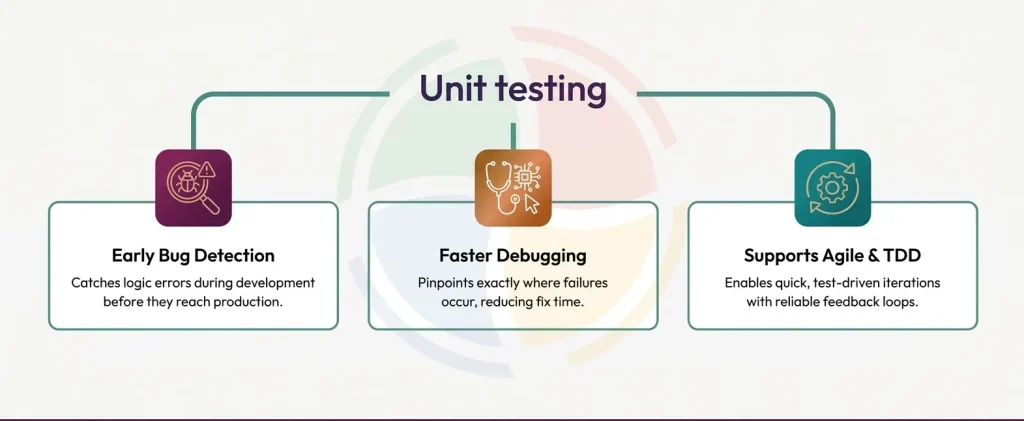
Unit testing is the software equivalent of checking every bolt before building the bridge.
It focuses on verifying the smallest testable code pieces—functions, methods, or classes—in isolation. Typically written and run by developers, unit tests fall under white-box testing as the internal logic of the code is fully visible and evaluated.
These tests are lightning-fast, easy to automate, and ideal for Test-Driven Development (TDD), where tests are written before the code. They help catch logic errors early, before integration, deployment, or user interaction ever happens.
Popular Unit Testing Tools
- JUnit (Java)
- NUnit (.NET)
- PyTest (Python)
- Jest (JavaScript)
Example: Testing a Simple Interest Calculator (Python)
# interest.py
def calculate_interest(principal, rate, time):
    return (principal * rate * time) / 100

# test_interest.py
import pytest
from interest import calculate_interest

def test_calculate_interest():
    assert calculate_interest(1000, 5, 2) == 100
With this, any unexpected change in logic—a wrong formula tweak—gets caught before it sneaks into production.
What is Functional Testing?
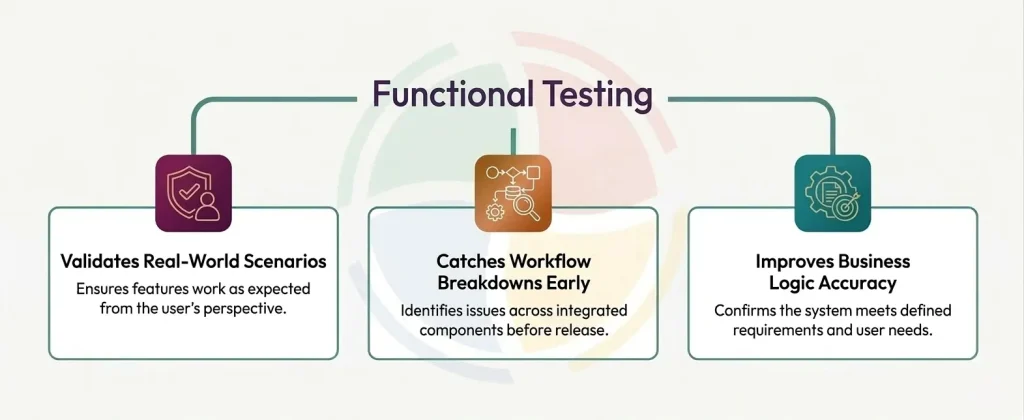
While unit tests ask “Does this function work?”, functional tests ask “Does this feature work for the user?”
Functional testing is a black-box approach that validates all software features and workflows against defined requirements. It’s concerned with what the system does, not how it does it.
These tests are typically performed by QA teams or automation engineers and simulate real user interactions across components. It could be during login, a purchase, or a form submission.
Common Functional Testing Tools
- Selenium
- TestComplete
- Cypress
- Playwright
Example: Testing a Login Workflow (JavaScript + Cypress)
// login.spec.js
describe('Login Flow', () => {
  it('should login with valid credentials', () => {
    cy.visit('/login');
    cy.get('input[name="email"]').type('[email protected]');
    cy.get('input[name="password"]').type('password123');
    cy.get('button[type="submit"]').click();
    cy.url().should('include', '/dashboard');
  });
});
This test doesn’t care how authentication is implemented internally. It just checks that users can sign in and reach the right page.
Functional Testing vs Unit Testing: Key Differences
Unit and functional testing might seem like two sides of the same coin, but in practice, they operate in entirely different lanes.
Here’s how these testing strategies differ, where each one fits, and why both are essential to building software that works as expected.
Scope and Focus
Unit testing
It works at the micro level. Unit tests validate a single method, function, or class, nothing more. These are the smallest units of code, tested in isolation, to confirm logic correctness.
For example, a unit test might check whether calculateTax() returns 18% for a given input, or isValidEmail() rejects malformed addresses.
Functional testing
It operates from the user’s point of view. It validates full workflows, login, checkout, and password reset across integrated systems.
Instead of testing a single cog, it checks if the whole machine runs smoothly. A functional test might simulate a user placing an order, applying a coupon, and confirming payment. It’s about ensuring the system meets business expectations.
Testing Environment and Dependencies
Unit tests
These run in clean, isolated environments. External dependencies, such as databases, APIs, or file systems, are mocked or stubbed out. Because of this controlled environment, you clearly identify the root cause when a test fails.
Functional tests
These thrive in real-world conditions. They depend on live integrations, actual APIs, and full system setups. In functional testing, database latency, network issues, and third-party failures all count.
You use these to run tests that unit tests can’t touch, tests based on real use cases like integration failures, misconfigured environments, or workflow inconsistencies.
Speed and Execution Time
Unit tests
These are lightning-fast. Thousands can run in under a minute, making unit tests perfect for rapid feedback during development.
If a suite of 1,000 tests each takes 50ms, you’re done in 50 seconds. This speed is what makes Test Driven Development (TDD) and CI/CD feasible.
Functional tests
Unlike unit tests, functional tests are slower by design. They simulate user behavior, so they wait for elements to load, APIs to respond, and flows to complete. A single test can take 30 seconds or more.
But that trade-off brings value. One functional test can validate what dozens of unit tests can’t. Your results will show how components work together in the real world.
Maintenance and Stability
Unit tests
By now, you must have realized that unit tests are predictable. When code changes, tests fail, and that’s expected. Since each test is tied to a specific unit, refactoring one function means updating just a few tests. Unit testing maintenance is manageable, and the feedback is targeted.
Functional tests
On the other hand, functional tests are more fragile. A small change in the UI, like renaming a button or reordering fields, can break multiple tests.
Still, if you use stable selectors and modular flows, you can create well-structured functional tests that are resilient. As long as the user journey doesn’t change, these tests remain valid, even when the code underneath shifts.
Debugging and Root Cause Detection
Unit tests
In unit testing, if something breaks, you know which function, which input, and often which line caused the issue. This makes debugging fast. Your fixes are localized and don’t require unraveling system-wide complexity.
Functional tests
With functional tests, you get broader insight but require deeper investigation. A failure tells you what broke from a user’s perspective, but you will not always get the why.
Still, these failures often reflect what real users would see. If your login flow breaks here, it would break in production. That should be a clear enough signal for you and your team.
Cost and Resources
Unit tests
Developers can write and maintain unit tests as part of their normal workflow. You do not need a special infrastructure, environments, or dedicated QA teams. They’re cheap to build, fast to run, and powerful in volume.
Functional tests
Functional tests, on the other hand, require more. You’ll need real or sandbox environments, seeded data, stable UIs, and often a dedicated QA automation team. The tooling and infrastructure overhead is higher.
But every automated functional test saves you hours of manual verification. Over time, they pay for themselves in speed, coverage, and confidence.
Integration Testing: The Middle Layer
So we’ve established that unit tests check individual pieces. Functional tests validate full flows. But what happens in between?
Well, integration testing comes in.
It is the bridge between isolated unit logic and complete user experiences. Its only job is to catch the cracks where systems meet. You put integration testing in place to make sure that different components, modules, services, or APIs work together correctly when combined.
Suppose one module returns unexpected data. A service fails silently. An API times out. Unit tests won’t catch it. Functional tests might miss the exact point of failure. But integration tests? Integration tests are built for this.
The key difference in integration testing vs unit testing lies in scope. Integration testing is broader than unit tests but narrower than full end-to-end scenarios.
What integration testing tests:
- Data passed between modules
- API endpoints and responses
- Service orchestration and dependency chains
Some popular integration testing tools:
- Postman (for API validation and automation)
- REST Assured (for Java-based API testing)
- TestNG (for structured, layered integration test suites)
When to Use What: Unit, Functional, or Integration Test Use Cases
One thing you should note is that smart teams don’t try to test everything with a single approach. They match the test type to the stage of development, the risk level of the feature, and the business impact of failure.
Let’s break it down by use case and context.
Early Development? Start with Unit Tests
If you’re still building the core logic, unit testing should be your go-to. Because we know unit tests provide instant feedback during development. They catch low-level defects before they grow into production issues.
Use it when:
- You’re writing or refactoring functions, classes, or methods
- You want fast, isolated validation of logic
- You’re practicing TDD
Examples:
- Calculating discounts on cart totals
- Validating email formats
- Checking null or empty states in data parsing
Testing API Calls or Service Interactions? Use Integration Tests
When different parts of the system start talking to each other, such as APIs, microservices, or shared modules, it’s time to add integration tests. They become especially critical in microservice, event-driven, or cloud-native architectures.
Use it when:
- You’re connecting multiple services or layers
- You want to validate API contracts or data flows
- You’re testing third-party interactions or shared databases
Examples:
- Calling a REST API and validating the response schema
- Testing database read/write across services
- Verifying service-to-service authentication and headers
Validating a User Workflow or Business Rule? Choose Functional Tests
Once the pieces are connected and logic is in place, functional testing ensures the entire system behaves the way users expect.
Again, we know that functional tests mirror real usage, catching gaps between design intent and actual behavior.
Use it when:
- A feature is feature-complete or production-ready
- You need to validate workflows across the UI, backend, and business rules
- You’re enforcing acceptance criteria or user stories
Examples:
- A user logs in, resets their password, and accesses their dashboard
- A checkout process calculates tax, applies coupons, and places orders
- An onboarding form validates fields and triggers welcome emails
Apply Risk-Based Prioritization
Still unsure what to test and where? Your fundamental formula for any testing approach should be,
High-impact + high-change = test it thoroughly, across all levels.
Low-impact + low-change = lean on unit or smoke testing, not full functional coverage.
Also, use this simple 3-question lens before putting any test automation in place:
- How critical is the feature?
- How likely is it to fail?
- What’s the impact if it breaks?
Software testing in Agile and CI/CD pipelines breakdown typically looks like:
| Scenario | Best Test Type |
| Writing business logic | Unit Test |
| Validating API response structure | Integration Test |
| Confirming end-to-end user journey | Functional Test |
| Adding new acceptance criteria | Functional Test |
| Checking database writes from a form | Integration Test |
| Ensuring cart math is correct | Unit Test |
Alone, each testing type may have gaps. Use them in tandem.
Together, they create layered coverage that protects your system from logic errors, broken APIs, and user friction, without slowing you down. This may also sometimes mean bringing other testing types into the pipeline as reinforcements.
Bringing Regression Testing into the Picture
Whenever you introduce code changes, rather than introducing new tests, you can just perform regression testing. They focus on re-running existing tests—unit, integration, and functional, making sure nothing previously working has silently broken.
It’s especially powerful in CI/CD pipelines, where even a small logic tweak or backend update can cause ripple effects. Regression testing keeps things stable across sprints, versions, and releases, catching unintended consequences before your users do.
Unit vs Functional Testing vs Regression Testing
Here’s a quick side-by-side breakdown to clarify when and why each testing type matters:
| Aspect | Unit Testing | Functional Testing | Regression Testing |
| Purpose | Validate the correctness of individual code units | Ensure system features work as intended | Confirm that new changes haven’t broken existing features |
| Timing | Early in development (during or after coding) | After integration, before release | After code changes, especially before deployment |
| Depth of Coverage | Narrow – targets specific functions/methods | Medium to broad – covers workflows and user scenarios | Broad – spans impacted areas, often reusing existing tests |
| Test Focus | Internal logic, algorithms, edge cases | Business logic, UI flows, system behaviors | Previously working functionalities across the app |
| Who Performs | Developers (often automated with CI) | QA engineers/testers (manual or automated) | QA teams, automation suites, and DevOps in CI/CD pipelines |
| Failure Impact | Localized – breaks a function or class | Moderate to high-feature-level failures | High – critical regression bugs can block releases |
Common Mistakes to Avoid in Your Testing Strategy
Even with the right testing strategy, execution missteps can quietly undermine your QA efforts. Here are the most common pitfalls teams face and how to avoid them:
- Relying Only on One Type of Test
Putting all your trust in just unit or functional tests creates blind spots. Unit tests won’t catch UI issues, and functional tests might miss edge-case logic failures. So, focus on layered testing to achieve complete, reliable coverage.
- Overlapping Test Coverage
Redundant tests across unit, integration, and functional layers lead to bloated suites and longer execution times. Map your coverage clearly—know what each test validates, and avoid retesting the same logic unnecessarily.
- Not Automating Repetitive Functional or Regression Tests
Running the same flows manually in every sprint? That’s wasted effort. Automate high-repeat, high-value tests like login, checkout, or API validations. Adopt automation testing and free your testers for exploratory and edge-case scenarios that need human insight.
- Neglecting Test Maintenance
Outdated or flaky tests are worse than no tests—they slow down releases and erode confidence. Regularly audit your suite. Retire obsolete tests, refactor brittle ones, and ensure all test data, selectors, and validations remain aligned with current functionality.
Building a Complete Testing Strategy with Aegis Softtech
There’s no single test type that can guarantee software quality. Unit, integration, and functional testing each serve a unique purpose, and when combined, they create the kind of layered coverage modern applications demand.
Your software testing strategy should be about writing the right tests—at the right stage—with the right level of automation.
Take a step back and evaluate your current coverage. Are you over-indexed on unit tests and skipping real-world flows? Is your regression testing reactive instead of proactive? Are critical paths automated, or still run manually under deadline pressure?
At Aegis Softtech, we help teams build scalable, automation-first QA frameworks that support fast-paced development without compromising stability.
Need CI-integrated qa test automation services, regression test suites, or end-to-end functional validation? We bring the tools, strategy, and expertise to elevate your software quality. See how our software testing & QA services can support your next release.
FAQs
What is the difference between functional testing and system testing?
Functional testing checks if specific features work as expected, based on requirements. System testing validates the complete, integrated system for overall compliance and performance.
What is the difference between functional testing and integration testing?
Functional testing verifies business workflows and user-facing features. Integration testing checks if modules, APIs, or services interact correctly within the system.
What is the difference between functional testing and UAT testing?
Functional testing ensures the software meets technical and business requirements. UAT (User Acceptance Testing) confirms the system solves real user problems before go-live, often performed by end-users.
What is unit testing vs UAT?
Unit testing validates individual functions or methods for correct logic, done by developers. UAT is the final validation step where real users test if the product meets their needs and expectations.