Snowflake data migration is the process of transferring schemas, data, pipelines, and governance frameworks from legacy platforms (think SQL Server, Oracle, Teradata, Redshift, Hadoop) into Snowflake’s cloud-native architecture.
Now, we know it sounds straightforward on paper. But (and this is an important ‘but’) in practice, it is where data engineering careers go to test their resilience.
Data migrations overrun budgets way too often. The root cause is not the tools. It is the lack of a phased, governed approach with clear best practices for each stage.
This guide gives you exactly that: a six-phase migration framework with actionable best practices you can apply immediately.
Key Takeaways
Snowflake data migration transfers schemas, data, pipelines, and governance from legacy platforms to Snowflake’s cloud-native architecture.
Why It Matters:Data migrations overrun budget; many run over time. A phased approach with best practices is the antidote.
Key Phases:- Discovery
- Architecture
- Schema Conversion
- Data Transfer
- Validation
- Cutover
Organizations migrating from SQL Server, Oracle, Teradata, Redshift, or Hadoop to Snowflake.
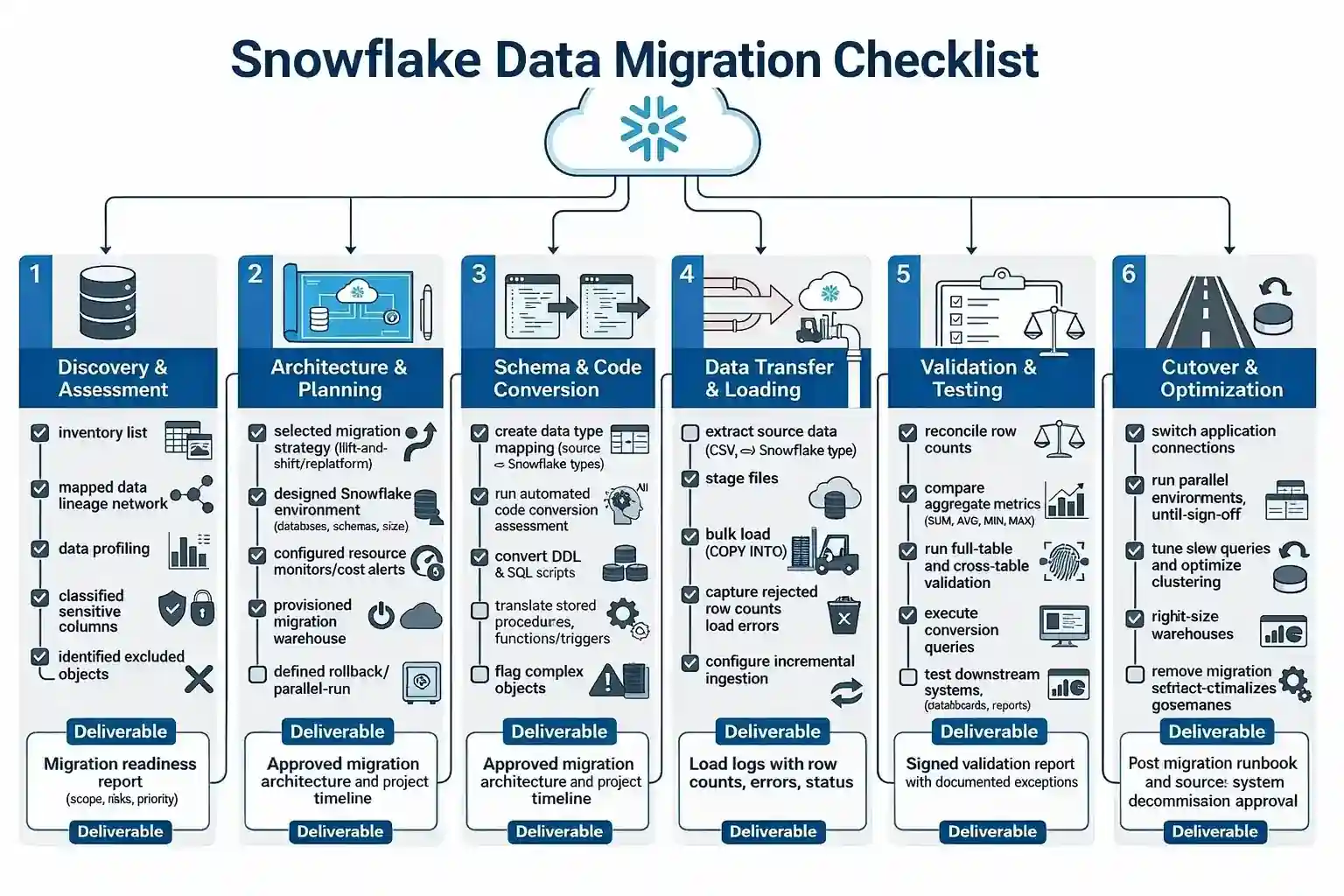
Snowflake Data Migration Checklist (FREE + Downloadable)
A step-by-step task checklist covering what needs to happen in each phase. Use this as a project tracker—the best practices in the sections that follow explain how to execute each step well.
Snowflake Data Migration Best Practices [Phase-by-Phase Tips]
Now that you have the checklist, let us dive into the how.
Each phase has its own unique best practices, and skipping any of them is like leaving for a road trip without checking if you have a spare tire.
Sure, you might make it. But do you really want to find out?
Phase 1 — Discovery & Assessment: Best Practices
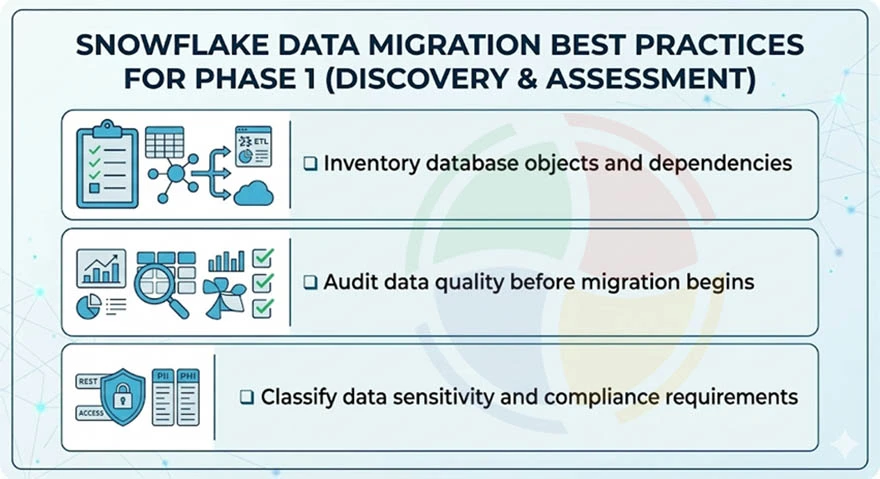
Audit your source environment end-to-end before touching Snowflake. Catalog every database object, map dependencies, and classify data sensitivity. This phase determines scope, timeline, and risk profile.
Because this step is so foundational, many organizations opt for professional Snowflake consulting to ensure no dependencies or security gaps are overlooked during the initial audit.
Inventory Database Objects and Dependencies
- Catalog all tables, views, stored procedures, functions, triggers, materialized views, and scheduled jobs
- Map downstream consumers using BI dashboards, API endpoints, reporting pipelines, and dbt models
- Identify cross-database dependencies that need coordinated migration sequencing
Audit Data Quality Before Migration Begins
- Implement quality control by profiling source data for nulls, orphaned keys, duplicates, and undocumented transformations
- Flag broken/deprecated objects. Migrating dead code inflates timelines and wastes credits
Classify Data Sensitivity and Compliance Requirements
- Tag PII, PHI, and financial columns for GDPR, HIPAA, SOC 2 alignment before migration
- Identify data residency constraints affecting Snowflake region and cloud provider selection
- Exclude system-level objects: SQL Server’s master/msdb/tempdb, Oracle’s SYS/DBSNMP
The discovery phase is where 80% of migration failures are born. Teams that skip the dependency map end up breaking downstream BI dashboards three weeks into loading.
— Lead Cloud Architect, Aegis Softtech
Phase 2 — Architecture & Planning: Best Practices
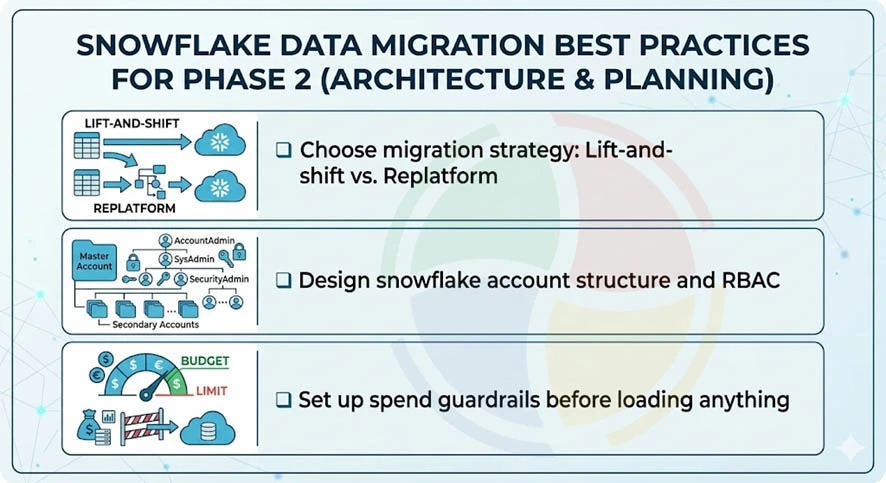
Design your Snowflake account structure, choose a data migration strategy, and establish spend governance. This phase translates the discovery audit into an executable blueprint.
A well-planned blueprint is the backbone of any successful Snowflake implementation, ensuring your new cloud environment scales securely and cost-effectively from day one.
Choose Migration Strategy: Lift-and-Shift vs. Replatform
- Mirrors source schemas 1:1 in Snowflake; it’s best for tight timelines
- Refactor schemas, replace legacy ETL with ELT. Higher upfront effort, better long-term ROI
Design Snowflake Account Structure and RBAC
- Plan databases, schemas, virtual warehouses, and resource monitors aligned to team boundaries
- Define RBAC hierarchy: ACCOUNTADMIN → SYSADMIN → functional roles. Map source permissions to Snowflake roles
- Separate raw staging, transformed/curated, and analytics-ready layers into distinct databases
Set Up Spend Guardrails Before Loading Anything
- Configure resource monitors at the account and data warehouse level with alerts at 50%, 75%, 90% of the projected budget
- Enable auto-suspend (60-120s) and auto-resume on all non-production warehouses from the start
We always set up resource monitors before loading a single byte. A misconfigured XL warehouse running overnight can burn thousands in credits before anyone notices.
— Senior Data Engineer, Aegis Softtech
Phase 3 — Schema & Code Conversion: Best Practices
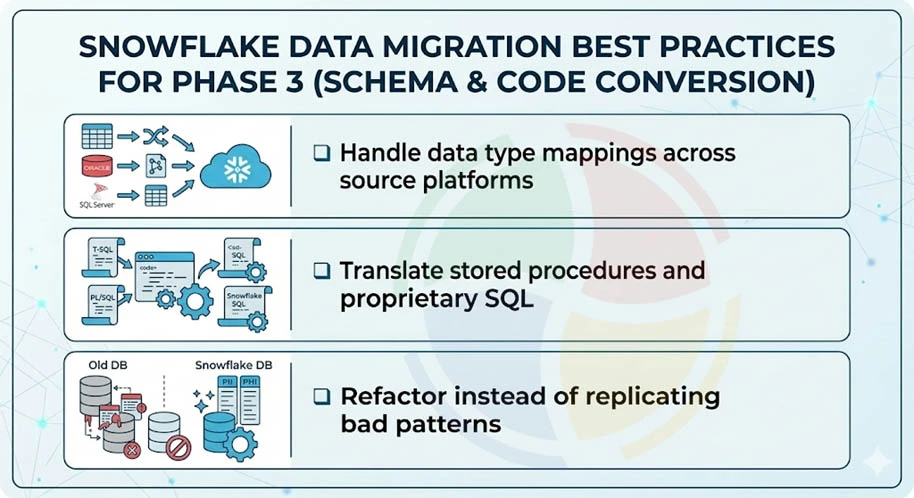
Convert schemas, translate stored procedures, and refactor legacy patterns for Snowflake’s architecture. This is where the rubber meets the road, and also where most teams discover that their ‘simple’ migration is actually an archaeological dig through decade-old SQL.
Handle Data Type Mappings Across Source Platforms
- Map source types to Snowflake: SQL Server DATETIME2 → TIMESTAMP_NTZ; Oracle NUMBER(p,s) → NUMBER; Teradata BYTEINT → SMALLINT.
| Source Type | Source Platform | Snowflake Equivalent |
| DATETIME2 | SQL Server | TIMESTAMP_NTZ |
| NUMBER(p,s) | Oracle | NUMBER |
| BYTEINT | Teradata | SMALLINT |
| VARCHAR(MAX) | SQL Server | STRING/VARCHAR |
| CLOB | Oracle | STRING |
- Watch for implicit type coercion differences causing silent data truncation or precision loss.
Translate Stored Procedures and Proprietary SQL
- Convert T-SQL TRY…CATCH, Oracle PL/SQL exception blocks, Teradata QUALIFY into Snowflake SQL or Snowpark (Python/Java/Scala).
- Replace source-specific temp table patterns with Snowflake transient tables or CTEs.
- Use SnowConvert for bulk automated translation. Flag complex objects (recursive CTEs, CONNECT BY, custom MERGE) for manual review.
Refactor Instead of Replicating Bad Patterns
- Don’t lift-and-shift 7-layer nested views; a clean rewrite runs 10x faster on Snowflake’s architecture.
- Replace nightly full-refresh ETL with incremental ELT using Snowflake streams and tasks.
- Embrace modern Snowflake development solutions that allow you to fully utilize the platform’s native features, rather than moving with technical debt from your legacy systems.
The most expensive line item in every migration we’ve audited is re-work from blindly converting stored procedures. Two days on a conversion assessment saves two months of debugging.
— Principal Data Architect, Aegis Softtech
Phase 4 — Data Transfer & Loading: Best Practices
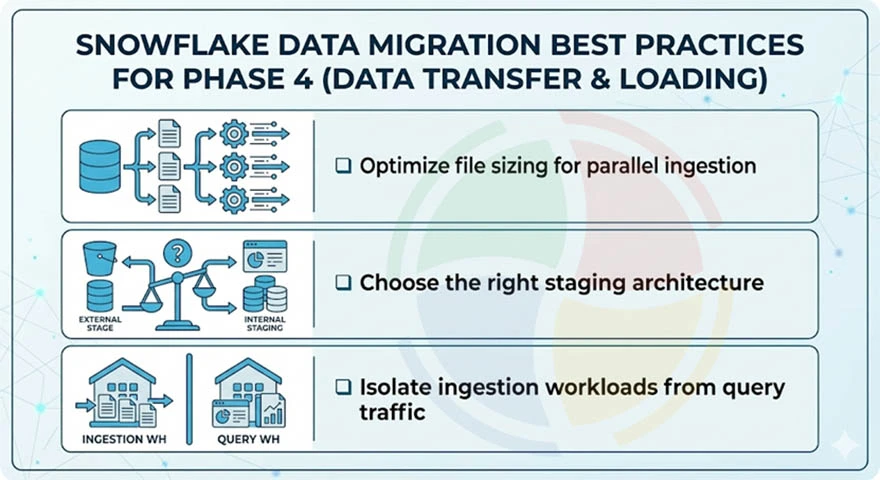
Move source data into Snowflake using staging areas and bulk load commands. File sizing, staging strategy, and warehouse isolation determine whether this phase takes days or weeks.
Optimize File Sizing for Parallel Ingestion
- Split source extracts into 100-250 MB compressed files (CSV, Parquet, Avro) for optimal micro-partition distribution
- Too-large files choke parallelism; too-small files (<10 MB) create metadata overhead, slowing COPY INTO
- For semi-structured data (JSON, Parquet), load into VARIANT columns with downstream FLATTEN transformations
Choose the Right Staging Architecture
- Choose internal stages for smaller datasets (<1 TB) or when data doesn’t already live in cloud storage.
- Choose External stages (S3, Azure Blob, GCS) for large-scale migration; it minimizes data movement.
- Use COPY INTO with ON_ERROR = ‘CONTINUE’ during initial loads to capture bad records without aborting batches.
Isolate Ingestion Workloads from Query Traffic
- Run all bulk loads on a dedicated virtual warehouse; never share with BI or ad-hoc query workloads
- Size the loading warehouse based on volume: Medium for <500 GB, Large for 500 GB–5 TB, XL+ for 5 TB+
- Use Snowpipe for continuous/incremental ingestion after the initial bulk load completes
File sizing is the single biggest performance lever during bulk migration. The 100–250 MB sweet spot is the difference between a 3-day load and a 3-week load.
— Head of Data Engineering, Aegis Softtech
Phase 5 — Validation & Testing: Best Practices
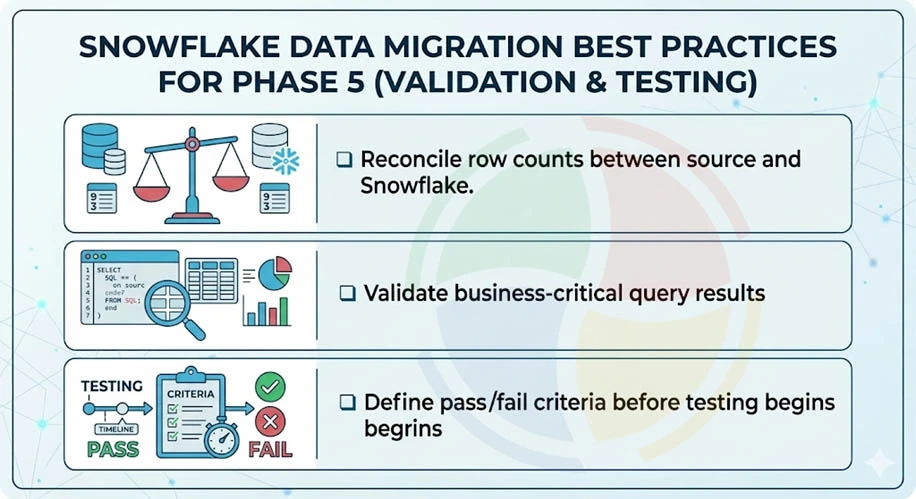
Prove that the data in Snowflake is identical to the source and that downstream systems function correctly. Validation is the most under-invested phase — and where migration failures actually surface.
Run Multi-Layer Data Reconciliation
- Row counts (L1): Match source-to-target at the table and partition level.
- Aggregate checksums (L2): Compare SUM, AVG, MIN, MAX on key numeric columns.
- Hash verification (L3): Use Snowflake’s HASH_AGG() for full-table integrity checks at scale.
Validate Business-Critical Query Results
- Run top 10-20 production queries on both systems; diff outputs row-by-row
- Test downstream BI dashboards, scheduled reports, API endpoints, and dbt models against Snowflake
- Verify time-zone handling, collation behavior, and NULL semantics—these cause the most subtle post-migration bugs
Define Pass/Fail Criteria Before Testing Begins
- Set tolerance thresholds such as 0.01% variance on financial aggregates, and 0% mismatch on master data row counts
- Document every exception with root cause. Don’t let “close enough” compound into post-go-live incidents
- Set a rule that no table migrates without an automated validation test. If you can’t test it, don’t migrate it yet
Every failed migration I’ve rescued had the same root cause: validation treated as a checkbox, not a phase. If you can’t prove parity with automated tests, you’re not ready to cut over.
— VP of Data Engineering, Aegis Softtech
Phase 6 — Cutover & Post-Migration Optimization: Best Practices
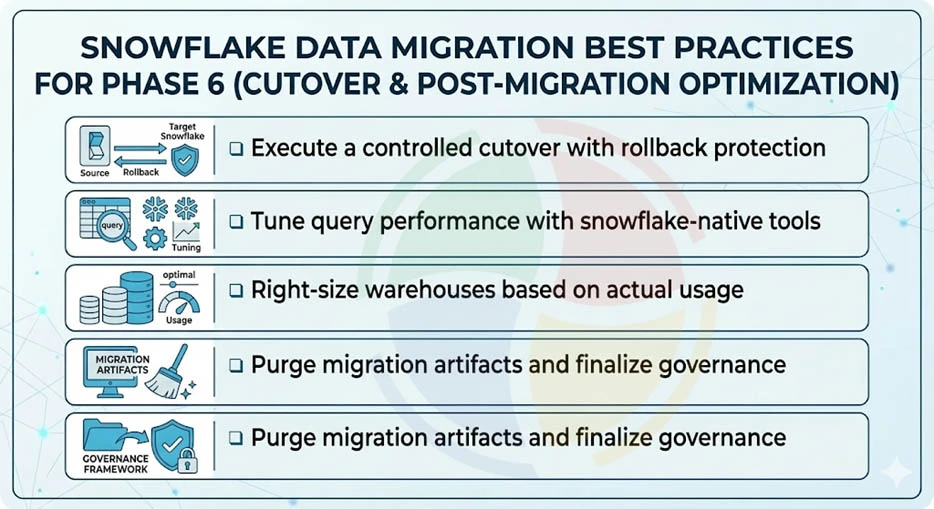
Switch production traffic to Snowflake and decommission source systems. Then tune performance, right-size warehouses, and lock in cost savings.
Execute a Controlled Cutover with Rollback Protection
- Cut over during a low-traffic window with a documented rollback plan and pre-tested connection-string switchover
- Update ETL/ELT orchestration, DNS, and app configs to point at Snowflake endpoints
- Maintain a minimum 2-week parallel run with automated reconciliation before decommissioning source systems
Tune Query Performance with Snowflake-Native Tools
- Use Query Profile to identify full table scans, exploding joins, and spilling-to-disk operations
- Add clustering keys on high-cardinality, frequently-filtered columns to reduce micro-partition scanning
- Replace legacy indexing strategies. Snowflake uses clustering keys and a search optimization service, not traditional indexes
Right-Size Warehouses Based on Actual Usage
- Analyze WAREHOUSE_METERING_HISTORY to match warehouse size to real workload patterns
- Enable multi-cluster warehouses for concurrency-heavy BI. Use the economy scaling mode for cost control
- Evaluate commitment-based pricing once 60+ days of stable usage confirm baseline compute consumption
Purge Migration Artifacts and Finalize Governance
- Delete staging files, temp tables, and migration-specific roles/warehouses to stop silent storage and credit bleed
- Finalize RBAC policies, enable network policies, and activate data masking for PII/PHI columns
- Establish ongoing monitoring, such as credit alerts, failed-task notifications, and query performance anomaly detection
Don’t decommission source systems the day after cutover. We mandate a minimum 2-week parallel run before pulling the plug — it’s the cheapest insurance you’ll ever buy.
— Senior FinOps Consultant, Aegis Softtech
Migrate Smarter, Not Harder with Aegis Softtech
Successful Snowflake migration is phased and governed. Each phase has its own non-repeating best practices, and skipping any of them is a recipe for the kind of post-mortem meetings that haunt careers.
Aegis Softtech helps teams migrating from SQL Server, Oracle, Teradata, Redshift, or Hadoop. Our architects have seen the patterns that work and the anti-patterns that do not.
Our capabilities include:
- Snowflake Development Services: Schema design, pipeline engineering, performance tuning
- Snowflake Consulting: Migration assessment, architecture planning, governance frameworks
- Snowflake Implementation: End-to-end deployment, data loading, cutover management
- Data Warehouse Services: Legacy-to-cloud migration, ETL/ELT modernization
FAQs
What is the Snowflake migration strategy?
A Snowflake migration strategy defines how you move data, schemas, and pipelines from legacy systems to Snowflake. Common approaches include lift-and-shift (fast, 1:1 replication) and replatform-and-modernize (refactor for cloud-native patterns). The right choice depends on timeline, data quality, and long-term ROI goals.
Is Snowflake a data migration ETL tool?
No, Snowflake is a cloud data warehouse, not an ETL tool. However, it provides native capabilities like COPY INTO, Snowpipe, and Streams/Tasks that support migration and ongoing data pipelines. Most organizations use dedicated ETL/ELT tools (Fivetran, dbt, Airbyte) alongside Snowflake.
What is the Snowflake 3-layer architecture?
Snowflake’s 3-layer architecture constitutes a storage layer, compute layer, and cloud services layer. The first one is a cloud-based data storage layer with automatic compression and encryption, while the second caters to independent virtual warehouses for query processing. The cloud services layer includes metadata, caching, query optimization, and security. This separation enables elastic scaling and pay-per-use economics.
What are some common Snowflake migration tools?
Common Snowflake migration tools include: SnowConvert (automated code translation), Fivetran/Airbyte (data ingestion), dbt (transformation), and native Snowflake features like COPY INTO and Snowpipe. For complex enterprise migrations, professional data warehouse consulting services can accelerate timelines and reduce risk.
How to approach a Redshift to Snowflake migration?
Redshift to Snowflake migration follows the same six-phase framework: discovery, architecture, schema conversion, data transfer, validation, and cutover. Key differences include: Snowflake’s separation of compute/storage, different SQL dialects, and Snowflake’s native support for semi-structured data. Use schema conversion tools and plan for workload isolation patterns.
How to approach an Oracle to Snowflake migration?
Oracle to Snowflake migration requires special attention to PL/SQL translation, proprietary functions, and data type mappings. Oracle’s complex stored procedures often need refactoring into Snowflake SQL or Snowpark. Use automated assessment tools to flag complexity, and plan for manual review of business logic that cannot be auto-converted.