Your users don’t care how elegant your code is. They care how it feels—whether the button responds, the data loads, and the checkout doesn’t crash at 2 AM.
That’s the promise black box tests deliver on.
So, what is black box testing? It’s a method where testers evaluate the software without knowing its internal logic—just inputs, outputs, and real-world behavior.
It’s how you catch the bugs users actually see.
And, today, with Agile sprints, daily deploys, and security-first everything, black box testing is your frontline defense. The question isn’t whether you need it, but how well you’re doing it.
So, let’s break it down in detail, from test strategy to best practices.
Key Takeaways
- What it is::
Black box testing evaluates software functionality based on output behavior for given inputs without examining internal code. It focuses on spec-driven validation from a user perspective.
- Why it matters:
Critical for agile development cycles, client-facing reliability, and security-first approaches in modern software delivery.
- Core types:
Functional testing, non-functional testing, regression testing, penetration testing, exploratory testing, and API black box testing.
- Key techniques:
Equivalence partitioning, boundary value analysis, decision tables, state transition testing, fuzz testing, pairwise testing, and model-based testing.
- Best practices:
Prioritize risk-based testing, trace tests to requirements, balance manual exploratory with automated regression, integrate with CI/CD pipelines, etc.
What is Black Box Testing?
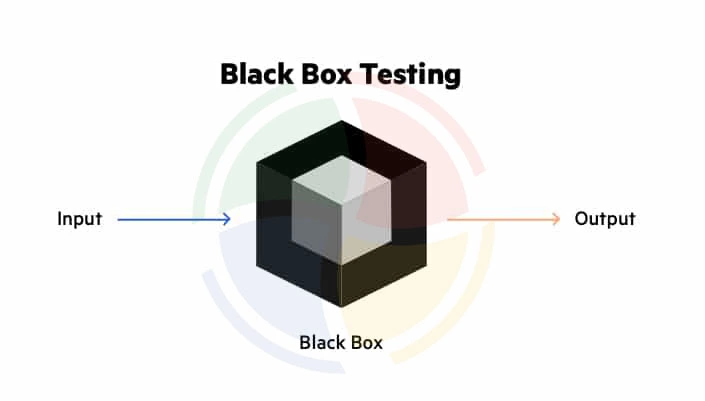
Black box testing is a software testing method where testers evaluate an application without knowing its internal code or structure.
The focus is on what the system does, not how it does it.
So, what’s the core principle? Testers feed input and analyze the output to determine if it behaves as expected—spec-driven and outcome-focused.
Its key objectives include:
- Verifying functionality against requirements
- Detecting usability issues from a user’s point of view
- Validating non-functional traits like performance or accessibility
Essentially, black box testing is rooted in the client perspective. It mirrors how real users interact with the system, helping teams find gaps in user experience or business logic. This is especially true in workflows that developers might take for granted.
Example of Black Box Testing
You’re testing an online flight booking form.
You enter:
- Departure city: New York
- Arrival city: Paris
- Date: Yesterday’s date
Expected Output:
The system should display an error message, such as “Please select a valid future date.”
What you’re testing is not how the system calculates dates or fetches availability, but whether it responds correctly to invalid user input, as a real user would expect.
That’s the essence of black box testing.
Pros and Cons of Black Box Testing
Black box testing is powerful precisely because testers don’t need to know the code. But it’s not a silver bullet; there are trade-offs.
Thus, before deciding when and where to use it, go through the benefits and limitations listed below:
| Pros | Cons |
| No need for internal code knowledge | Limited in identifying hidden or structural defects |
| Simulates real-world user scenarios | Can miss edge cases if test cases are poorly designed |
| Effective for high-level functional testing | Debugging failures can be time-consuming without source access |
| Easily scalable with automation tools | Less useful for performance or security at the code level |
Types of Black Box Testing
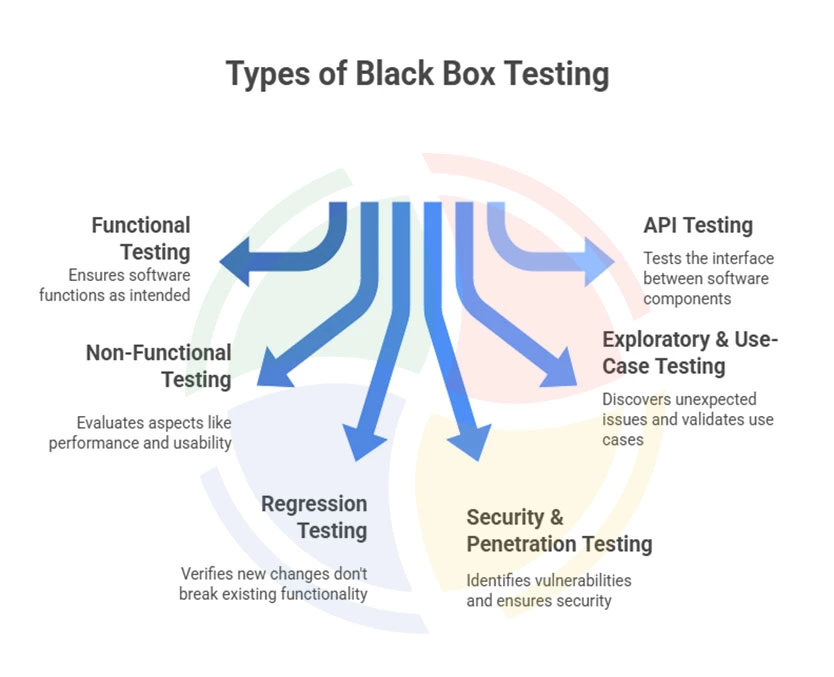
Black box testing isn’t a monolith. It branches into multiple forms, each designed to catch failures from different angles—functionality, performance, usability, and resilience.
Let’s walk through the core types of black box testing:
#1 – Functional Testing
It is a type of black box testing where most of your black box testing starts. Functional testing checks whether all the essential features—like login flows, checkout processes, or onboarding experiences—behave the way users expect.
Here’s how it’s done:
- System Testing: Testing the whole application from end to end.
- Integration Testing: Making sure different parts of your system talk to each other properly.
- User Acceptance Testing (UAT): Where actual users confirm that your product meets their real-world needs.
If you want to make sure the product does what it’s supposed to, this is your go-to approach.
#2 – Non‑Functional Testing
Once features are in place, it’s time to ask: How well does it all work?
Non-functional testing monitors your product’s performance, speed, security, and compatibility. Is it fast under load? Secure from common threats? Usable across browsers?
The test measures what the system does and how reliably, securely, and efficiently it performs these tasks.
#3 – Regression Testing
Whenever you push an update or a fix, you risk breaking something well-functioning. Regression testing helps you catch that. It reruns existing test cases to confirm everything still functions after a change.
Whether you’re tweaking UI or updating an API, regression testing keeps your product stable and trustworthy.
#4 – Security & Penetration Testing
If your app handles sensitive data—or you care about user trust—these are the non-negotiables.
Security testing and penetration testing are types of black box testing that simulate real attacks without needing to see the source code. It’s how you find vulnerabilities before attackers do.
From SQL injections to broken authentication, these tests keep your app safe.
#5 – Exploratory & Use‑Case Testing
Exploratory testing is an unscripted, human-centered approach that emphasizes discovery. Testers follow their instincts and experience, mimicking how real users might navigate the system or break the rules.
Use-case testing, meanwhile, focuses on specific user journeys—like booking a flight or submitting a claim—and tests them as holistic workflows. Both methods, when used with the right black box testing tools, are effective for finding unexpected issues, especially in new or rapidly evolving products.
#6 – API Black Box Testing
API testing, when initiated in black box testing, checks how your endpoints behave: do they return the right data? Handle errors gracefully? Respect contracts?
Whether you’re working with REST or GraphQL, tools like Postman, SoapUI, and Insomnia help you keep everything in check.
TL;DR – Pros and Cons of 6 Types of Black Box Testing
Each testing type has its place in your quality assurance strategy, making it important to know its pros and cons:
| Testing Type | Pros | Cons |
| Functional Testing | User-focused, essential for MVPs | Limited backend visibility |
| Non-Functional Testing | Catches real-world stress/failures | Often requires specialized tooling |
| Regression Testing | Prevents surprise bugs post-deploy | Can become bloated without maintenance |
| Security/Pen Testing | Critical for trust and compliance | Needs skilled testers, legal implications |
| Exploratory/Use-Case | High-value bugs, fast discovery | Less repeatable, harder to document |
| API Black Box Testing | Scalable, CI/CD-friendly, no backend access needed | May miss logic-level flaws in implementation |
Popular Black Box Testing Techniques
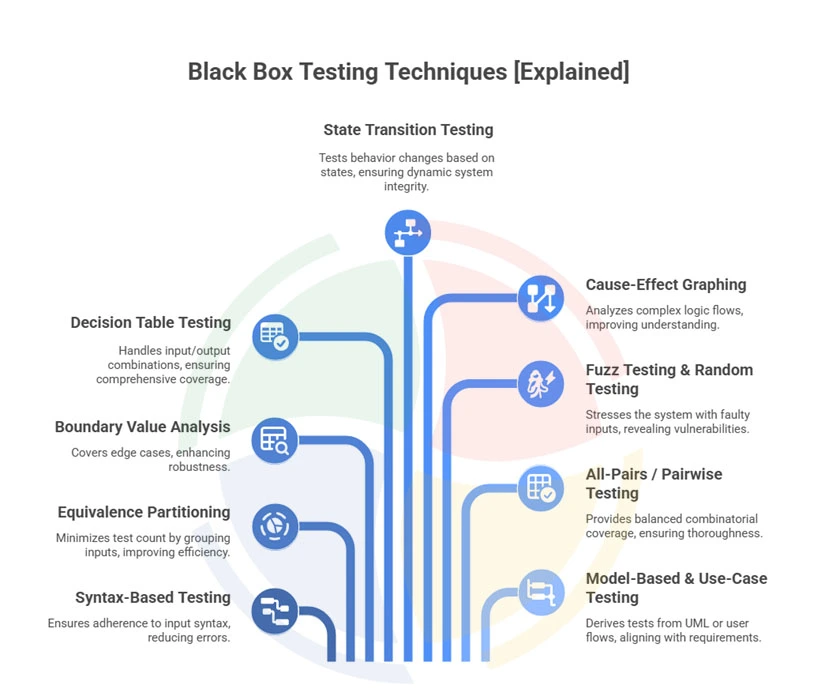
Now that you know the answer to “what is black box testing,” and what needs to be tested, the next question is: how do you test it smartly?
Randomly poking at the app won’t cut it. These tested techniques help you create lean, high-impact test suites:
State Transition Testing

The method tests how the system behaves depending on its previous state. For example, users may see different options based on whether they’re logged in, timed out, or locked out.
Syntax-Based Testing
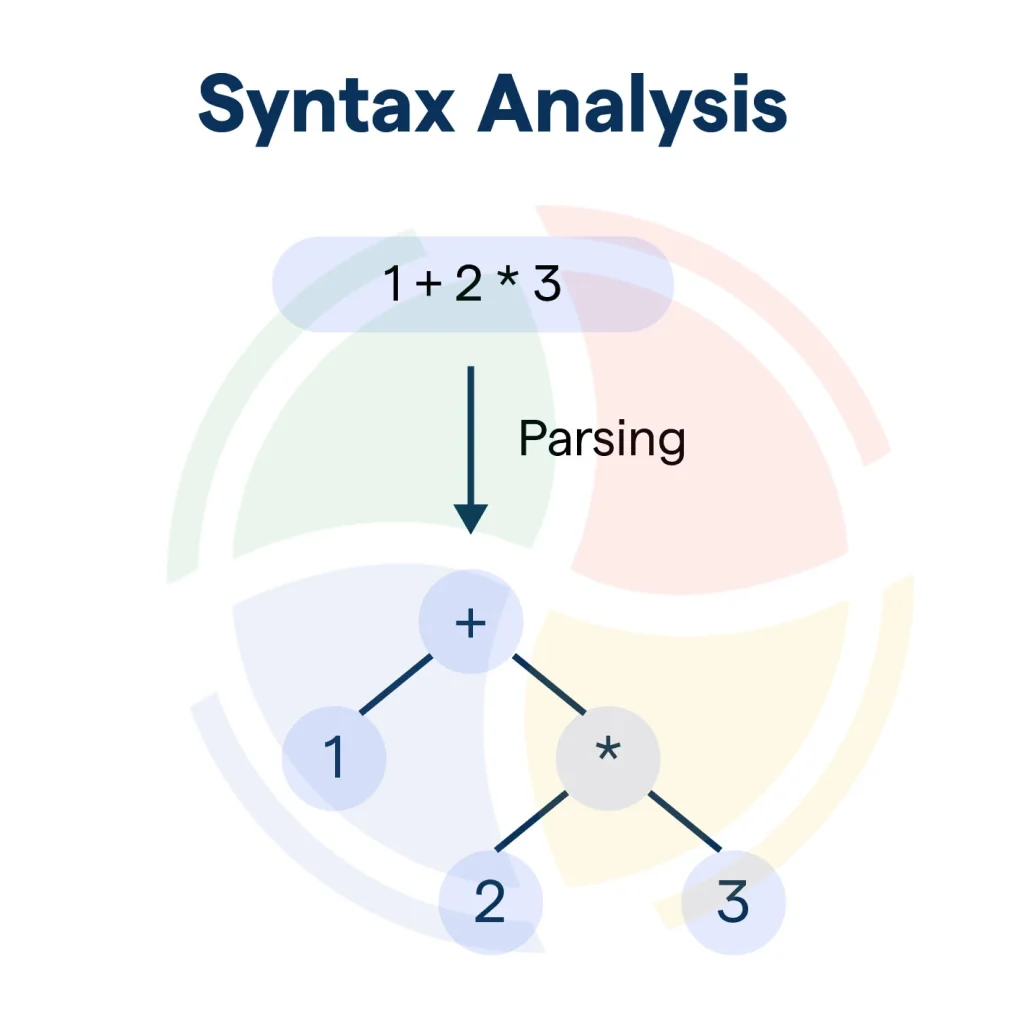
Syntax-based testing checks whether inputs conform to expected formats, such as email addresses, date formats, or command-line inputs. It’s especially useful for validating structured data like JSON, XML, or SQL queries.
Equivalence Partitioning
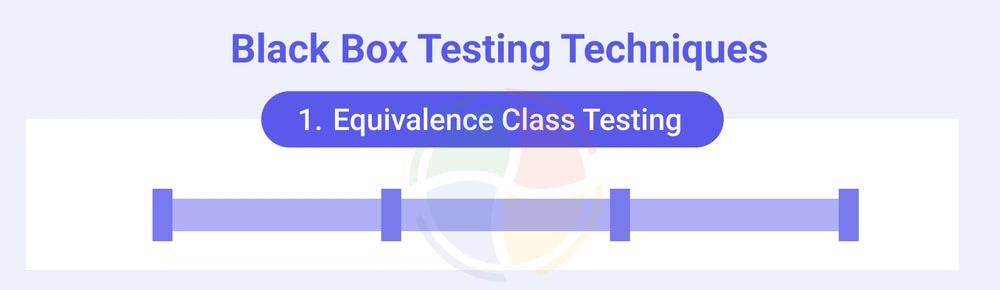
It is one of the black box testing techniques where Inputs are divided into groups that should behave the same way.
For example, if users aged 18–60 get identical access, then testing just one value from that range (say 30) can represent the entire group. This reduces the total number of test cases.
Decision Table Testing
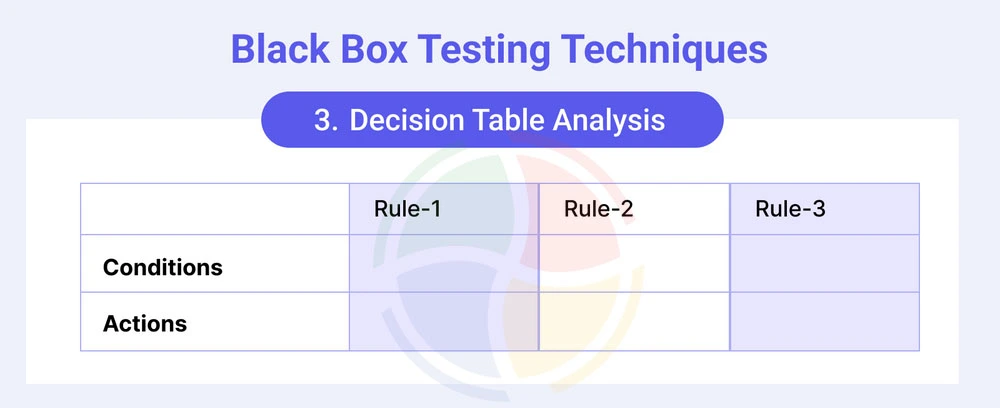
When multiple input combinations influence the output, a decision table helps map all possible scenarios. This ensures every condition and outcome pair is tested and is especially useful for rule-heavy systems.
Cause-Effect Graphing
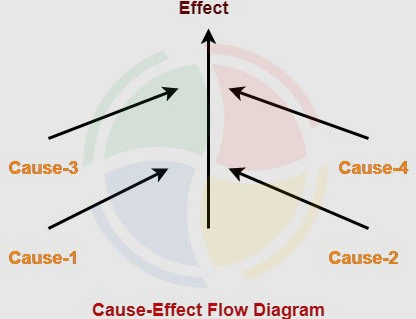
A cause-and-effect graph uses logical relationships to connect input conditions (causes) to outcomes (effects). It helps identify complex rule interactions that might be missed by linear test cases.
All-Pairs or Pairwise Testing
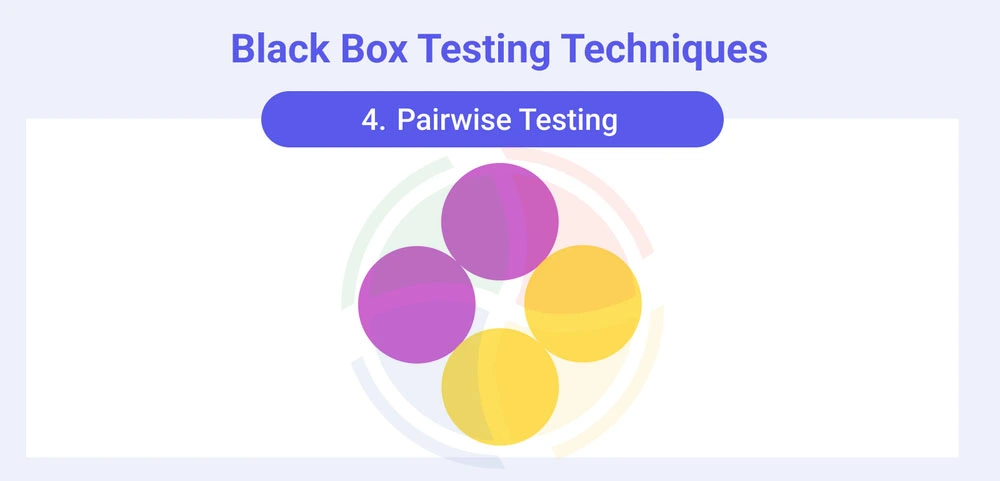
The method tests all possible pairs of input parameters rather than every combination. It strikes a balance between exhaustive testing and practicality. This results in a reduced test volume while maintaining strong coverage.
Fuzz Testing and Random Testing
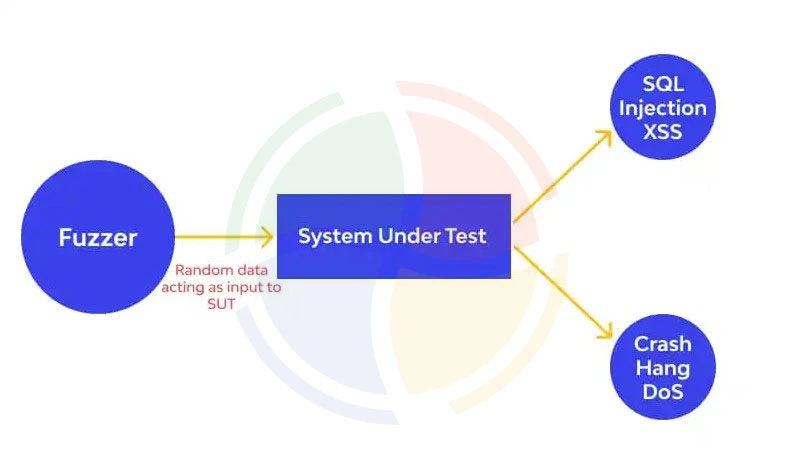
Both fuzz and random testing methods bombard the system with unexpected or malformed inputs to detect vulnerabilities. Fuzz testing is often used in security, while adaptive random testing adjusts inputs based on prior test results.
Boundary Value Analysis
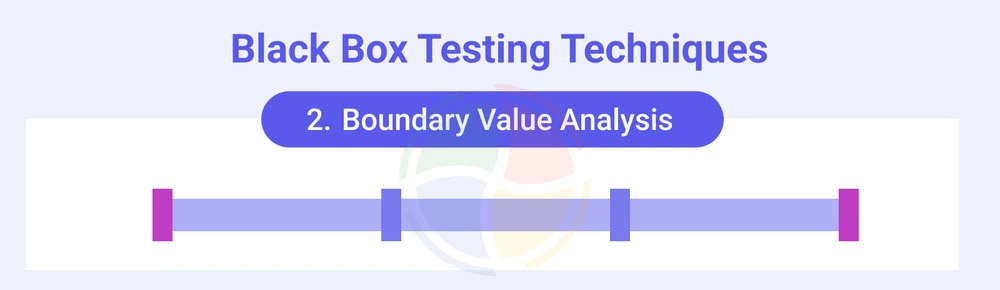
Most bugs tend to occur at the edges of input ranges. This method tests values at, just below, and just above boundaries.
For instance, testing 17, 18, 60, and 61 when the valid age range is 18 to 60.
Model-Based and Use-Case Testing
Tests are generated from system models like UML diagrams or real user scenarios. This ensures that workflows and edge cases, especially those involving multiple steps, are thoroughly covered.
Gray Box vs Black Box vs. White Box Testing
Now that we are nearing the end of this blog, it’s important to explore the differences between gray box vs black box vs white box testing. These terms are often confused and used interchangeably.
However, each testing method gives you a different lens into your product.
So, let’s zoom out for a second and understand the differences:
| Feature | Black Box Testing | White Box Testing | Gray Box Testing |
| Tester Knowledge | No access to internal code | Full visibility into code and logic | Partial access—e.g., database schemas, APIs |
| Focus Area | Functional behavior and user flows | Internal logic, branches, paths | Data flow and integration points |
| Commonly Used For | UI, end-to-end, acceptance testing | Unit, security, performance testing | Integration, risk-based, data validation |
| Tools | Selenium, Postman, TestRail | JUnit, NUnit, SonarQube | SoapUI, TestNG (with access tokens, APIs) |
| Written By | QA testers, business analysts | Developers | QA engineers with limited dev access |
| Error Detection | Surface-level bugs, missing features | Logic errors, security gaps | Data handling, session flaws, API mismatches |
| Speed | Moderate to slow | Fast (small units) | Moderate, often used mid-cycle |
| Maintenance | Low (UI changes affect tests) | High (code changes require rewrites) | Medium |
| Real-World Accuracy | High (user-centric) | Low (less user context) | Balanced |
When to Combine for Maximum Coverage?
Combine black and white box testing in CI/CD to catch both user-facing and logic-level bugs.
Use gray box testing during integration when APIs are involved, but you still want functional coverage.
For critical apps (e.g., banking, healthcare), a hybrid strategy means insurance.
Best Practices & Smart Tips for Black Box Testing
Black box testing is only as effective as the strategy behind it. Here’s how to make it count:
- Thorough spec analysis:
Deeply analyze client requirements and user stories. Identify critical paths and edge cases early, then prioritize based on feature complexity and user impact.
- Requirement traceability:
Every test should map back to a specific requirement or user story. This creates visibility, accountability, and ensures full functional coverage.
- Balanced automation testing:
Don’t automate blindly. Use automation QA testing services for automated regression and API tests in stable areas, and pair them with manual exploratory testing to catch UI and behavior bugs.
- Maintainable test design:
As the app evolves, so should your tests. Build modular, version-controlled test suites that adapt to product changes without breaking.
- CI/CD integration:
Embed testing early into the pipeline. Shift-left testing means faster feedback loops and fewer last-minute surprises.
We supported a global fintech client in black-box testing an enterprise app with daily deployments. By combining automation and manual validation, they saw 95% automation coverage and a 30% drop in production issues within two months.
Black-Box Testing with Aegis Softtech: Confident Releases Start Here!
In the end, black-box testing delivers peace of mind. It ensures your app does exactly what users expect — no guesswork, no excuses. In fast-moving sprints, that’s gold. But the catch is that doing it well takes more than checklists.
You need smart test case design, risk-based coverage, and seamless integration with CI/CD. You need automation where it counts and human intuition where it matters.
Aegis Softtech’s software testing and quality assurance services offer full-cycle testing — from functional and regression to API, mobile, and security — tailored to your release cadence. Our ISTQB-certified engineers use the latest frameworks to catch issues early, cut costs, and reduce release risk.
Clients launching daily builds? We’ve helped them do it. Without downtime. Without last-minute surprises.
Test smarter. Move faster. Partner with us.
FAQs
1. Is black box testing illegal?
No, black box testing is completely legal when done with permission. It’s a standard QA practice used to validate software behavior, using different types of black box testing.
2. What is an example of a black box AI?
OpenAI’s GPT models are black box AIs—their internal logic isn’t fully visible, but you can test outputs based on inputs without knowing how results are generated.
3. What are some of the best black box testing tools?
Popular black box testing tools include Selenium for UI automation, Postman for APIs, and TestComplete for end-to-end testing. The choice depends on your tech stack and different types of black box testing, like functional, regression, and usability.
4. When should I use black box testing vs white box testing?
Use black box testing when validating user-facing functionality, acceptance criteria, and real-world scenarios without requiring code access. It is ideal for UAT, regression, and end-to-end testing. Switch to white box testing for complex algorithms, security-sensitive logic, and performance-critical code paths.
5. Can black box testing be automated?
Yes, black box testing strongly supports automation, especially for repetitive test cases like regression suites, API contract validation, and UI workflows. Tools like Selenium, Appium, TestComplete, and Ranorex enable automated black box testing for web, mobile, and desktop applications.